5
5
5-3
5-3
Troubleshooting > Corrective Actions > Image Defects > White spots
Troubleshooting > Corrective Actions > Image Defects > White spots
■
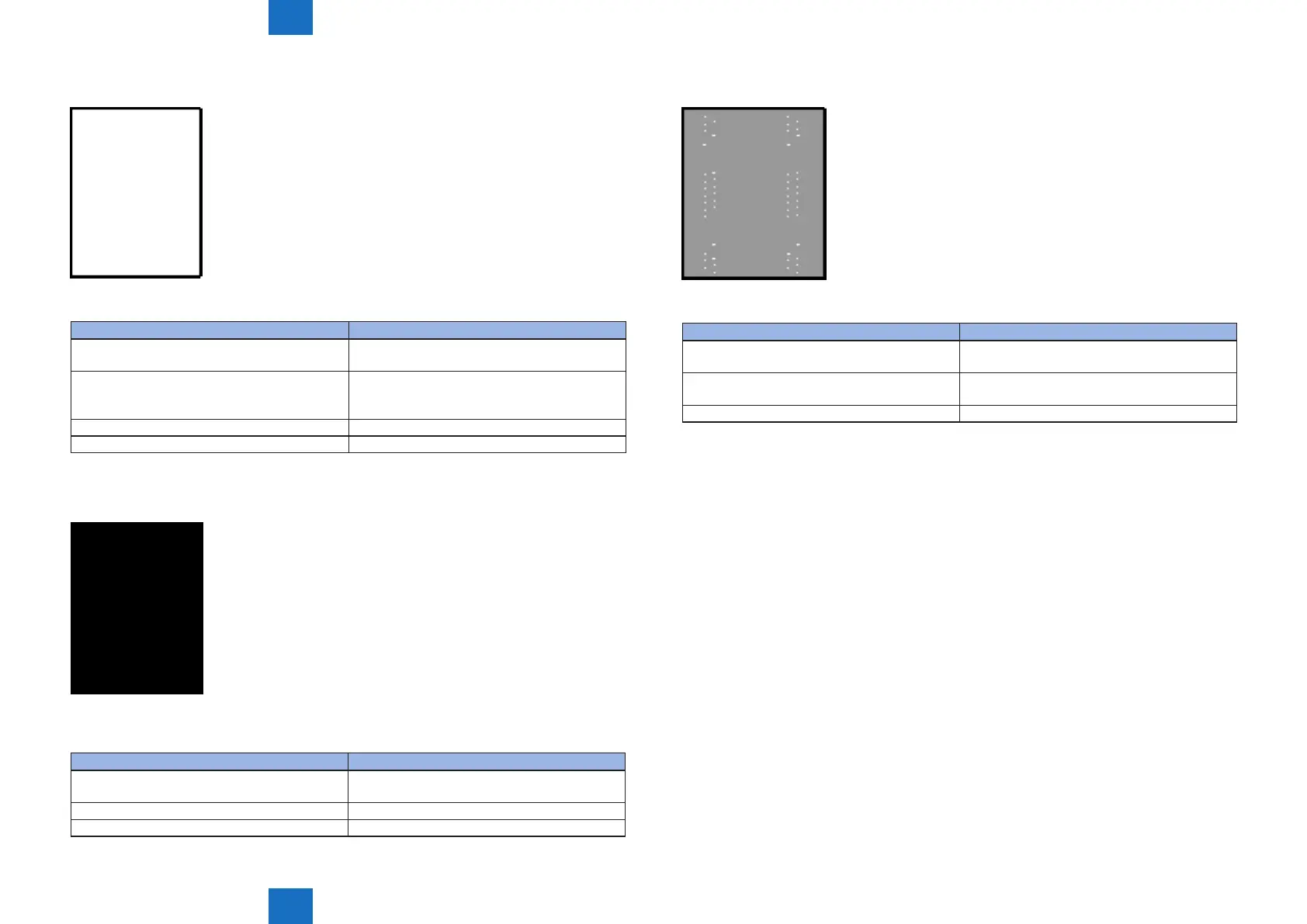
Completely blank
No image prints
Cause Solution
1) The laser shutter open/close projection part of
the cartridge is damaged
Replace the cartridge.
2) The laser shutter arm and laser shutter are
malfunctioning or damaged
If the laser shutter arm or laser shutter does not
move smoothly or if the part is damaged, replace
any defective parts.
3) Poor developing bias contact with the cartridge Clean the contact if dirty.
4) The high-voltage power supply is defective Replace the engine controller unit.
■
All black
Image is all black
Cause Solution
1) Poor primary charging bias contact with the
cartridge
Clean the contact if dirty.
2) The primary charging roller is defective Replace the cartridge.
3) The high-voltage power supply is defective Replace the engine controller unit.
F-5-3
T-5-3
F-5-4
T-5-4
■
White spots
White spots appear in image
Cause Solution
1) The transfer roller is deformed or has
deteriorated
Replace the transfer roller.
2) Poor contact exists between the transfer roller
and its shaft
Clean the contact if dirty.
3) The high-voltage power supply is defective Replace the engine controller unit.
F-5-5
T-5-5












 To Next Page