2
2
2-67
2-67
Technology > MEAP > Enhanced System Application Management > Procedure Installing Login Services
Technology > MEAP > Enhanced System Application Management > Procedure Installing Login Services
■
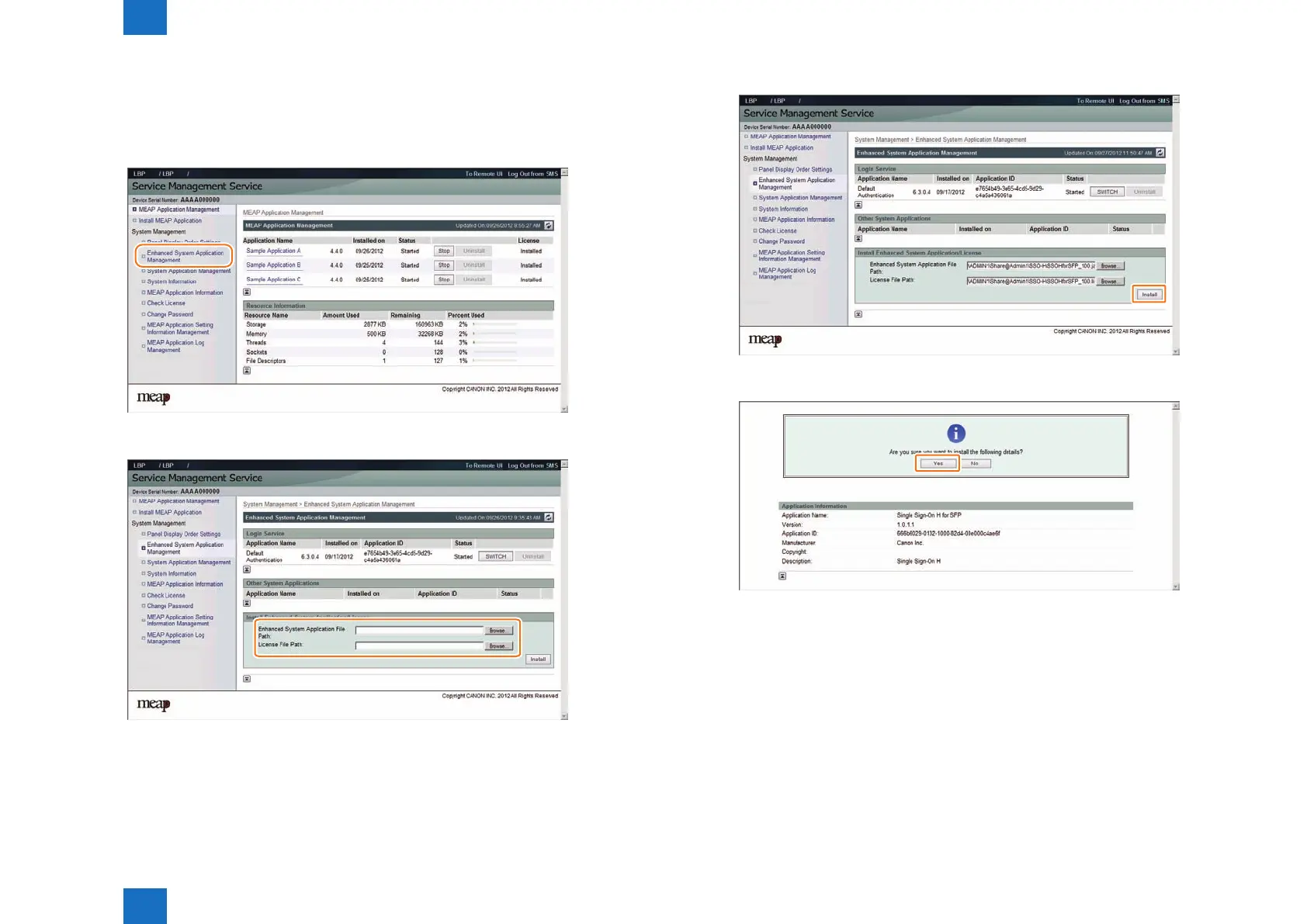
Procedure Installing Login Services
Use the following procedure to install the login services.
1) Access SMS, and then click [ System Management ] > [ Enhanced System Application
Management ].
2) Click the [ Browse ] button, and specify the Enhanced System Application le/License le.
F-2-137
F-2-138
3) Click [ Install ] button.
4) As the screen to conrm login application to install is displayed, click [Yes].
F-2-139
F-2-140














 To Next Page