3
3
3-18
3-18
Disassembly/Assembly > External Cover, Internal Cover > Removing the Left Cover
Disassembly/Assembly > External Cover, Internal Cover > Removing the Left Cover
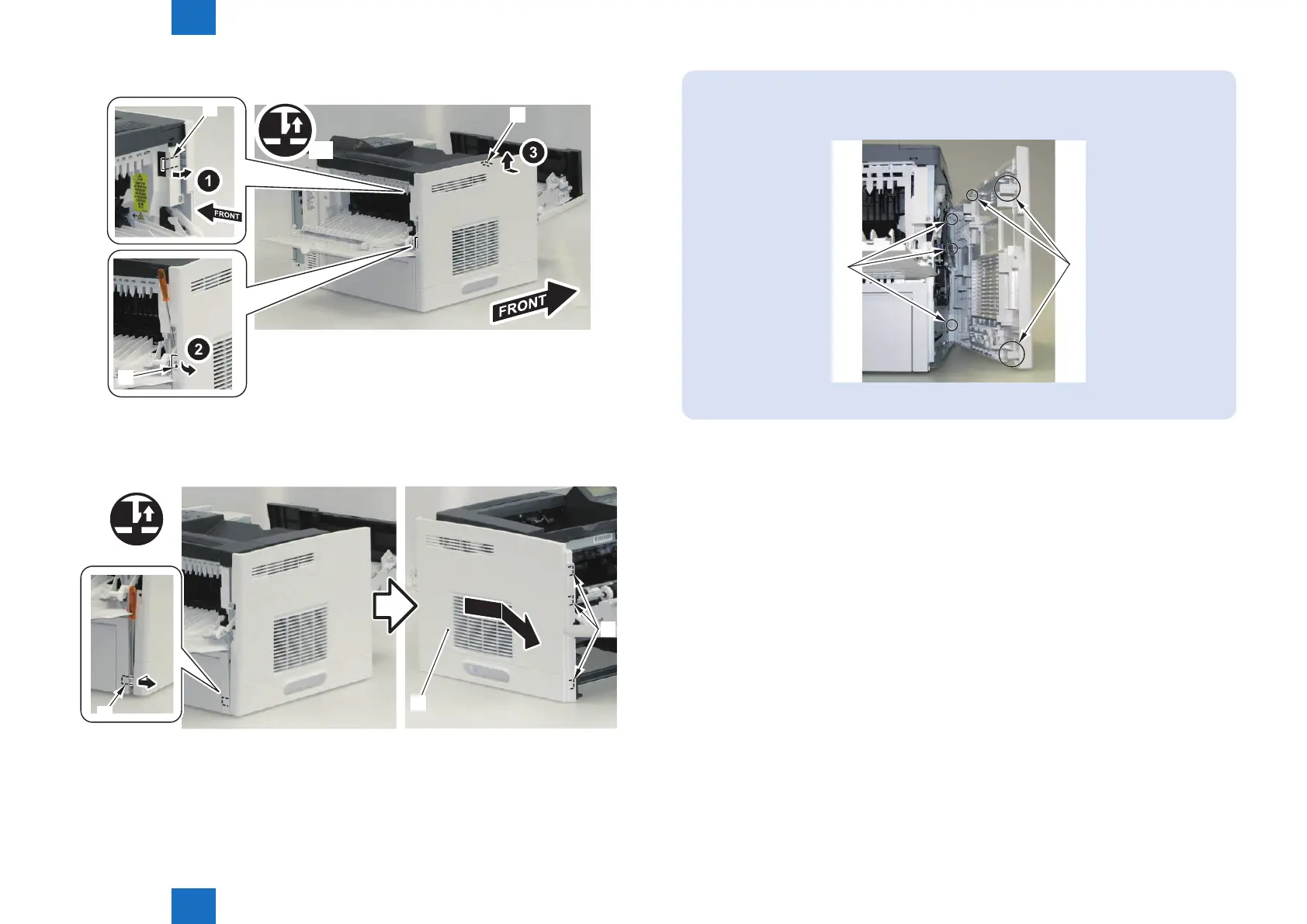
4) Remove the 2 claws [1] and the boss [2].
[1]
[2]
[1]
x2
5) Remove the Left Cover [1].
• 1 Claw [2]
• 3 Hooks [3]
[1]
[3]
[2]
F-3-26
F-3-27
NOTE:
The following shows the 3 claws [1] and 3 hooks [2] removed in step 3.
[1]
[2]














 To Next Page