1
1
1-16
1-16
Product Description > Using The Machine > Reset (LBP3560/6750dn)
Product Description > Using The Machine > Reset (LBP3560/6750dn)
■
Imaging
NOTE:
• Bold values in the table indicate the default settings.
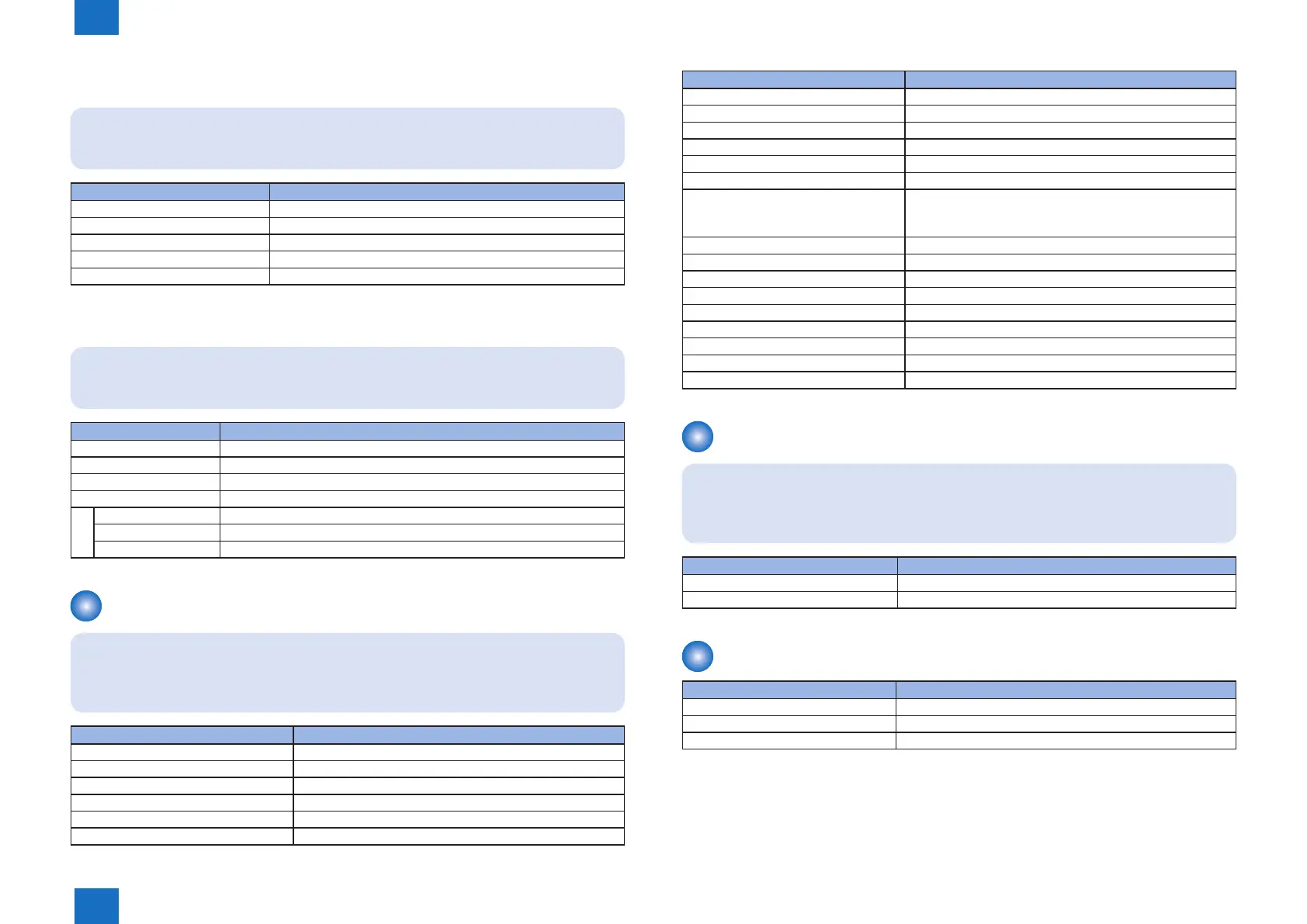
Setting Item Setting Value
[Image Orientation] [Auto], [Vertical], [Horizontal]
[Zoom] [Off], [Auto]
[Print Position] [Auto], [Center], [Top Left]
[Show Warnings] [Off], [Print], [Panel]
[Enlarged Print Area] [Off], [On]
■
PS
NOTE:
• Bold values in the table indicate the default settings.
Setting Item Setting Value
[Job Timeout] 0 to 3600 seconds
[Wait Timeout] 0 to 300 to 3600 seconds
[Print PS Errors] [Off], [On]
[Halftones]
[Text] [Resolution], [Gradation], [High Resolution]
[Graphics] [Resolution], [Gradation], [High Resolution]
[Image] [Resolution], [Gradation], [High Resolution]
Utility Menu (LBP3560/6750dn)
NOTE:
• The setting items or setting values with "*" may not be displayed depending on the
availability of the optional accessories and other settings.
Setting Item Setting Value
[Conguration Page] -
[Network Status Print] -
Test Print B*1 continuous printing (grid pattern)
Test Print D*1 continuous printing (E pattern)
Test Print D1*1 counter reading/service printing
Test Print I*1 image test printing (black pattern)
T-1-26
T-1-27
Setting Item Setting Value
Test Print J*1 image test printing (2dot/3space pattern)
Test Print K*1 image test printing (half tone pattern)
Test Print L*1 image test printing (grid pattern)
Test Print X*1 image test printing (half grid pattern)
Test Print Z*1 image test printing (white pattern)
Test Print AW*1 Counter list
Device Log List*1 Device log printing
Log1: Jam log
Log3: Error log
[PCL Utility] [Fonts List]
[PS Utility]* [Conguration Page], [Fonts List]
[Cleaning] [A4], [LTR]
[Extension Card List]* -
[Printing Pos. Print] -
[Page Count List] -
[Counter Report] -
[Serial Number] (Display only)
[Consumables] [Paper Information], [Cartridge], [Remaining Toner]
Job (LBP3560/6750dn)
NOTE:
• The setting items or setting values with "*" may not be displayed depending on the
availability of the optional accessories and other settings.
Setting Item Setting Value
[Job Print Log List]* -
[Report Print Log]* -
Reset (LBP3560/6750dn)
Setting Item Setting Value
[Soft Reset]/[Hard Reset] -
[Form Feed] -
[Shut Down] -
T-1-28
T-1-29
T-1-30














 To Next Page