5
5
5-42
5-42
Troubleshooting > Updater > System Management Operations > Various Setting
Troubleshooting > Updater > System Management Operations > Various Setting
System Management Operations
■
Various Setting
Setting Log Level
This section describes how to set system log levels.
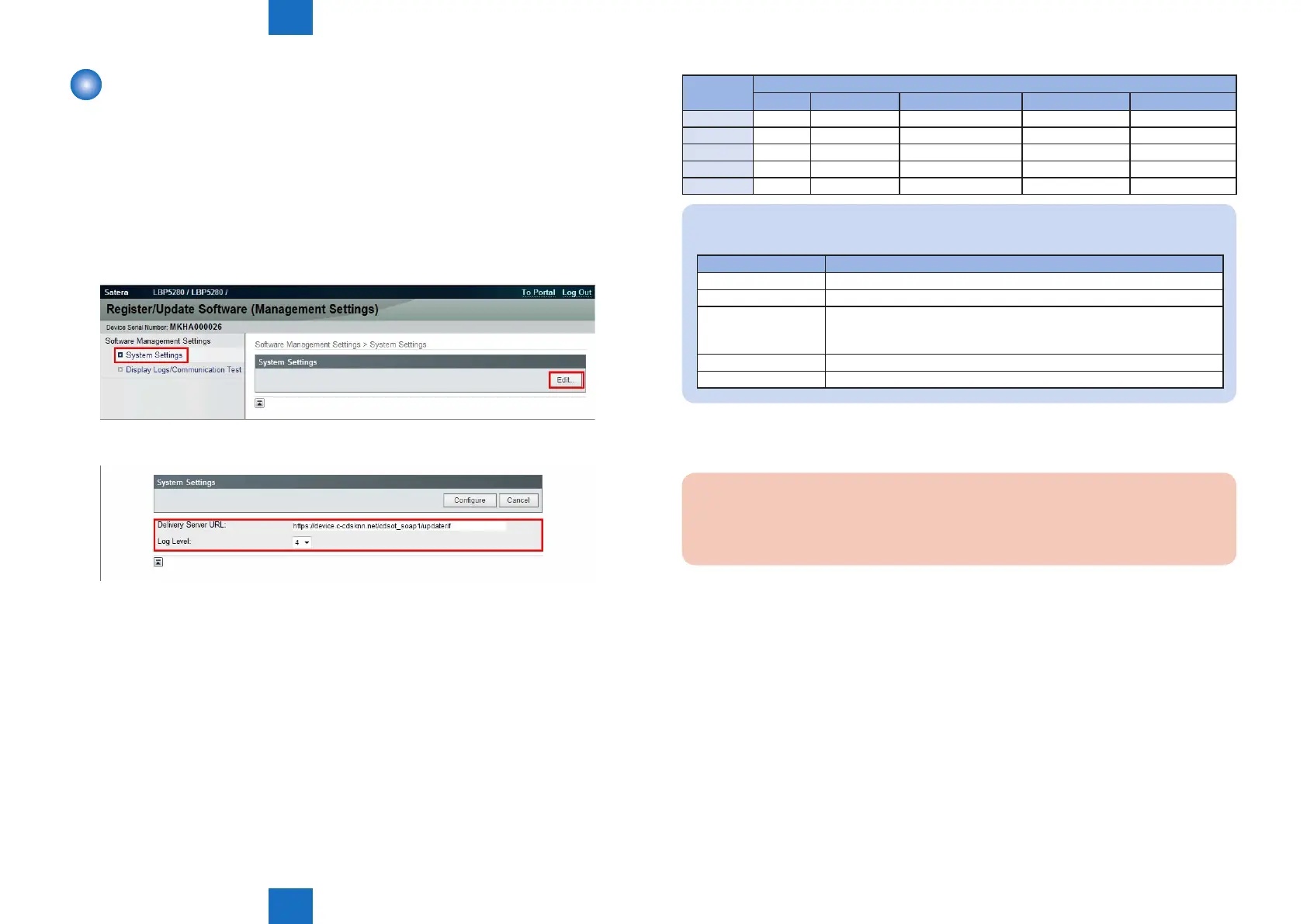
1. Activate [Register/Updater Software (Management Settings)] from browser.
1). Enter [https://machine's IP address:8443/svm/] to the URL of browser.
2). Type the password [*28*] then log in it.
3). After login, select [System Settings] > [Edit].
2. Select a log level from [Log Level] dropdown list.
• [Log Level]:
Select one of 5 levels ranging from [0] to [4]. (The default [3].)
See the table below for logs output in each level.
F-5-57
F-5-58
Log Level
Log Output
Trace Information Important Message Ordinary Error System Error
0 - - - - Yes
1 - - - Yes Yes
2 - - Yes Yes Yes
3 - Yes Yes Yes Yes
4 Yes Yes Yes Yes Yes
NOTE:
This list shows the contents of the Log Output.
Log Output Description
Trace Detailed logs for debug
Information Logs related to operations done on the system
Important Message Update logs output by rmware type
Installation logs by MEAP application
Logs related to enabled functions by system option
Ordinary Error Logs for ordinary errors
System Error Logs for internal system errors
3. Press [Congure] button to set the selected log level. Now the log level is successfully set.
Caution:
When you set it to log level 4, a performance falls, and the log acquisition takes time
remarkably .
T-5-52














 To Next Page