3
3
3-62
3-62
Disassembly/Assembly > Fixing System > Removing the Fixing Unit > Procedure
Disassembly/Assembly > Fixing System > Removing the Fixing Unit > Procedure
Fixing System
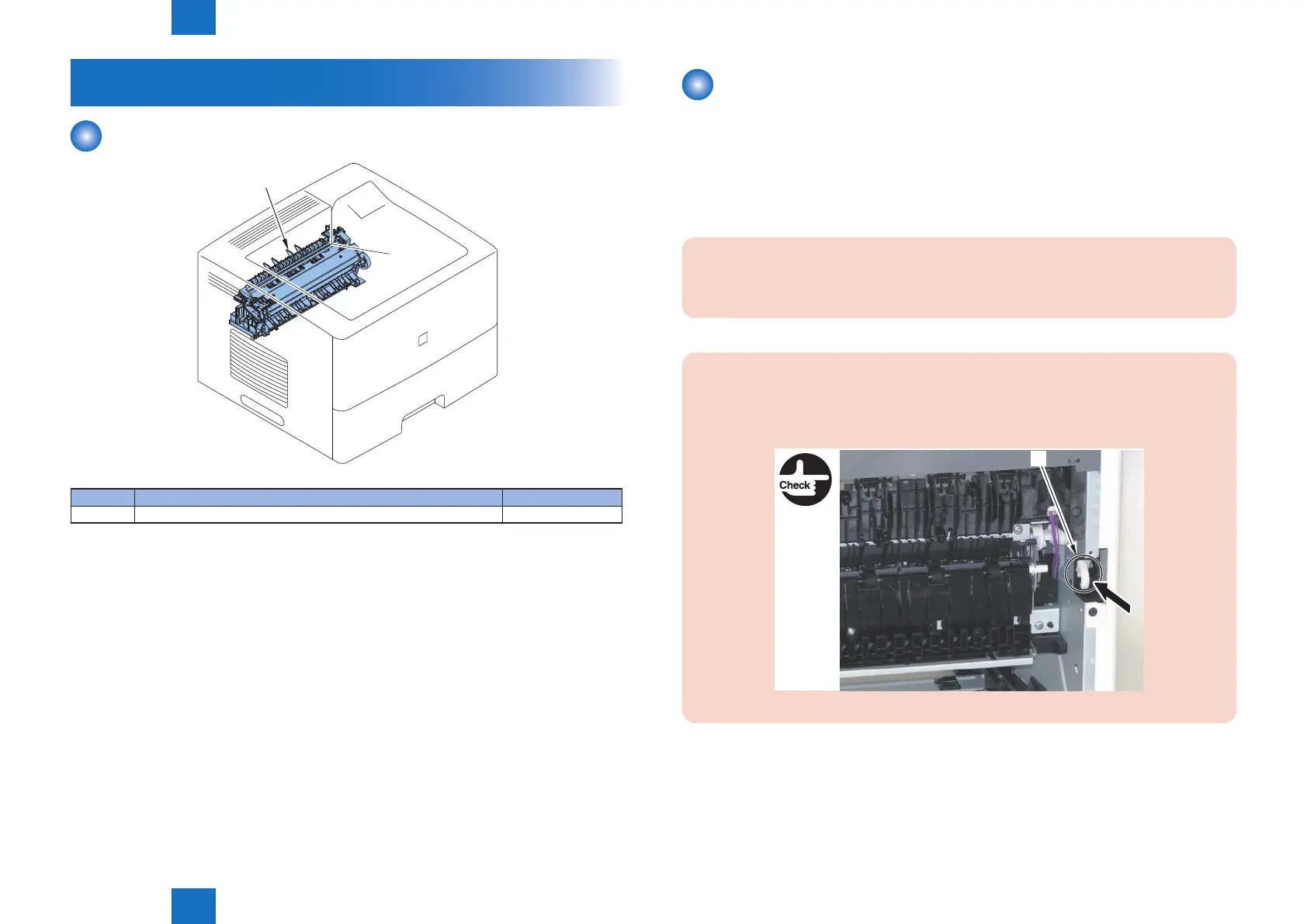
Layout drawing
[1]
Key No. Name Reference
[1] Fixing Unit (Refer to page 3-62)
F-3-130
T-3-28
Removing the Fixing Unit
■
Preparation
1) Remove the Rear Cover Unit.(Refer to page 3-19)
2) Remove the Rear Right Cover.(Refer to page 3-19)
■
Procedure
CAUTION:
Be sure not to disassemble the Fixing Unit because it requires adjustment.
Points to Note when Assembling and Disassembling:
• If the Front Cover Unit is open, close it.
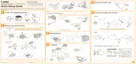
• Check that the Link [1] is housed within the main body.
[1]
F-3-131












 To Next Page