2
2
2-78
2-78
Technology > MEAP > MEAP Application Setting Information Management and Log Management > Outline
Technology > MEAP > MEAP Application Setting Information Management and Log Management > Outline
Changing SMS Login Password
■
Outline
You can change the password for logging in to SMS.
If you forgot the login password and you want to change the password back to the default
value (MeapSmsLogin), see "When SMS Cannot Be Accessed" in this manual.
■
Procedure to Change the SMS Login Password
1) Log in to SMS.
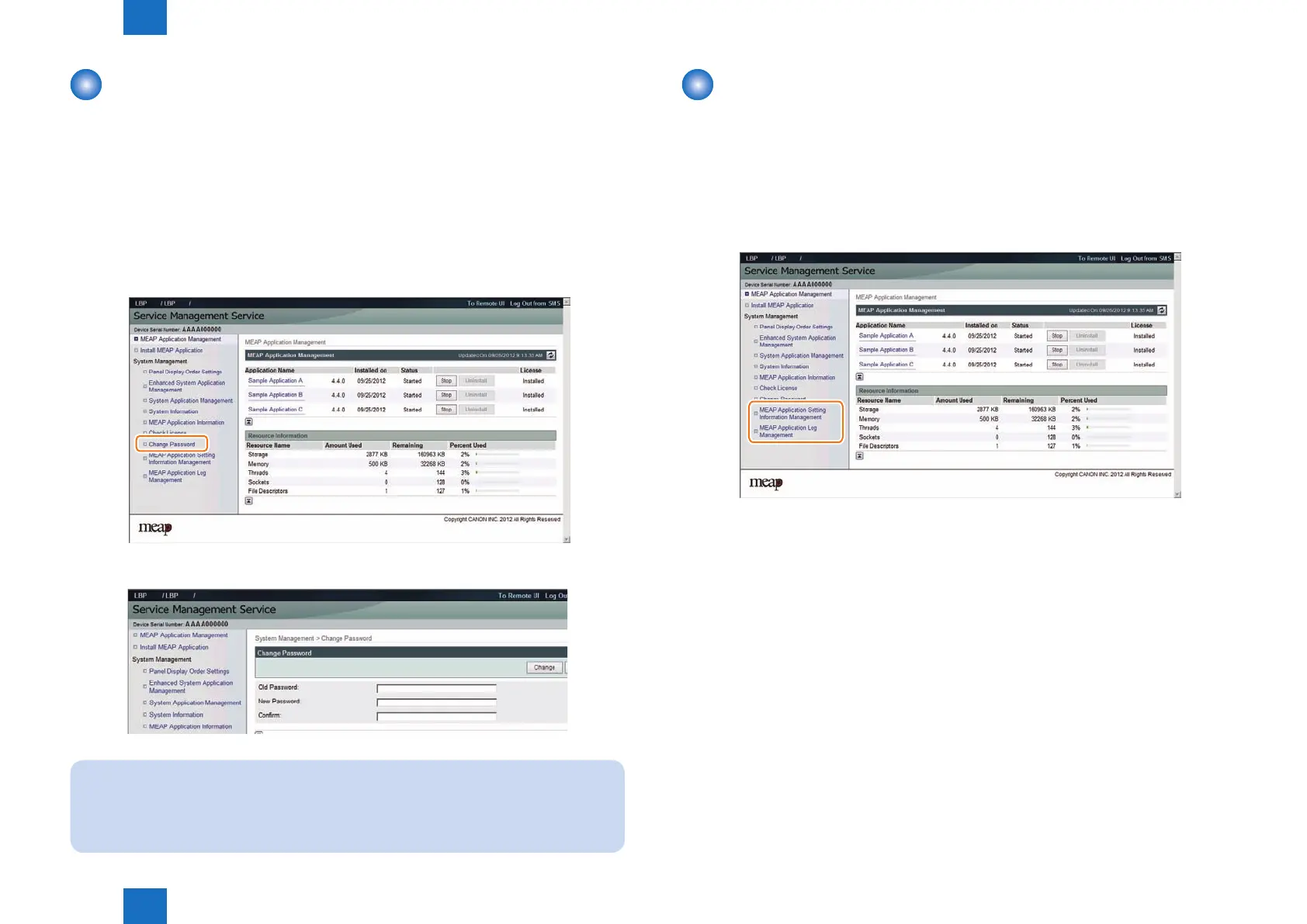
2) On System Management menu, click [ Change Password ] button.
3) Enter both the current password and a new password, and then click the [ Change ] button.
Note:
The [Reset] button on the [Change Password] screen is used to clear the value entered
in the text eld. It is not a button for changing the SMS login password back to the
default value.
F-2-171
F-2-172
MEAP Application Setting Information Management
and Log Management
■
Outline
The MEAP Application Setting Information Management page and the MEAP Application
Log Management page provide menu related to "MEAP Application Conguration Service"
for managing MEAP application setting information and "MEAP Application Log Service" for
managing log information respectively.
●
MEAP Application Conguration Service
This service manages the MEAP application setting information. It has functions such as
saving setting information to the MEAP area. Ver 57 of MEAP Specications supports this
service.
●
MEAP Application Log Service
This service is used to collect MEAP application logs (debug logs and authentication logs).
Ver.58 of MEAP Specications supports this service.
F-2-173












 To Next Page