2
2
2-83
2-83
Technology > MEAP > Maintenance > Using USB Devices
Technology > MEAP > Maintenance > Using USB Devices
WARNING :
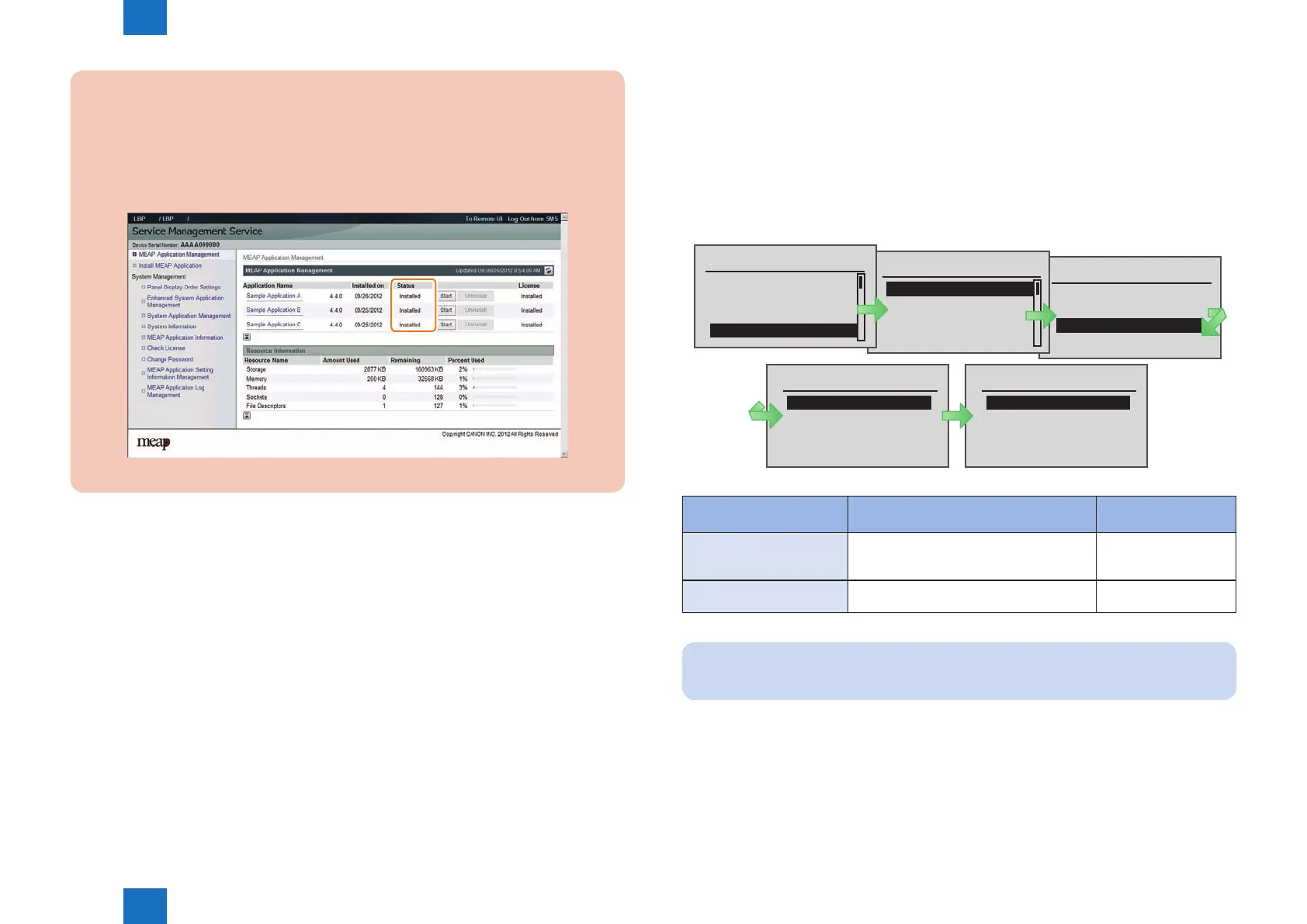
If the device has been started in the MEAP SAFE mode, all MEAP applications stop
and the status becomes "Installed".
This status remains unchanged even if the MEAP SAFE mode is cancelled and the
device is started again in normal mode. It is therefore necessary to access SMS after
normal startup, and start the MEAP application.
F-2-183
■
Using USB Devices
●
Two types of USB drivers
While the USB driver that can be used in iR series is only the USB driver designed exclusively
for MEAP application (hereinafter referred to as “MEAP driver”), not only MEAP driver but
also USB system driver (hereinafter referred to as “system driver”) can be used in iR-ADV
series.
System driver and MEAP driver cannot be used together. When either of them is used, the
other driver cannot be used.
In this model, the USB system driver supports only Mass Storage; HID is not supported. In
other words, storage devices such as USB Flash memory can be used via system driver, but
interface devices such as USB keyboard cannot be used via system driver.
●
USB driver setting
System driver is active by default in iR-ADV series.
The driver can be changed in setup menu.
Usually, It is not necessary to change the setting because it is specied in the MEAP
application side.
Only in the case of a special MEAP application, it is necessary to change the USB driver
setting.
For details, refer to specications of MEAP application side.
Interface Selection
USB
Network
USB Storage Device
Interface
Interface Selection
Timeout
Connection Recog.
Extended RX Buffer
USB Storage Device
MEAP Driver
MEAP Driver
Off
On
Setup
Network
Layout
Quality
Interface
USB Storage Device
Settings: [ MEAP Driver ]
Application that supports mass storage
device
MEAP application that
supports system driver
ON
* MEAP driver (compatibility
mode)
Can use USB mass storage device. Can
work only on the applications that support
the MEAP application driver.
Cannot use USB mass
storage device.
OFF (*default)
* Native driver
Cannot use USB mass storage device.
(Device cannot be detected.)
Can use USB mass
storage device.
Note:
When any settings changes are made, the device must be restarted.
F-2-184
T-2-20














 To Next Page