3
3
3-43
3-43
Disassembly/Assembly > Controller System > Removing the High Voltage Power Supply Unit > Procedure
Disassembly/Assembly > Controller System > Removing the High Voltage Power Supply Unit > Procedure
■
Procedure
1) Close the Front Cover Unit.
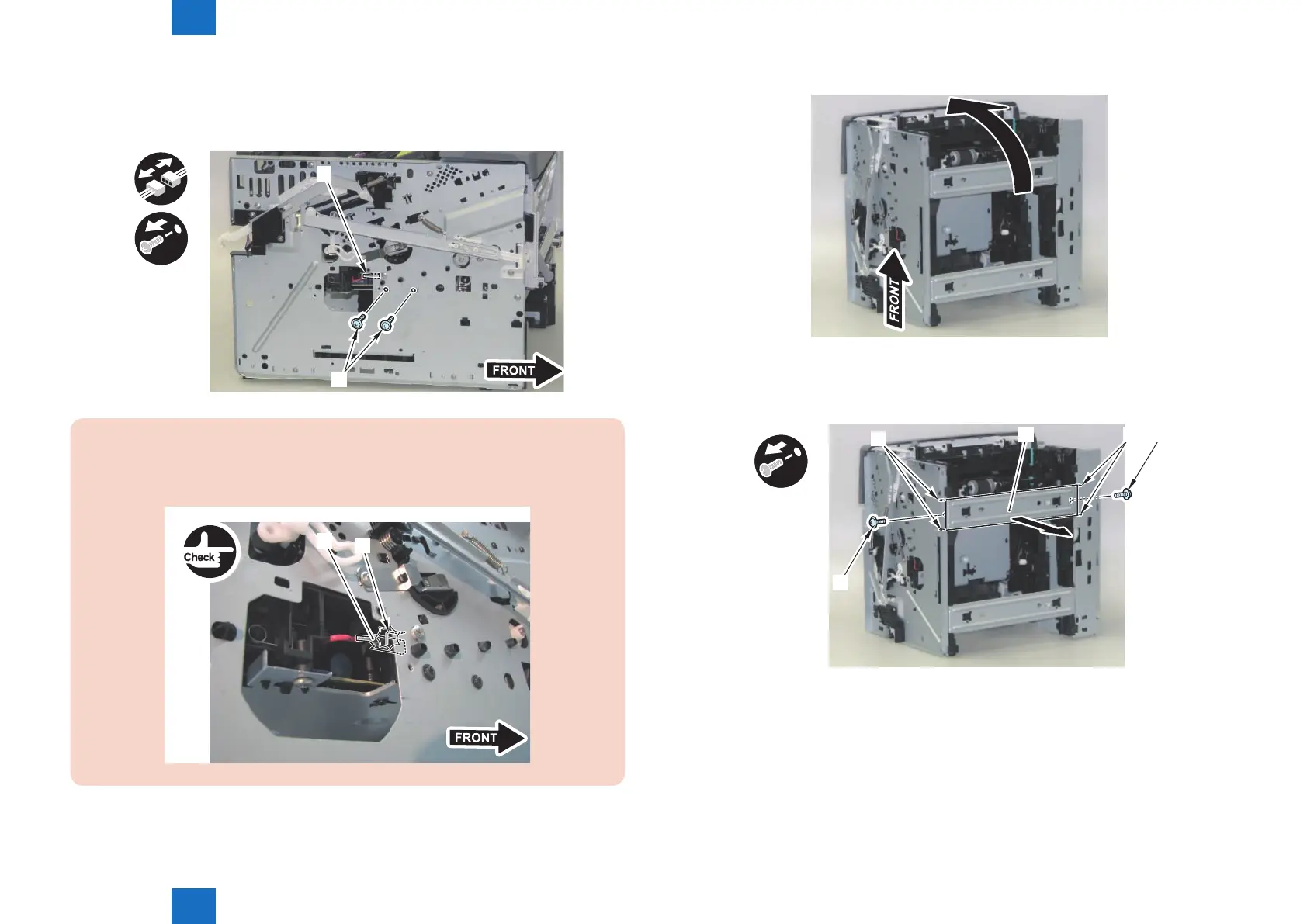
2) Remove the Faston Terminal [1] and the 2 screws [2].
x2
[1]
[2]
CAUTION:
When installing the High Voltage Power Supply Unit to the main body, be sure to check
that the Faston Terminal [1] is in contact with the Grounding Spring [2].
[1]
[2]
F-3-91
3) Turn the machine so that it is placed with its rear side down.
4) Remove the Lower Front Reinforcing Plate [1].
• 2 Screws [2]
• 4 Hooks [3]
x2
[1] [2][3]
[3]
[2]
F-3-92
F-3-93














 To Next Page