2
2
2-23
2-23
Technology > Embedded RDS > E-RDS Setup > Initializing E-RDS settings
Technology > Embedded RDS > E-RDS Setup > Initializing E-RDS settings
■
Initializing E-RDS settings
It is possible to return E-RDS Settings to factory-shipments value.
●
Setting values and data to be initialized
The following E-RDS settings, internal data, and Alarm ltering information are initialized.
• E-RDS > E-RDS SWITCH
• E-RDS > RGW-ADDRESS
• E-RDS > RGW-PORT
• E-RDS > COM-LOG
CAUTION:
In case of replacing the CA certicate le, even if initialization of E-RDS is executed, the
status is not returned to the factory default.
When installing the certicate le other than the factory default CA certicate le, it is
required to delete the certicate le after E-RDS initialization and install the factory
default CA certicate le.
For detailed procedures, see "Steps to E-RDS settings - step 5.".
●
Initialization procedure
1. Start [Service Mode].
For the procedures, see “Steps to E-RDS settings - step 1.“.
2. Select [NETWORK GR.] and press [OK] or [
] button to go to the network setting menu.
SERVICE MODE
NETWORK GR.
FUNCTION GR.
LOG GR.
F/W UPDATE GR.
S
F-2-35
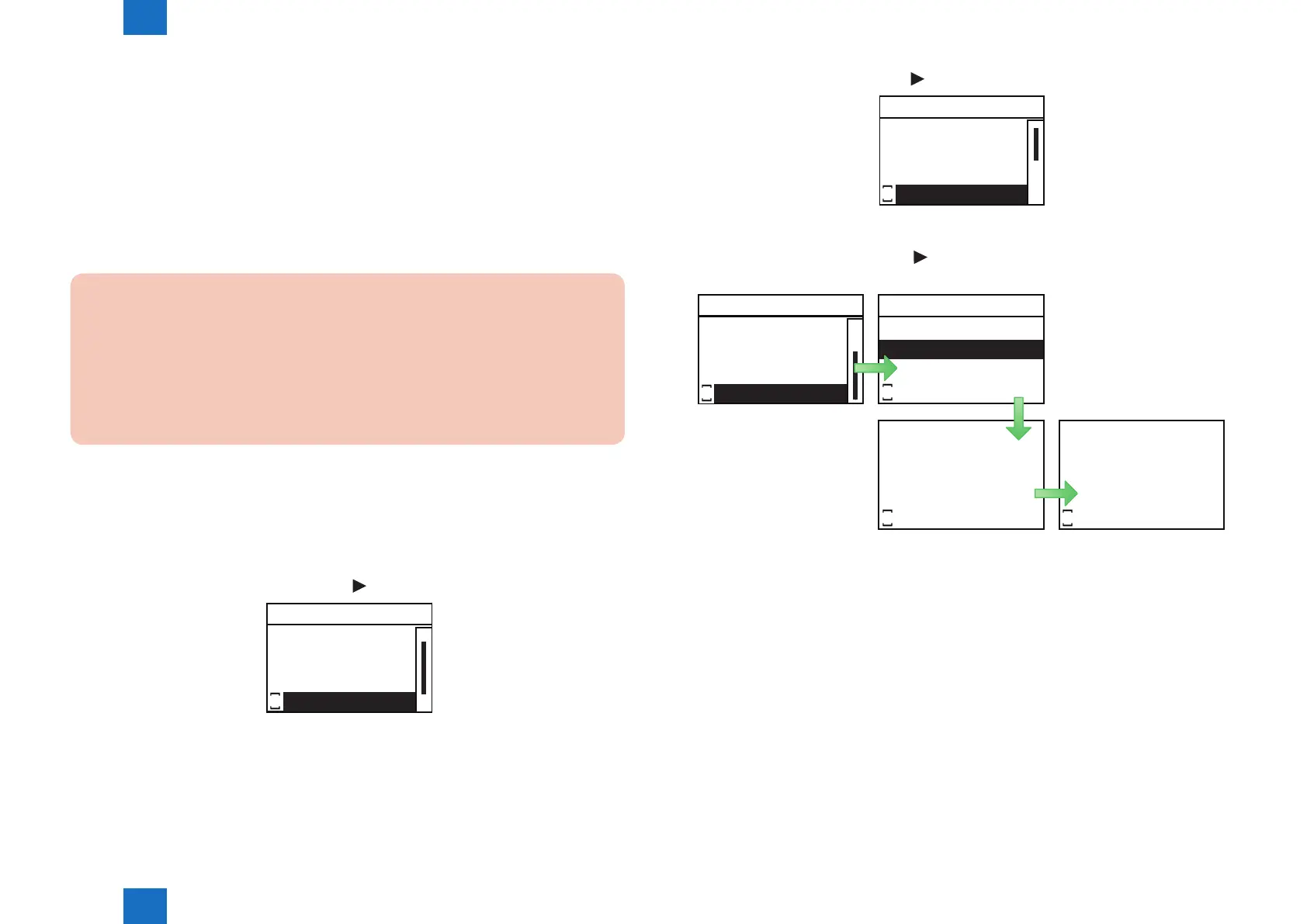
3. Select [E-RDS] and press [OK] or [ ] button to go to E-RDS setting menu.
NETWORK GR.
E-RDS
FTP SYSLOG
JOB SERIALIZE
BUFFER LIMIT
S
4. Select [CLEAR] and press [OK] or [ ] button to display Conrm Initialization screen.
Select [Yes] and press [OK] button.
E-RDS
CLEAR
RGW-PORT
COM-TEST
COM-LOG
S
Excute?
No
Yes
S
Initializing...
S
Done.
S
F-2-36
F-2-37














 To Next Page