3
3
3-17
3-17
Disassembly/Assembly > External Cover, Internal Cover > Removing the Left Cover
Disassembly/Assembly > External Cover, Internal Cover > Removing the Left Cover
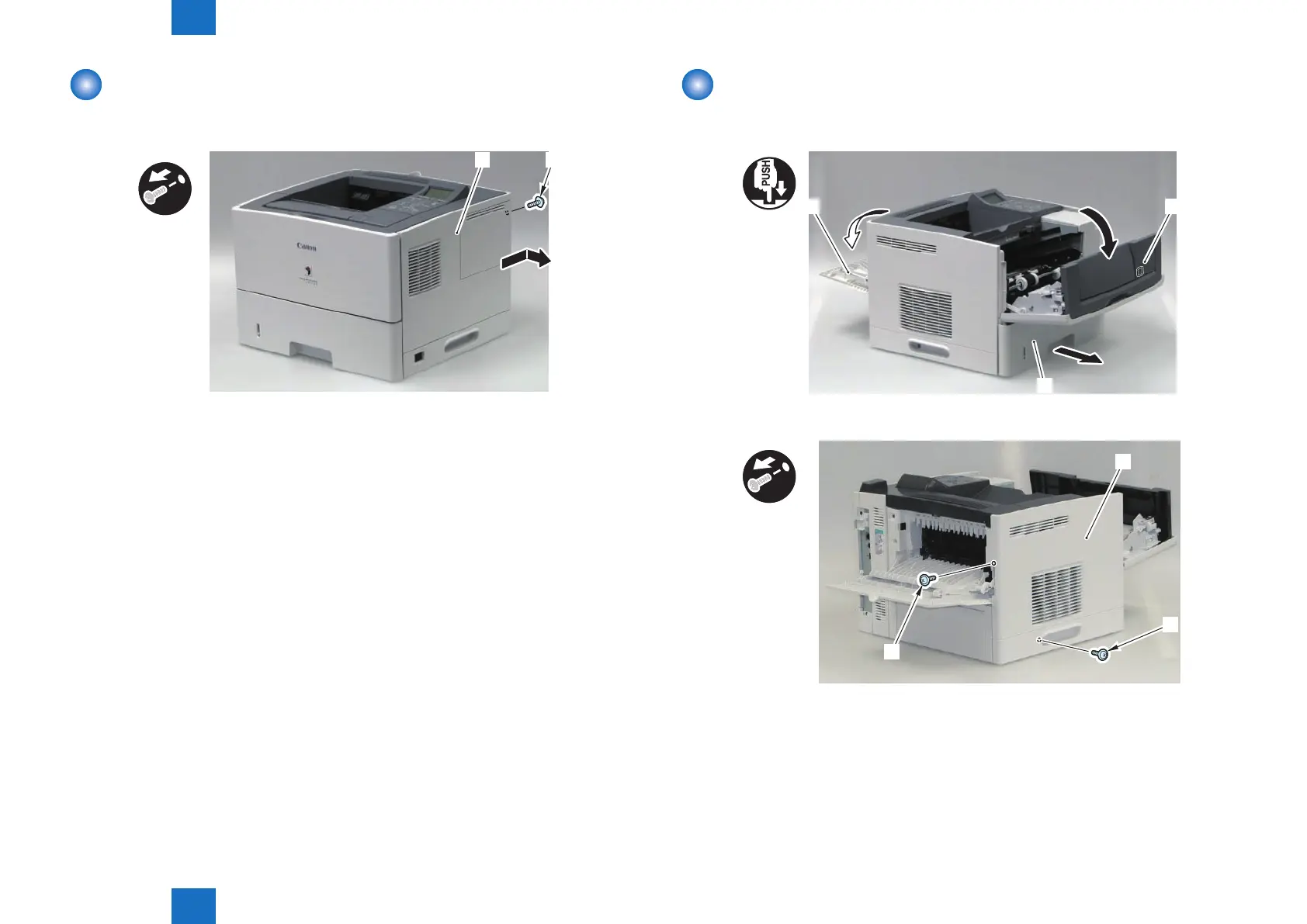
Removing the Right Cover
1) Remove the Right Cover [1].
• 1 Screw (black) [2]
F-3-23
Removing the Left Cover
1) Remove the Cassette [1].
2) Open the Front Cover [2] and the Rear Cover [3].
[1]
[2]
[3]
3) Remove the 2 screws [2] from the Left Cover [1].
[2]
[2]
[1]
x2
F-3-24
F-3-25












 To Next Page