2
2
2-42
2-42
Technology > MEAP > Login to SMS > When SMS Cannot Be Accessed
Technology > MEAP > Login to SMS > When SMS Cannot Be Accessed
■
When SMS Cannot Be Accessed
●
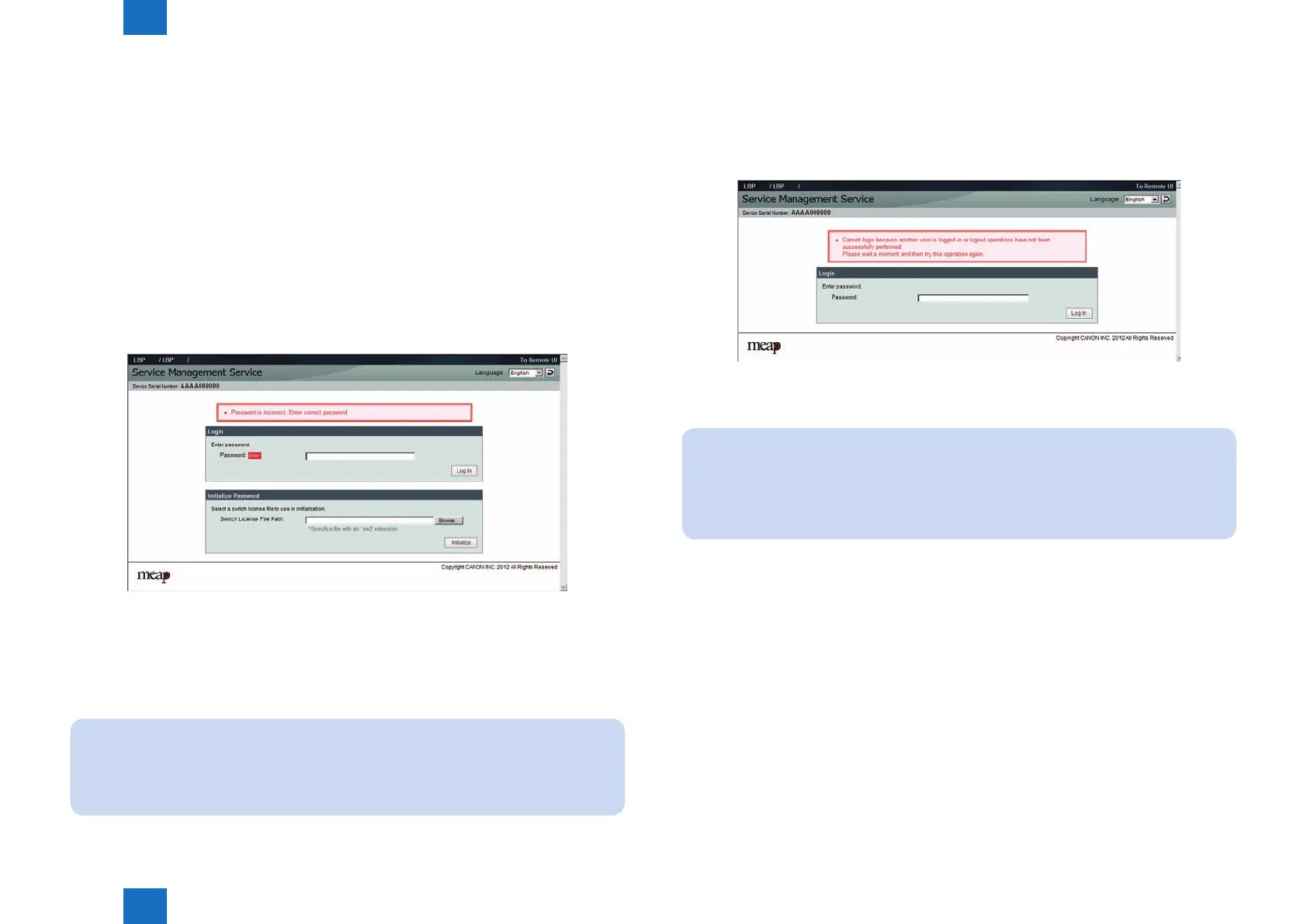
If you forgot the password (SMS login password initialization)
After changing the default SMS login password, if you forgot the new password and cannot
log in to SMS, you can use a switch license for password initialization to change the password
back to the default value "MeapSmsLogin".
Note that there is no special password for service.
1) Obtain a switch license le for password initialization.
Contact the person in charge of support at the sales company, give the device's serial
number, and have a switch license le for password initialization issued.
2) Load the switch license le.
With nothing entered, click the [ Log in ] button to display the area for specifying a switch
license le for password initialization.
3) Specify the switch license le.
Click the [ Browse ] button and specify the switch license le.
4) Initialize the login password.
Click the [ Initialize ] button to display an initialization conrmation page, and click the [ OK
] button.
Note:
• The default password is "MeapSmsLogin." (The password is case-sensitive.)
• If you click the [Cancel] button on the initialization conrmation page, password
initialization is not performed and the login page appears.
F-2-75
●
If login is not possible due to exclusive control
Because SMS uses exclusive control, if there is another user already logged in to the SMS of
the same device, then you cannot log in.
Exclusive control message example
If you cannot log in due to exclusive control, you need to ask the other user to log out before
you can try again.
Note:
If you close the browser without logging out, the session remains active. In this case,
you cannot log in again.
If this problem occurs, you can wait for 5 minutes so that the session is disconnected.
Or, you can restart the device to force the session to disconnect.
F-2-76














 To Next Page