2
2
2-79
2-79
Technology > MEAP > MEAP Application Setting Information Management and Log Management > MEAP Application Setting Information Management
Technology > MEAP > MEAP Application Setting Information Management and Log Management > MEAP Application Setting Information Management
■
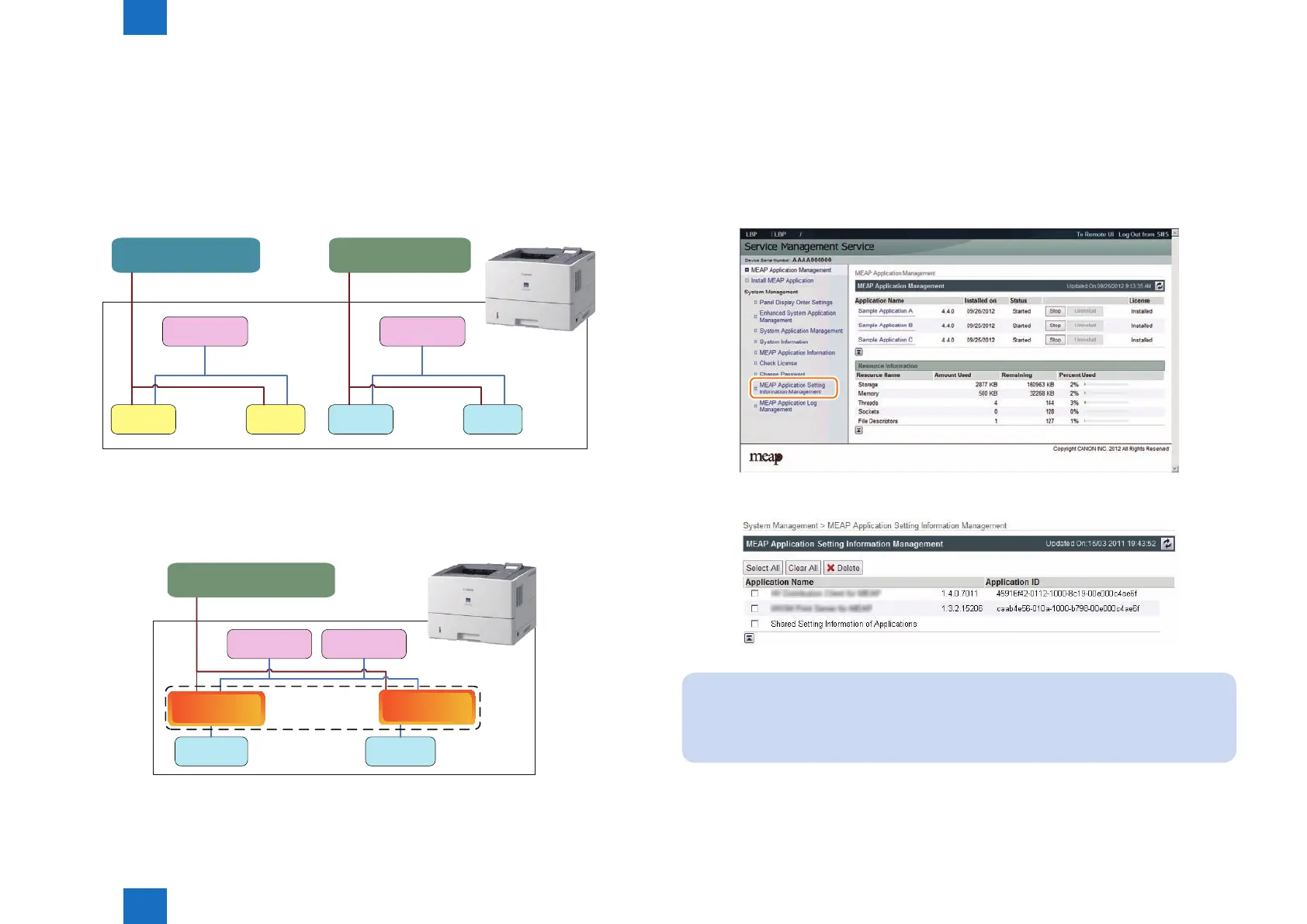
Advantages Obtained When Using the Services
By using MEAP Application Conguration Service and MEAP Application Log Service, as long
as the MEAP application supports these services, you can perform data management tasks
all together.
●
In case of devices and MEAP application that do not support the
service
App1
Dedicated management tool
Config data
(App1 format)
App1
Device
Log data
Setting and reference
App2
Dedicated management tool
Config data
App2
Log data
(App1 format) (App2 format) (App2 format)
Setting and reference
Setting and reference
Setting and reference
As for devices and MEAP application that do not support the service, the setting information
and log data are managed separately by application.
●
In case of devices and MEAP application that support the service
App1 App2
Setting and reference
Configuration
Config data
(common format)
Device
Log data
Platform
General-purpose management tool
Configuration
management service
(common format)
Log
management service
As for devices and MEAP application that support the service, information can be managed
all together.
F-2-174
F-2-175
■
MEAP Application Setting Information Management
The setting data (stored on the device) of the MEAP application which supports the
Conguration Service can be deleted. The procedure is shown below.
1) Log in to SMS.
2) On System Management menu, click [ MEAP Application Setting Information Management
] button.
3) Select an application you want to delete, and then click the [ Delete ] button.
Note:
If the installed MEAP application contains setting data which is not dedicated to the
application but can be shared, the application name [Shared Setting Information of
Applications] will be displayed.
F-2-176
F-2-177














 To Next Page