5
5
5-40
5-40
Troubleshooting > Updater > Preparation > Enabling [Manual Update] Button of User Mode (Remote UI)
Troubleshooting > Updater > Preparation > Enabling [Manual Update] Button of User Mode (Remote UI)
■
Enabling [Install Application/Options] Button of User Mode
(Remote UI)
To allow users to install applications using Updater, the setting of application installation
should be set to ON for users in advance.
Service
Technician
Setting of Device Service Mode SERVICE MODE >FUNCTION GR. >MEAP
>CDS-MEAP
(On -> Off)
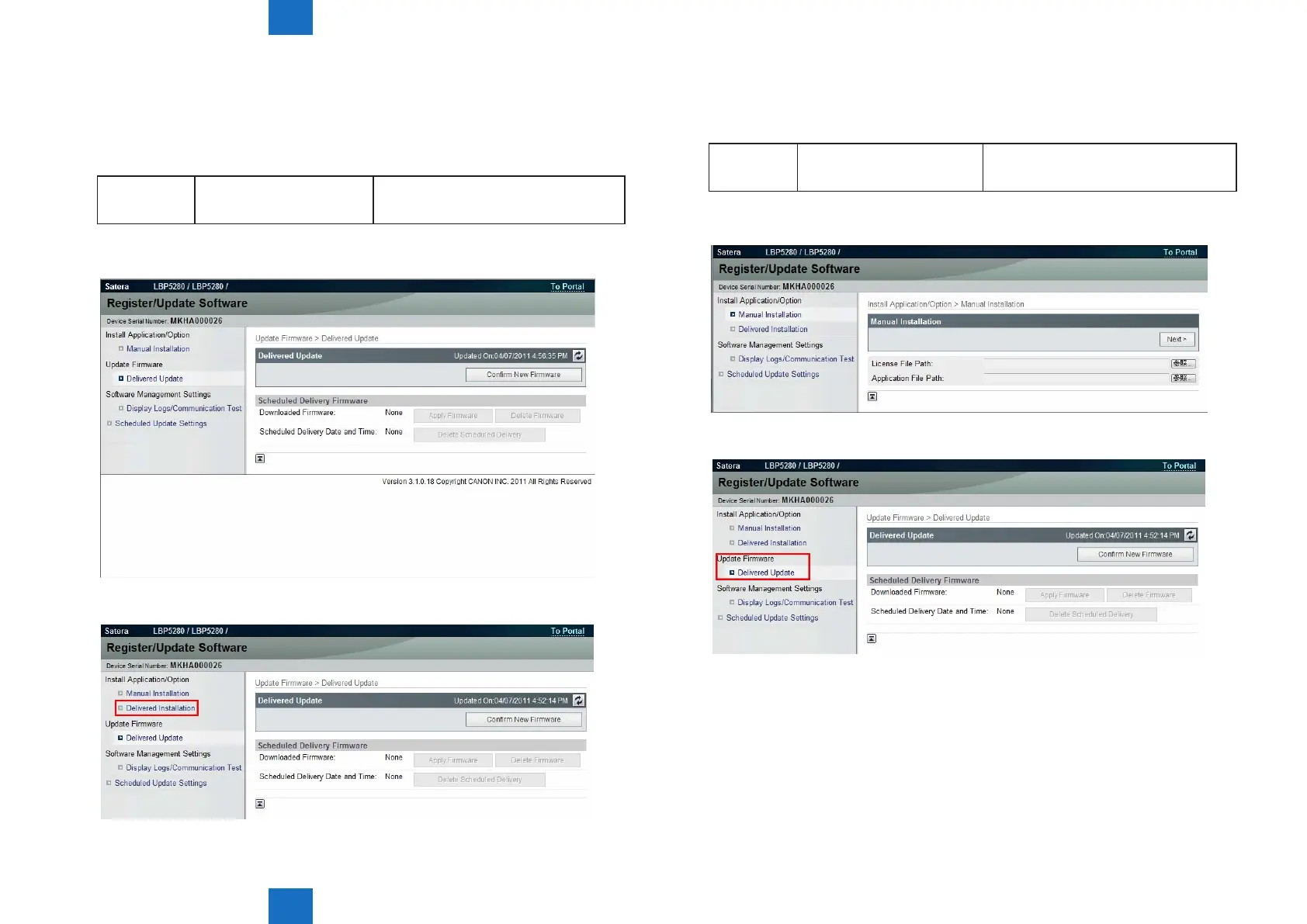
• Remote UI screen of Updater when the setting is not enabled (CDS-MEAP(Off)):
• Remote UI screen of Updater when the setting is enabled (CDS-MEAP(On)):
F-5-51
F-5-52
■
Enabling [Manual Update] Button of User Mode (Remote UI)
To allow users to install rmware from Updater using the le on Local PCs, the setting of
rmware installation should be set to ON for users in advance.
Service
Technician
Setting of Device Service Mode SERVICE MODE >FUNCTION GR. >MEAP
>CDS-FIRM
(On -> Off)
• Remote UI screen of Updater when the setting is not enabled (CDS-FIRM (Off)):
• Remote UI screen of Updater when the setting is enabled (CDS-FIRM):
F-5-53
F-5-54














 To Next Page