2
2
2-51
2-51
Technology > MEAP > MEAP Application Management > Managing the License File
Technology > MEAP > MEAP Application Management > Managing the License File
■
Managing the License File
●
Outline
The license le management functions allow you to perform the following operations related
to the license le necessary for the MEAP application to run.
• Update the license which has already expired.
• Disable or delete the license le in order to uninstall the MEAP application.
These license management functions can be performed from the [ MEAP Application
Management ] screen.
The main license management functions are as follows:
Adding a license
When the license has expired, you can add a license le.
Disabling a License File
Before uninstalling the MEAP application, the license needs to be deleted. In that case, you
must rst disable the license le because a license le which has not been disabled cannot
be downloaded or deleted.
Downloading / Removing an Invalidated License File
Before uninstalling the MEAP application, you need to delete its license le which has already
been disabled.
By downloading the license le to your PC before it is deleted, you can use it when installing
the application again to the same device.
WARNING:
After deleting the license le which has been disabled, you can no longer download the
license le.
●
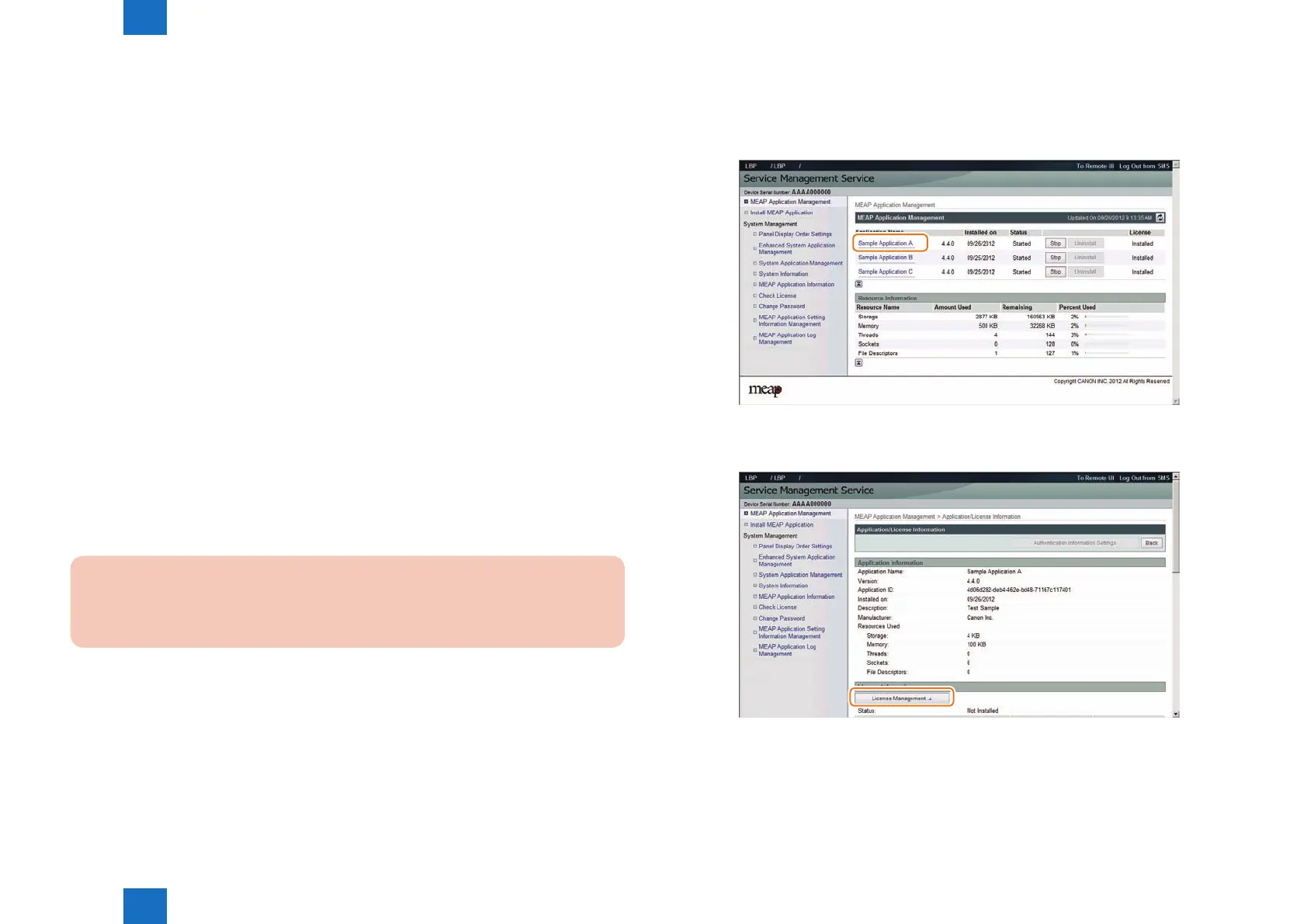
Procedure adding a license le
1) Log on to SMS.
2) On MEAP Application Management, click the name of the application to which you want to
add a license le.
3) In [ Application / License Information ] page shown on the screen, click [ License
Management ] button.
F-2-93
F-2-94














 To Next Page