2
2
2-82
2-82
Technology > MEAP > Maintenance > MEAP Safe Mode
Technology > MEAP > Maintenance > MEAP Safe Mode
■
Actions to be taken when E616 is displayed.
●
Overview
When E602 is displayed and then the device is restarted as a remedy, E616 may be
displayed in some cases.
This is a symptom that occurs when the power is cut off without shutdown (such as
disconnecting the plug of the device). The error code is displayed when the le system of the
MEAP storage area is in an abnormal status.
When the device is started, it checks the le system. If the device detects an error, it displays
the error code E602, disables the MEAP function, and then starts.
When the device is restarted according to the remedy for E602, the le system is recovered
automatically in the system. If the recovery procedure succeeds, the device starts normally
with the MEAP function enabled.
However, if the le system could not be recovered by auto recovery, E616 is displayed.
Since the system is automatically formatted when E616 is displayed, the installed MEAP
applications will disappear and the device's MEAP function itself will also be disabled.
For this reason, it is necessary to enable the MEAP function and then reinstall the MEAP
applications.
●
Work procedure
Perform the following procedure when E616 is displayed.
1) Start the device in service mode.
2) Select [ Setup ] > [ SERVICE MODE ] > [ FUNCTION GR. ] > [ MEAP FUNCTION ] > On to
enable the MEAP function.
3) Restart the device to start the MEAP function.
4) Access SMS, and then use a reusable license or special license for reinstallation to install
the MEAP application.
Note:
As for MEAP applications that were installed using reusable licenses, the reusable
licenses can be used to reinstall the applications. For other MEAP applications without
reusable licenses, use special license les to reinstall them, in the same as way as
handling a storage drive failure.
For information on how to obtain a special license for reinstallation, see "Special license
for reinstallation" in this chapter. Then contact the support department of the sales
company to have the license issued before starting the work.
5) Start the MEAP application.
■
MEAP Safe Mode
●
Outline
Use safe mode if you need to start up the system without worrying about extra applications. It
will start up only those system software les (including SMS) that normally start up as default
les while preventing MEAP applications and the like from starting up.
When you have made changes and restart the device, the control panel will indicate 'MPSF'
in its lower right corner. The MEAP applications that may have been active before you shut
down the equipment will not start up on their own. Make use of safe mode when restoring
the system software as when MEAP applications or services cause a fault as the result of a
conict or wrong sequence of registration/use. You can access to SMS in this condition so
that you can take necessary measures, for example, you can stop application that may cause
the trouble.
If default authentication has been selected, the mode of authentication remains valid;
otherwise, the message "The login service must be set again with SMS" ap pears. Change
the login service as necessary.
●
Starting in Safe Mode
To start the device in the MEAP SAFE mode, turn ON the power with the [ Application ] key
and the [ ID ] key pressed.
●
How to cancel MEAP SAFE mode
If you want to cancel MEAP SAFE mode, just restart the device as usual. It will start in normal
mode.
Note:
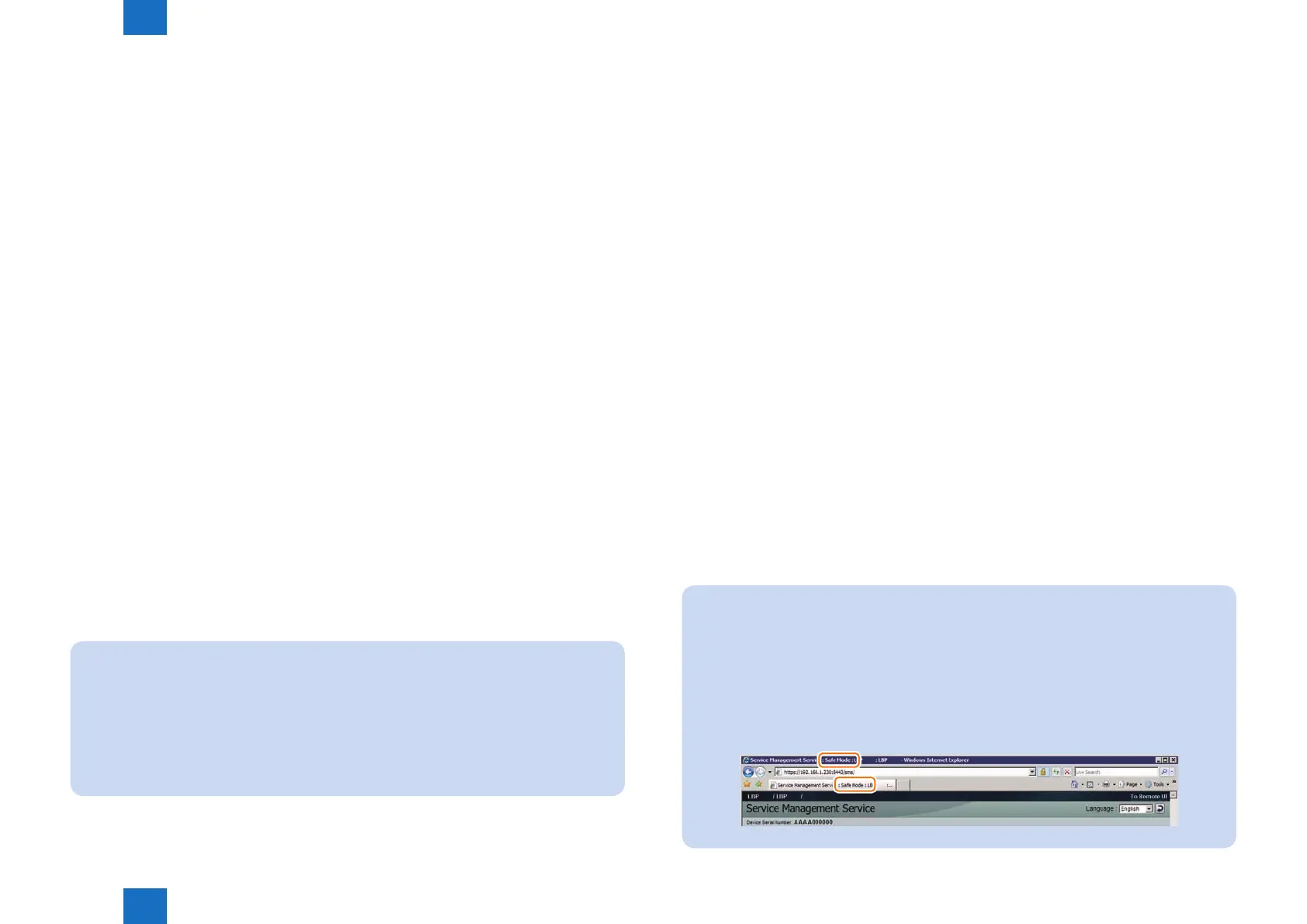
If accessed to SMS in MEAP SAFE mode, the device started mode is shown on the title
bar of the browser.
When normally started:
Service Management Service : <Device Name>: <Product Name>
When starting in MEAP SAFE mode:
Service Management Service : <Device Name>:<Product Name>: Safe Mode
F-2-182












 To Next Page