3
3
3-22
3-22
Disassembly/Assembly > External Cover, Internal Cover > Removing the Right Lower Cover (LBP3580/6780x) > Procedure
Disassembly/Assembly > External Cover, Internal Cover > Removing the Right Lower Cover (LBP3580/6780x) > Procedure
Removing the Right Lower Cover(LBP3560/6750dn)
■
Preparation
1) Remove the Right Cover.(Refer to page 3-17)
■
Procedure
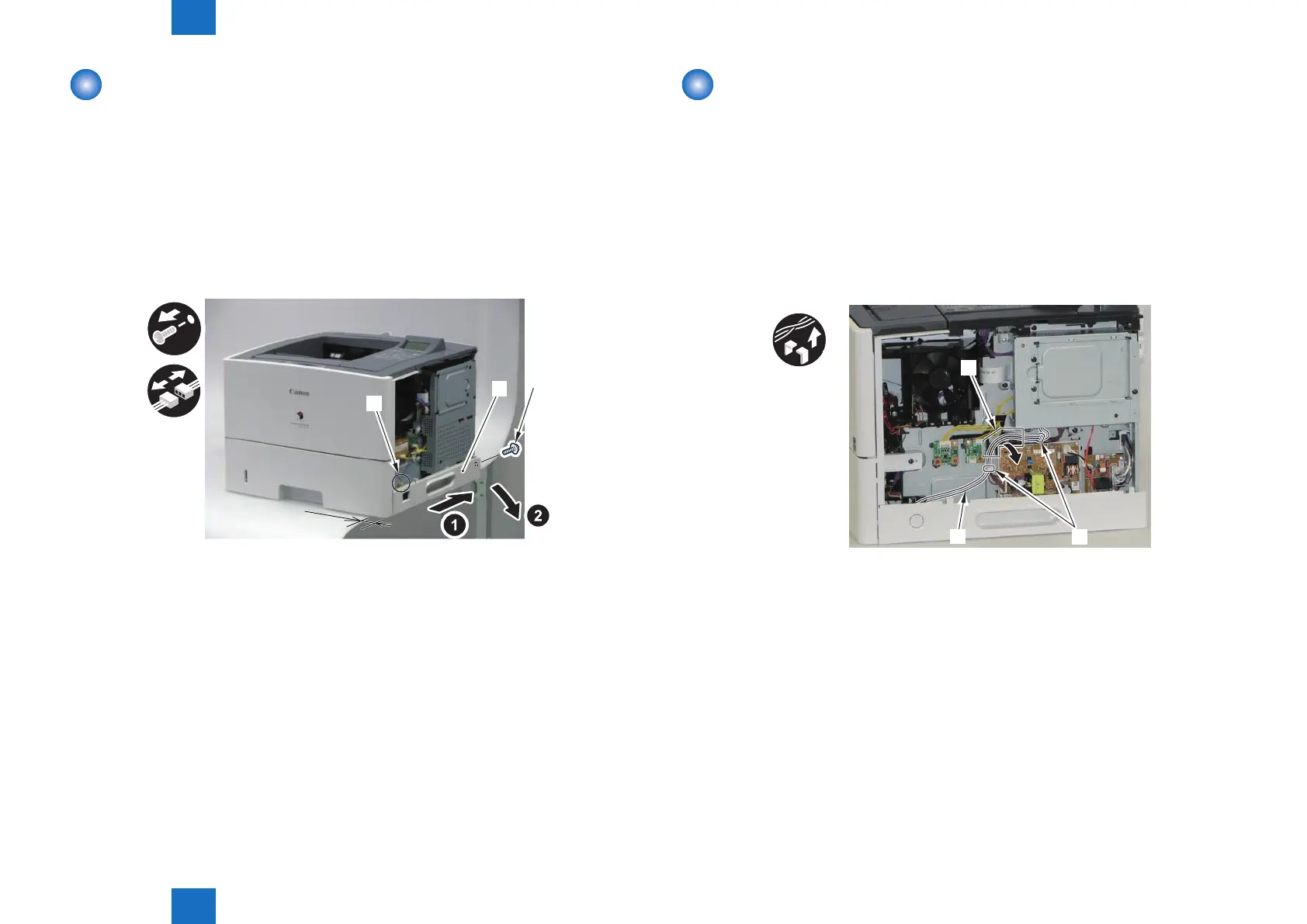
1) Shift the machine 50mm to the right.
2) Remove the Right Lower Cover [1].
• 1 Connector [2]
• 1 Screw [3]
50 mm
[1]
[2]
[3]
F-3-38
Removing the Right Lower Cover
(LBP3580/6780x)
■
Preparation
1) Remove the Right Cover.(Refer to page 3-17)
■
Procedure
1) Free the harness [1] connected to the Main Switch Unit.
• 2 Wire Saddles [2]
• 1 Harness Guide [A]
x3
[A]
[2]
[1]
F-3-39














 To Next Page