3
3
3-23
3-23
Disassembly/Assembly > External Cover, Internal Cover > Removing the Right Lower Cover (LBP3580/6780x) > Procedure
Disassembly/Assembly > External Cover, Internal Cover > Removing the Right Lower Cover (LBP3580/6780x) > Procedure
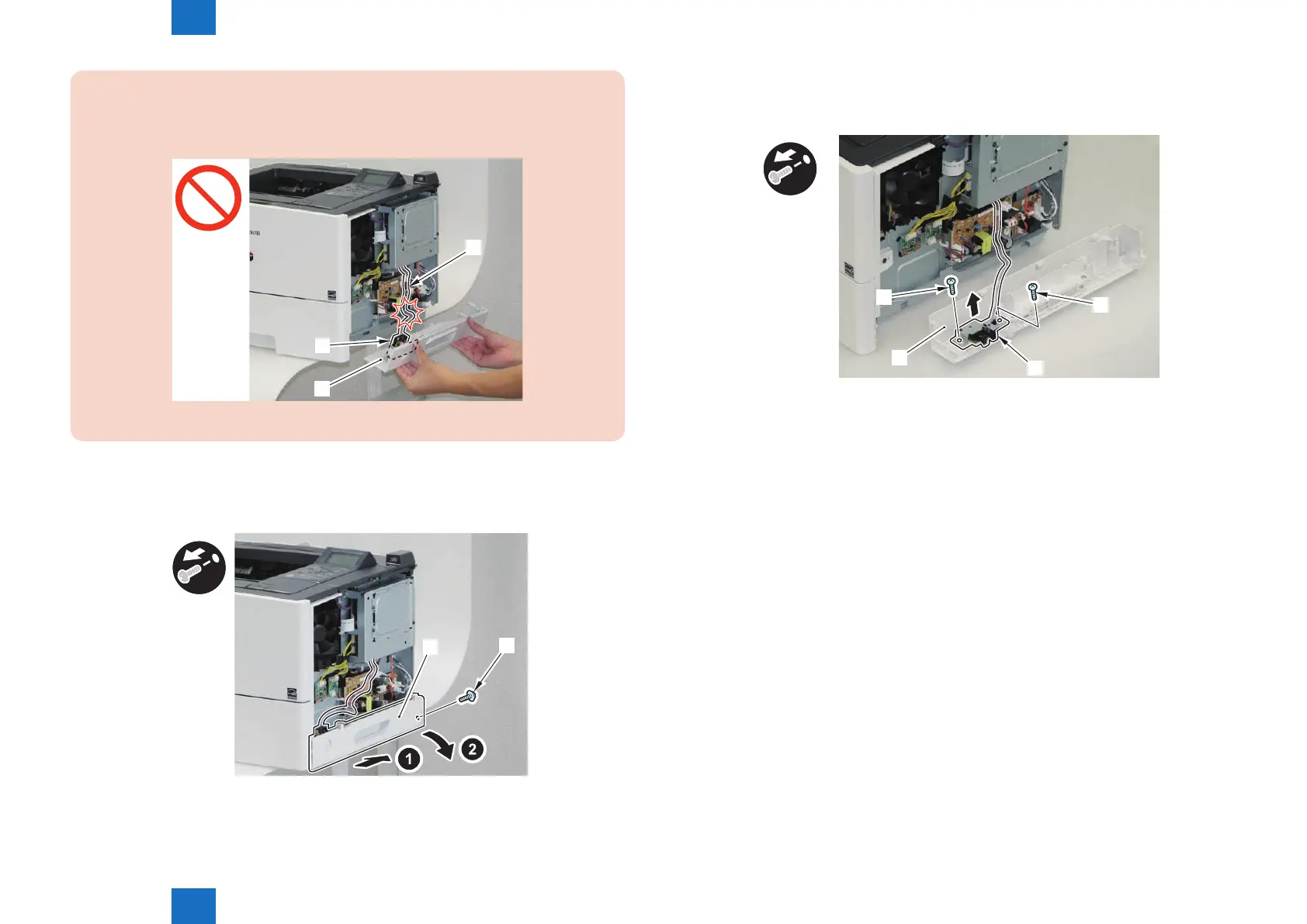
CAUTION:
When installing/removing, do not let the harness [3] of the Main Switch Unit [2] on the
Right Lower Cover [1] to be open circuit.
[3]
[2]
[1]
F-3-40
2) Shift the host machine 50 mm to the right.
3) Remove the Right Lower Cover [1].
• 1 Screw (black) [2]
[2]
[1]
F-3-41
4) Place the host machine and the Right Lower Cover in the center of working table.
5) Remove the Main Switch Unit [2] from the Right Lower Cover [1].
• 2 Screw [3]
[1]
[3]
[3]
x2
[2]
F-3-42














 To Next Page