5
5
5-24
5-24
Troubleshooting > Version Up > Downloading the System Software > Downloading the System
Troubleshooting > Version Up > Downloading the System Software > Downloading the System
Downloading the System Software
■
Downloading the System
●
Procedure of Downloading
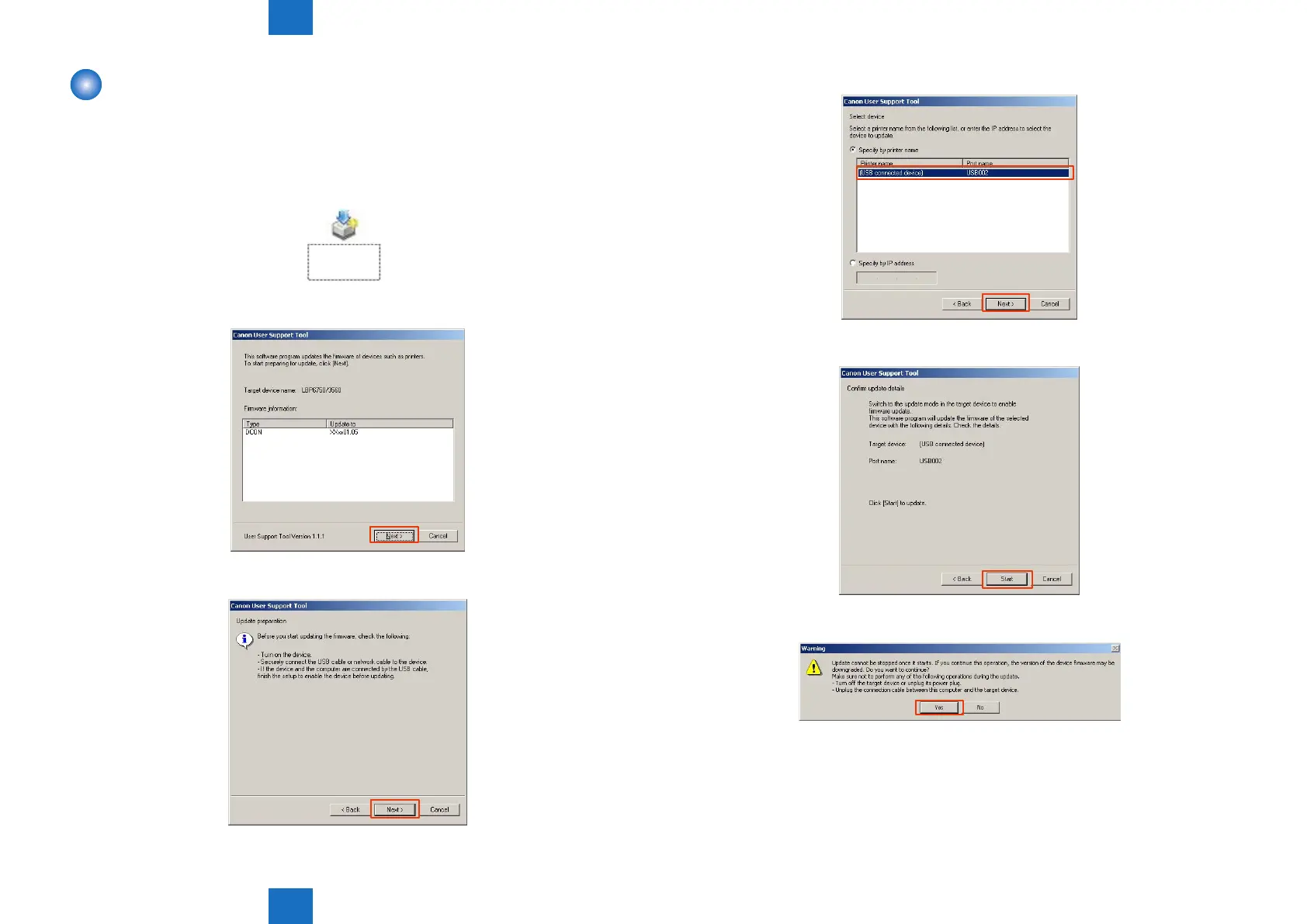
1) Open UST (XXXX.exe).
XXXX: Firmware version
XXXXXXXX
XXXX.exe
2) Write down the rmware version to upgrade, and click the "Next" button.
3) Click the "Next" button.
F-5-31
F-5-32
F-5-33
4) Select the USB connection device, and click the "Next" button.
5) Click the "Start" button.
6) When the warning screen is displayed, click the "Yes" button.
F-5-34
F-5-35
F-5-36














 To Next Page