2
2
2-48
2-48
Technology > MEAP > MEAP Application Management > Starting, Stopping, or Uninstalling the MEAP Application
Technology > MEAP > MEAP Application Management > Starting, Stopping, or Uninstalling the MEAP Application
Ver Description
40 ImagingAPI (Creation API of Visible Signature PDF) added
41 Reserved
42 Reserved
44 iR / iR-ADV Series Remote Address Book Supported, RemoteFAX Supported.
45 Addition of API that allows acquisition of the HID installation status
46 Multilingualization of the USB keyboard of the System Driver
47 Addition of API which executes a print order from the MEAP application of the IMI encryption
PDF document
48 ID expressing the scan function for iR-ADV C2030/C2025/C2020 series
49 Reserved
50 SecurityOptionalPackage
51 IMI function expansion of iR-ADV C5051 series (Ver.50.xx or later) or later
52 (iR-ADV C5051 series (Ver.50.xx or later)) Addition of registered API to enable SSL
communication setting (On/Off) for each URL
53 Disclosure of registration/deletion function to/from Quick Menu
54 Function to notify an event to the application at recovery from the sleep mode.
55 System account release function
56 MEAP User Preference Service
57 MEAP Application Conguration Service
58 MEAP Application Log Service
59 Reserved
60 SFP basic functions
61 LAVS
62 LSIS
63 LDT
64 IMI customization
65 Extension of MEAP User Preference Service (application sharing preference).
66 Reserved
67 Support for IMI WebConnect (WebDav supported) and BMLinkS IT (QR)
68 Addition of Ofce Open XML's Word creation API
69 Extension of the encrypted PDF function (AES 128 bit/256 bit)
70 Addition of 3 formats (uncompressed searchable PDF, XPS, and linearized searchable PDF)
71 Reserved
72 Reserved
73 IMI: API that supports A4 scanners and allows for specifying of the direction of the original
image
74 SSL: Support for addition of the CN validation function
75 Reserved
76 Addition of the SFP ExtendedTextInputView class
77 Reserved
78 Reserved
79 Reserved
80 Reserved
81 Reserved
82 SIS: Support for API for recovering from Sleep1 (setLcdControl)
T-2-16
MEAP Application Management
■
Outline
You can use the MEAP application management screen to perform basic management tasks
of the MEAP application (start, stop, uninstall), or check the device's resource information.
■
Starting, Stopping, or Uninstalling the MEAP Application
●
Procedure to start and stop a MEAP application
1) Log in to the SMS. (Refer to 'Login to SMS' in this manual.)
2) Click [ Application List ]. (If the Application List is already being displayed, this operation is
not necessary.)
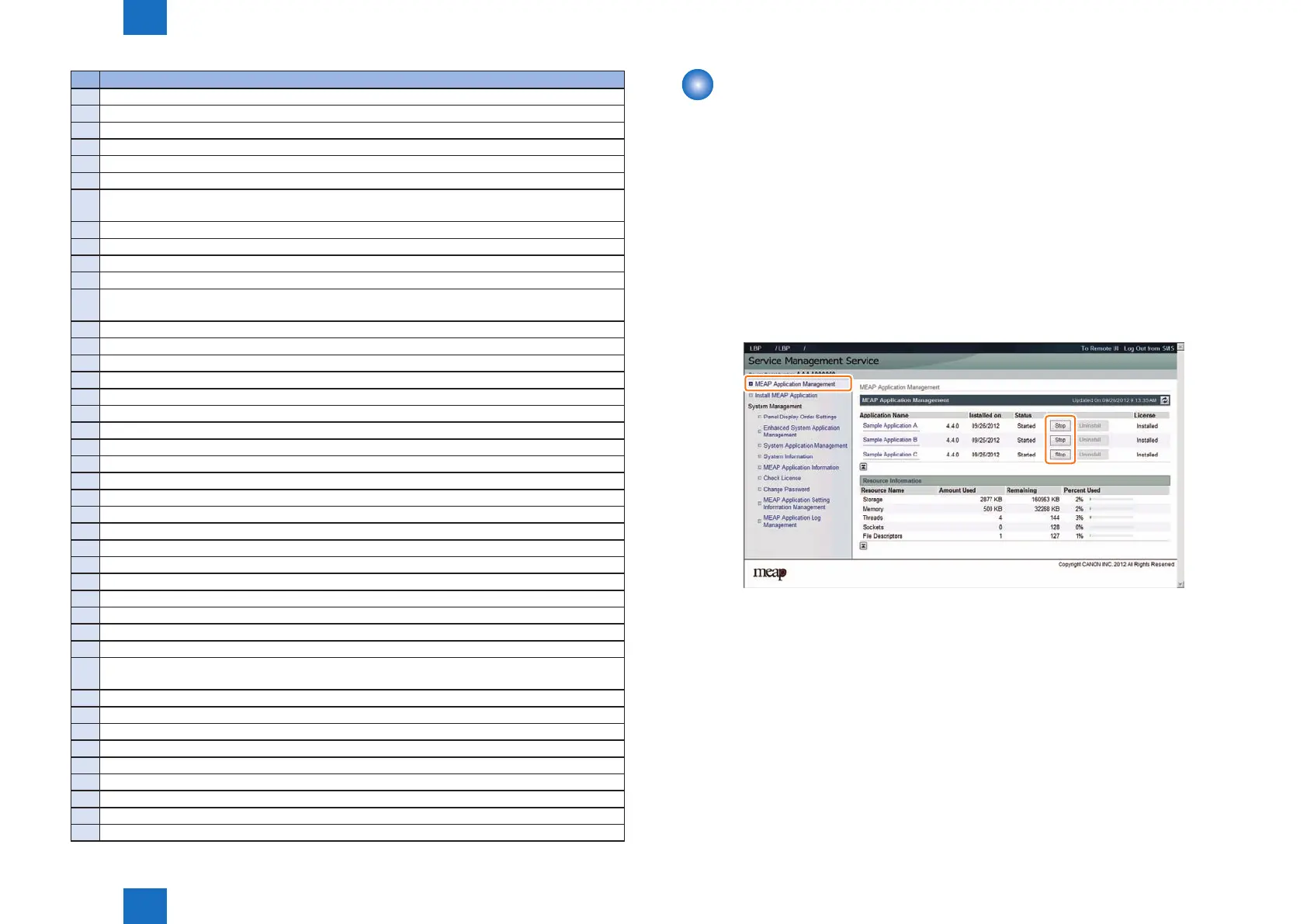
3) Click [ Start ] or [ Stop ] button shown for the MEAP application to be started or stopped.
F-2-86














 To Next Page