3
3
3-50
3-50
Disassembly/Assembly > Controller System > Removing the Main Fan > Procedure
Disassembly/Assembly > Controller System > Removing the Main Fan > Procedure
Removing the Main Fan
■
Preparation
1) Remove the Multi-purpose Tray Auxiliary Tray Unit.(Refer to page 3-20)
2) Remove the Right Cover.(Refer to page 3-17)
3) Remove the Right Front Inner Cover.(Refer to page 3-21)
4) Remove the Environment Sensor.(Refer to page 3-42)
■
Procedure
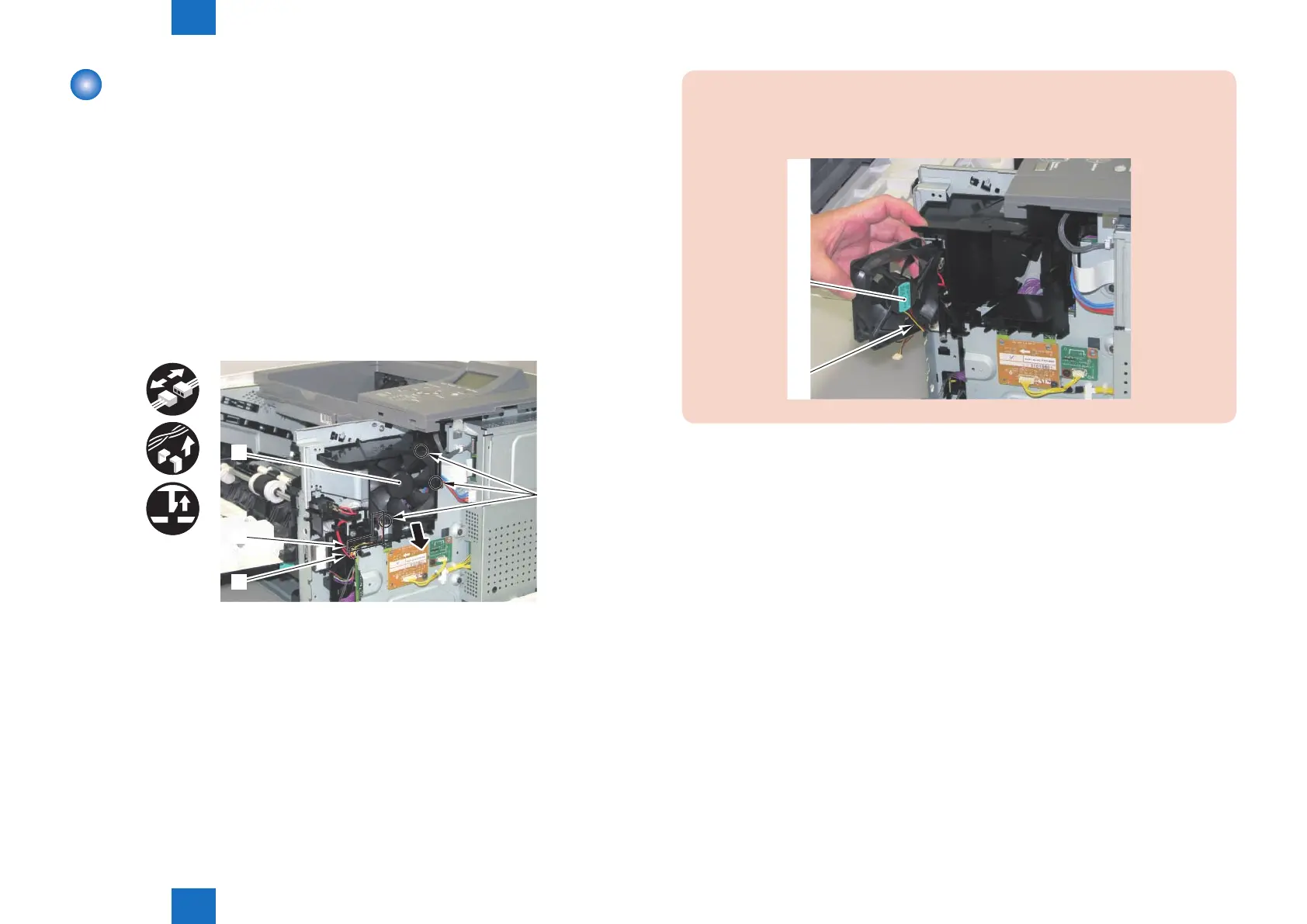
1) Remove the Main Fan [1].
• 1 Connector [2]
• 1 Harness Guide [3]
• 3 Claws [4]
x3
[1]
[2]
[3]
[4]
F-3-107
CAUTION:
When installing the Main Fan to the main body, be sure that the label [1] of the fan
comes to the inside and the harness [2] comes to the lower left.
[1]
[2]














 To Next Page