2
2
2-3
2-3
Technology > Sequence of Operation > Outline
Technology > Sequence of Operation > Outline
Sequence of Operation
Outline
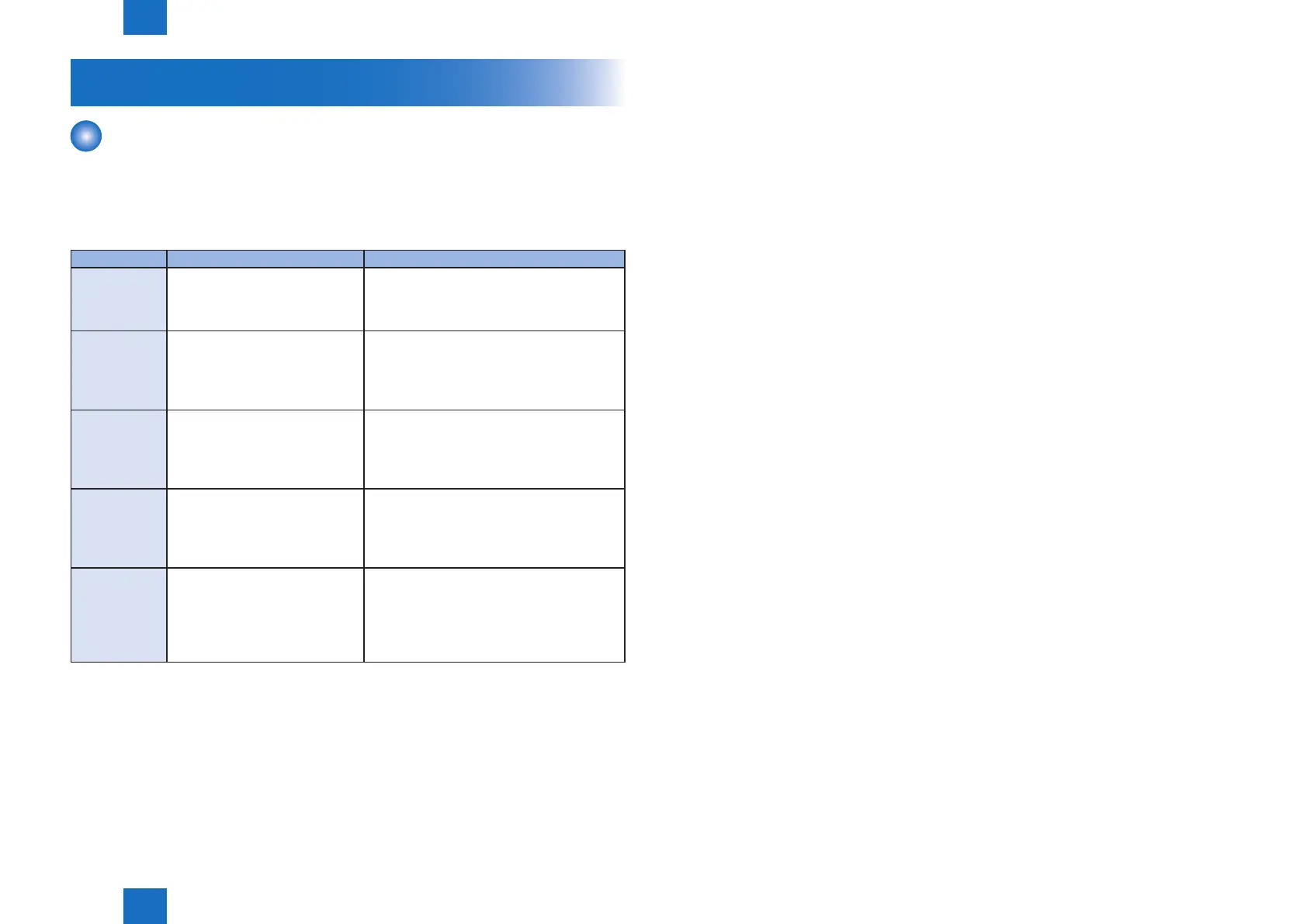
The operation sequence is controlled by the DC Controller in the engine control system.
Operations for each period of a print operation from the machine is turned on until the motor
stops rotating are described below.
Period Duration Operation
WAIT From the time power switch is
turned on or the dooe is closed
unitil the printer gets ready for a
print operation.
Brings the printer to printable condition.
The rpinter performs the following during this
period:-Detects cartridge presence.
STBY
(Standby)
From the end of WAIT or LSTR
period until either the print
command is received the main
controller or the power switch is
turned off.
Maintains the printer in printable condition.
INTR
(Initial rotation)
From the time print command is
received from the main controller
unit the temperature of the
xing unit reaches its targeted
temperature.
Starts up each high-voltage biases, laser
scanner and xing unit in preparing for print
operation.
PRINT From the end of INTR period unit
the last media completes the xing
operation.
Forme the image on the photosensitive drum
based on the VIDEO signals from the main
controlloer.
Transfers and fuses the toner image to the
print media.
LSTR
(Last rotation)
From the end of PRINT period unit
the motor stops rotationg.
Moves the last printed sheet out of the printer.
Stops laser scanner operation and high-
voltage biases output.
The printer enters INTR period as the LSTR
period is completed if the main controller
sends another print command.
T-2-1














 To Next Page