3
3
3-51
3-51
Disassembly/Assembly > Controller System > Removing the Sub Fan > Procedure
Disassembly/Assembly > Controller System > Removing the Sub Fan > Procedure
Removing the Sub Fan
■
Preparation(LBP3560/6750dn)
1) Remove the Right Cover.(Refer to page 3-17)
2) Remove the Control Panel Unit.(LBP3560/6750dn)(Refer to page 3-28)
3) Remove the Left Cover.(Refer to page 3-17)
4) Remove the Upper Cover.(Refer to page 3-25)
■
Preparation(LBP3580/6780x)
1) Remove the Right Cover.(Refer to page 3-17)
2) Remove the USB Cover Unit.(LBP3580/6780x)(Refer to page 3-24)
3) Remove the Control Panel Unit.(LBP3580/6780x)(Refer to page 3-29)
4) Remove the Left Cover.(Refer to page 3-17)
5) Remove the Upper Cover.(Refer to page 3-25)
■
Procedure
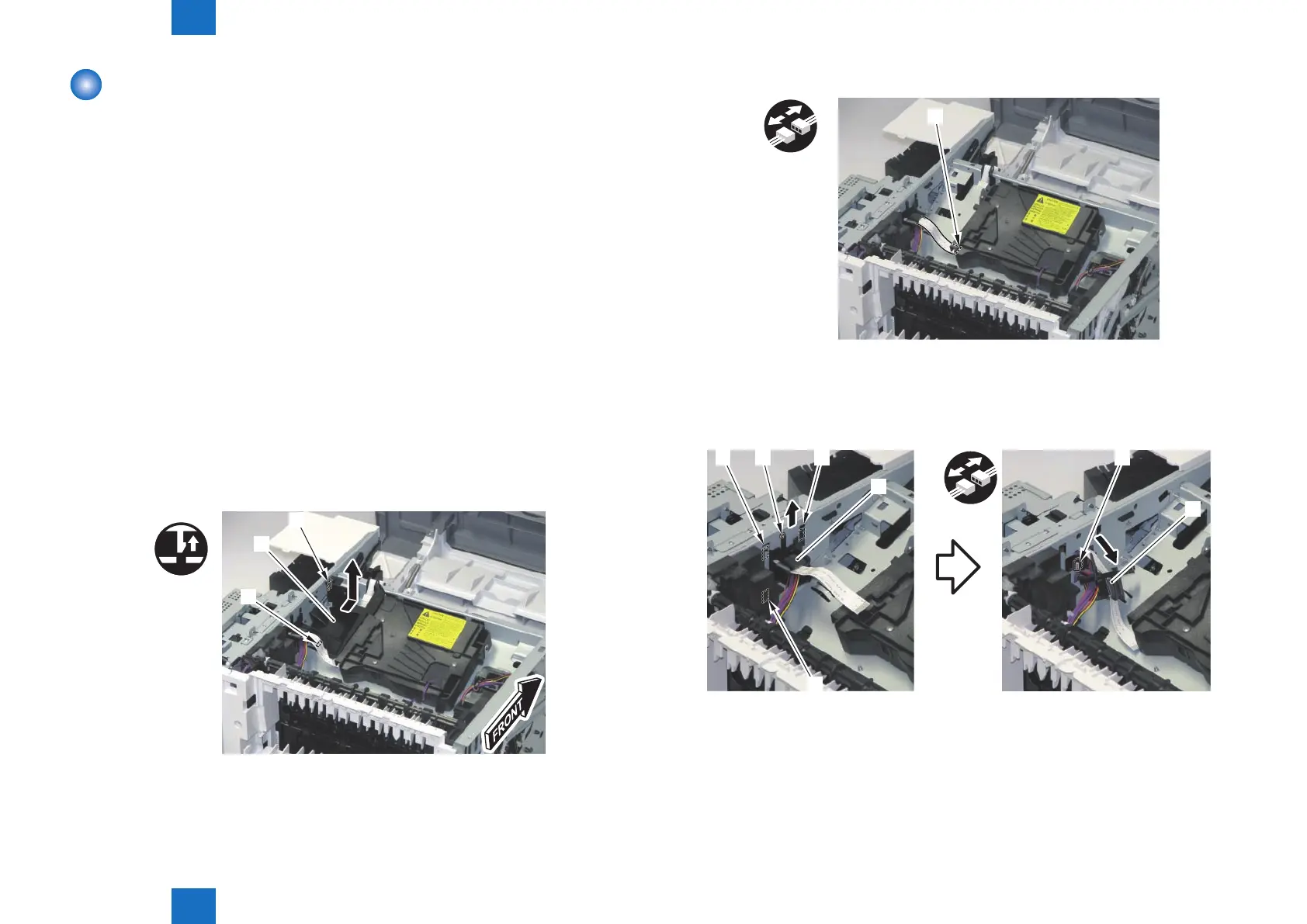
1) Remove the Scanner Duct [1].
• 1 Claw [2]
• 1 Hook [3]
[1]
[3]
F-3-108
2) Disconnect the Flat Cable [1].
[1]
3) Move the Harness Guide [1].
• 1 Boss [2]
• 3 Hooks [3]
4) Disconnect the connector [4].
[1]
[1]
[2][3] [3]
[3]
[4]
F-3-109
F-3-110














 To Next Page