3
3
3-67
3-67
Disassembly/Assembly > Pickup Feed System > Removing the Duplex Feed Unit > Procedure
Disassembly/Assembly > Pickup Feed System > Removing the Duplex Feed Unit > Procedure
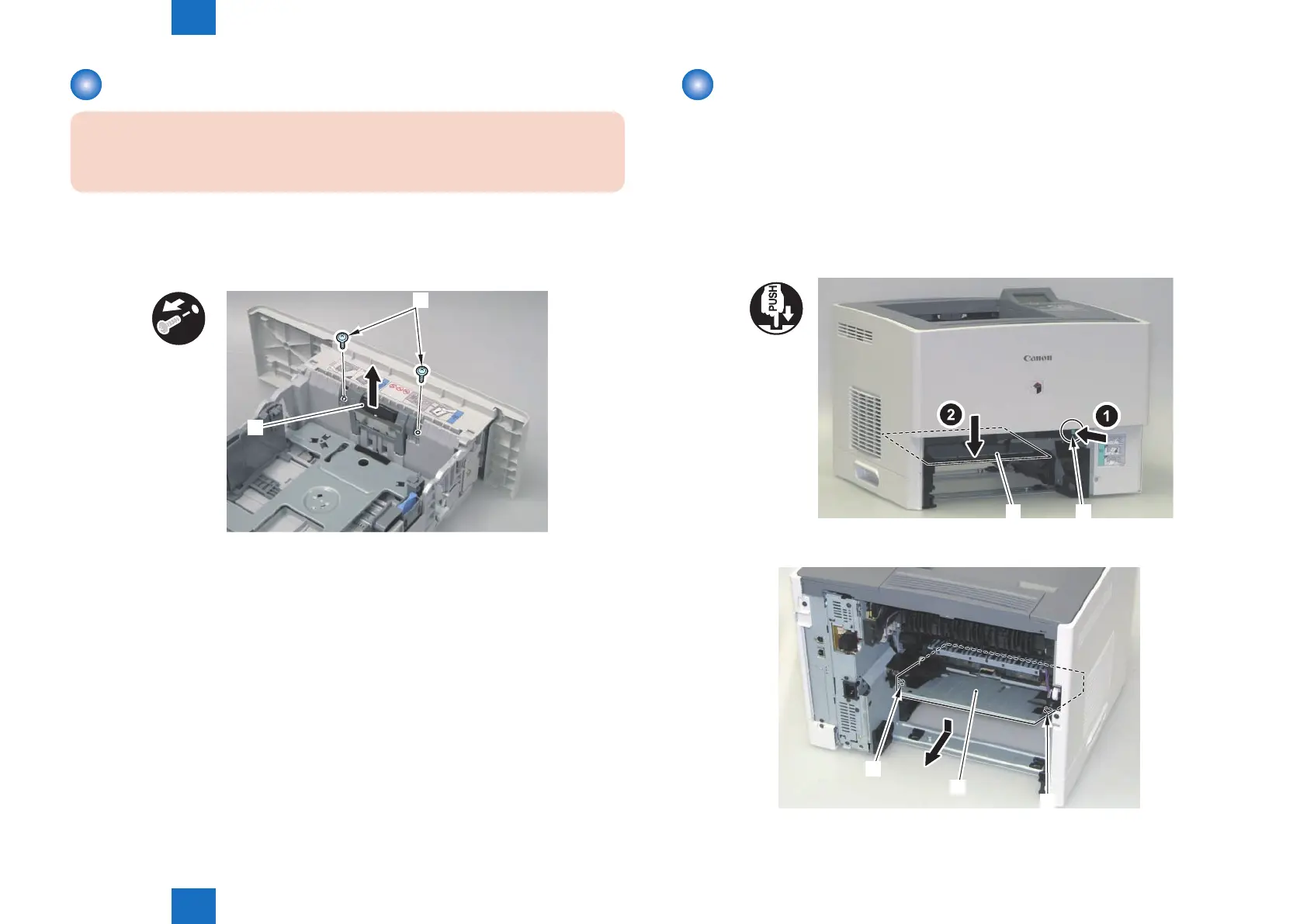
Removing the Cassette Separation Pad
CAUTION:
Be sure not to touch the surface of the Pad.
1) Remove the Cassette.
2) Remove the Cassette Separation Pad [1].
• 2 Screws [2]
x2
[1]
[2]
F-3-141
Removing the Duplex Feed Unit
■
Preparation
1) Remove the Rear Cover Unit.(Refer to page 3-19)
2) Remove the Rear Right Cover.(Refer to page 3-19)
3) Remove the Fixing Unit.(Refer to page 3-62)
■
Procedure
1) Press the jam removal button [1]. Open the Duplex Feed Unit [2].
[1][2]
2) Remove the Duplex Feed Unit [3] from the boss [1] and then the boss [2].
[1]
[2]
[3]
F-3-142
F-3-143














 To Next Page