5
5
5-41
5-41
Troubleshooting > Updater > Preparation > Enabling [Scheduled Update] Button of User Mode
Troubleshooting > Updater > Preparation > Enabling [Scheduled Update] Button of User Mode
■
Enabling [Scheduled Update] Button of User Mode
Service
Technician
Setting of Device Service Mode SERVICE MODE >FUNCTION GR. >MEAP
>CDS-LVUP
(On -> Off)
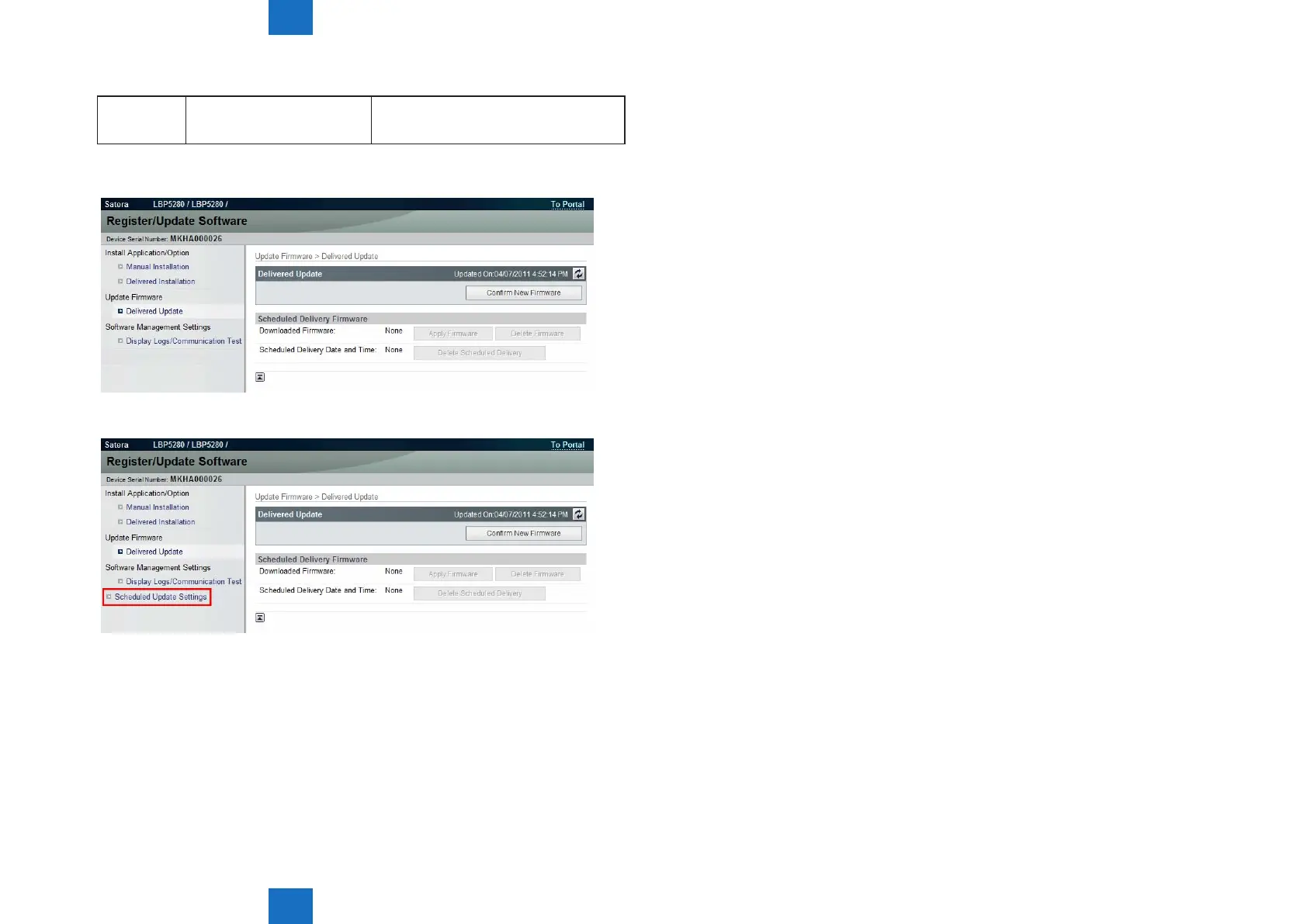
• Remote UI screen of Updater when the setting is not enabled (CDS-LVUP (Off)):
• Remote UI screen of Updater when the setting is enabled (CDS-LVUP (On)):
F-5-55
F-5-56














 To Next Page