2
2
2-50
2-50
Technology > MEAP > MEAP Application Management > Starting, Stopping, or Uninstalling the MEAP Application
Technology > MEAP > MEAP Application Management > Starting, Stopping, or Uninstalling the MEAP Application
CAUTION:
If the application you are uninstalling is associated with another application, a message
will appear to indicate that the package exported by the application will no loner be
available. Uninstalling such an application may also disable its associated applications.
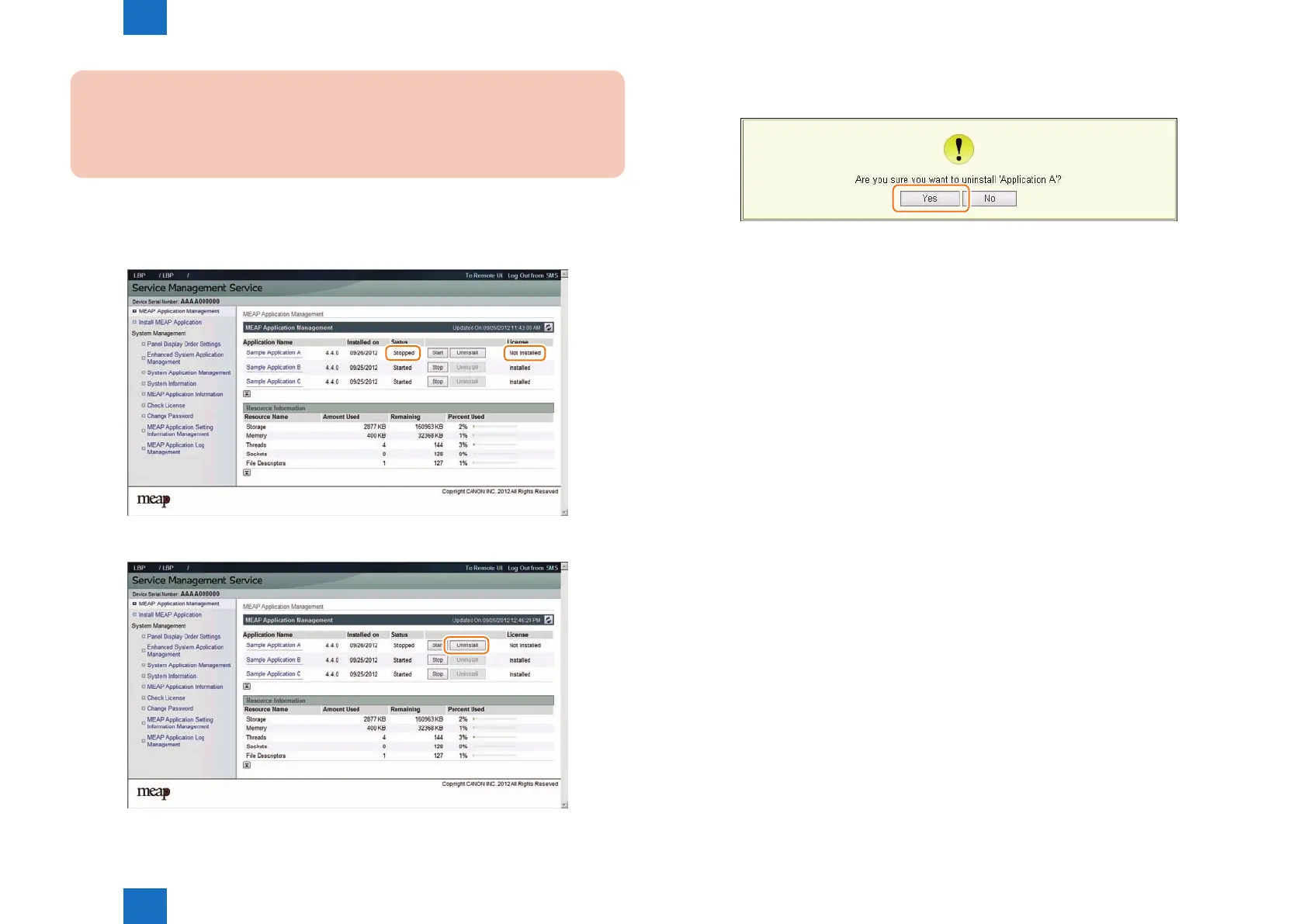
1) Log in to SMS to click [ MEAP Application Management ] on the menu.
2) Check that the status of the application you want to uninstall is [ Stop ] and the license has
been disabled. (The status is "Not Installed".)
3) Click [ Uninstall ] button for the application to be uninstalled.
F-2-90
F-2-91
4) Check the application name to be uninstalled shown on the screen to click [ Yes ] button.
Upon [ Yes ] button clicked, uninstallation process is started.
F-2-92














 To Next Page