3
3
3-63
3-63
Disassembly/Assembly > Fixing System > Removing the Fixing Unit > Procedure
Disassembly/Assembly > Fixing System > Removing the Fixing Unit > Procedure
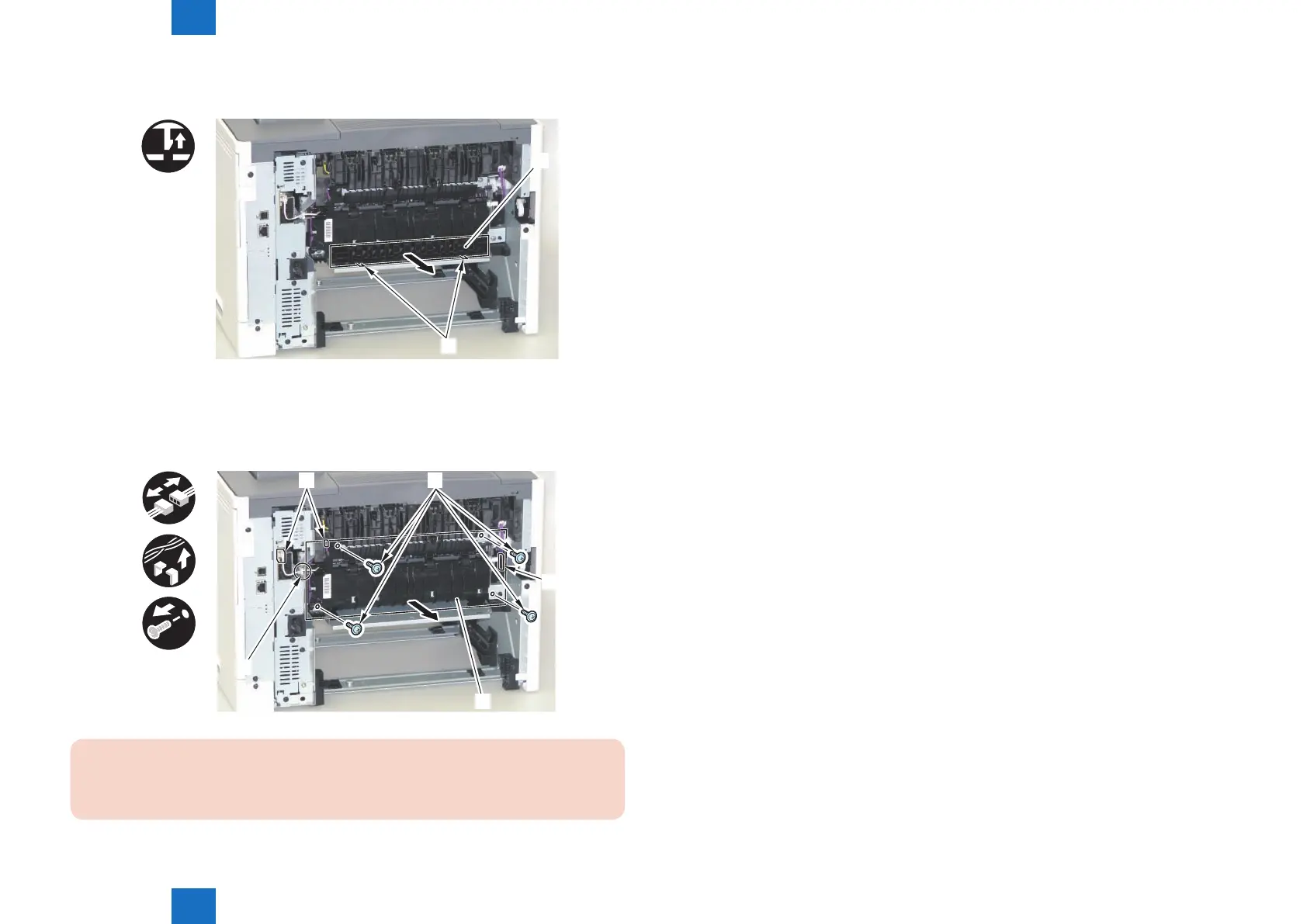
1) Remove the Duplex Feed Guide [1].
• 2 Claws [2]
x2
[1]
[2]
2) Remove the Fixing Unit [1].
• 3 Connectors [2]
• 1 Edge Saddle [3]
• 4 Screws [4]
x4
x3
[1]
[2] [4]
[3]
[2]
CAUTION:
When installing the Fixing Unit to the main body, if the Front Cover Unit is open, close it.
F-3-132
F-3-133














 To Next Page