3
3
3-54
3-54
Disassembly/Assembly > Controller System > Removing the Multi-purpose Tray Pickup Solenoid > Procedure
Disassembly/Assembly > Controller System > Removing the Multi-purpose Tray Pickup Solenoid > Procedure
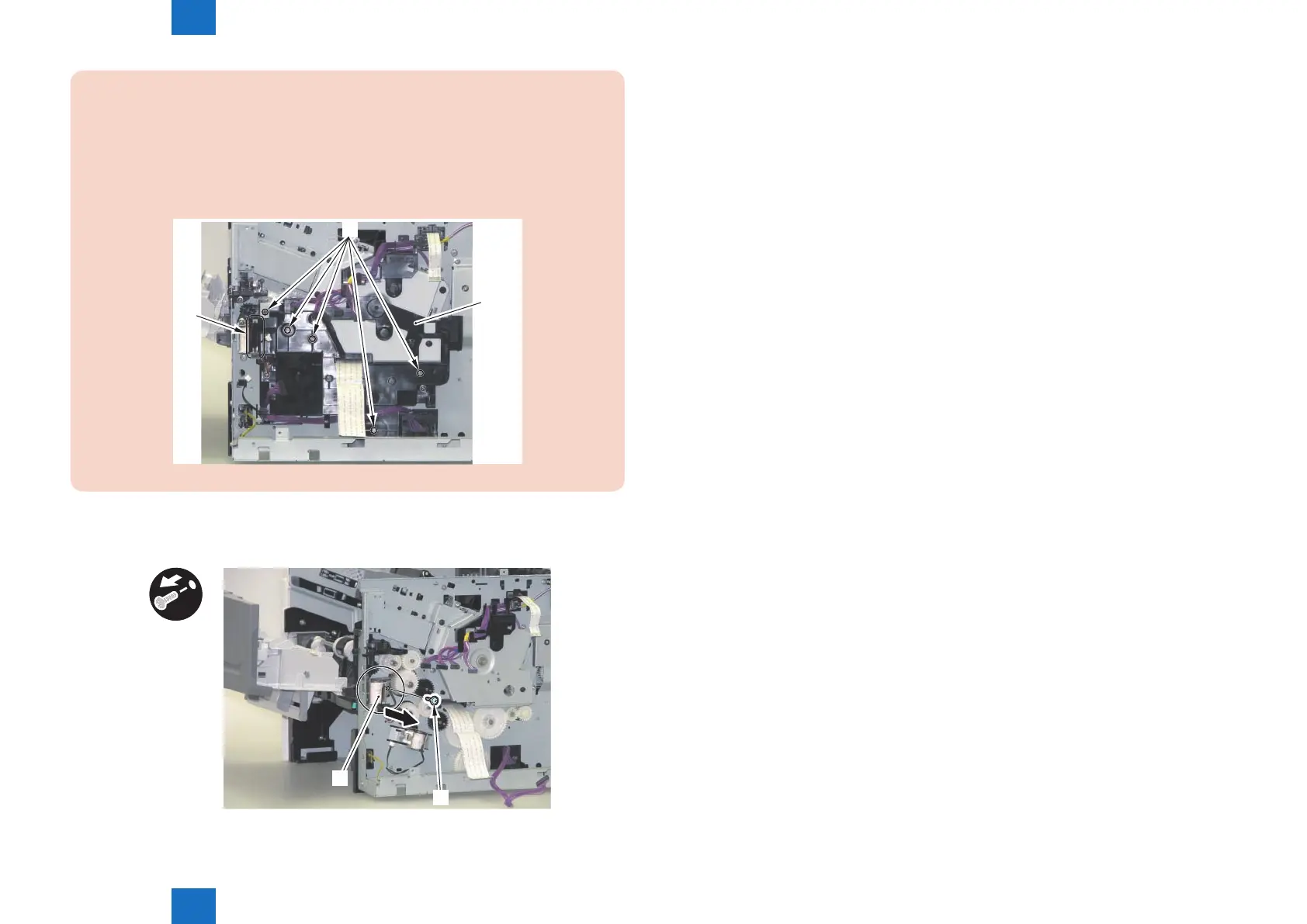
CAUTION:
• When installing the Gear Cover, be sure to align the shaft with the 5 Shaft Holes [2]
of the Gear Cover [1].
• When installing the Gear Cover, be sure to route the harness [3] of the Multi-purpose
Tray Pickup Solenoid around the guide section of the Gear Cover [1] one and a half
times in a clockwise direction.
[1]
[3]
[2]
2) Remove the Multi-purpose Tray Pickup Solenoid [1].
• 1 Screw [2]
[1]
[2]
F-3-115














 To Next Page