5
5
5-38
5-38
Troubleshooting > Updater > Preparation > Network Settings
Troubleshooting > Updater > Preparation > Network Settings
Caution:
The setting change of the output level inuences a performance.
Refer to System Management Operations> Various Setting> Setting Log Level in detail.
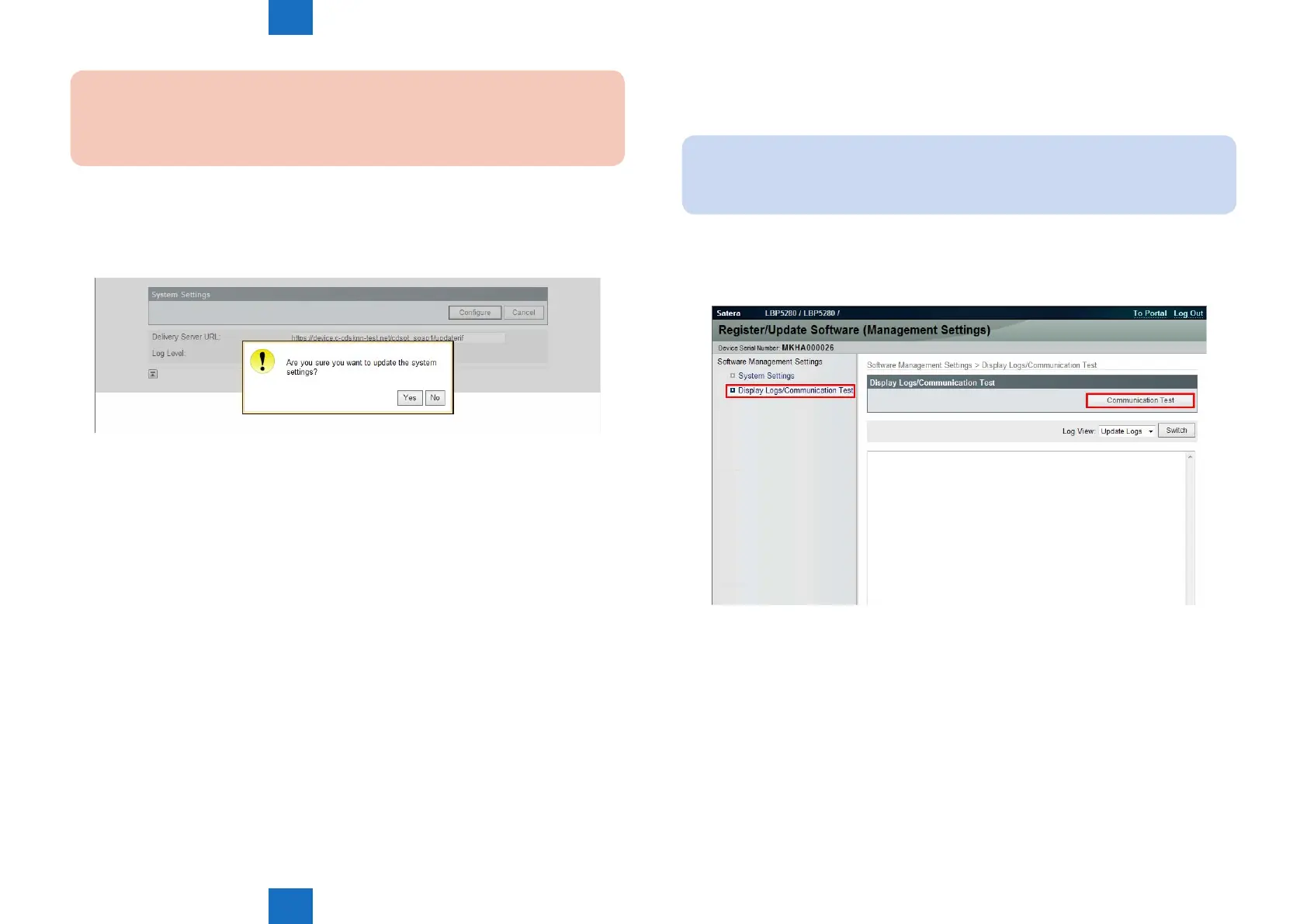
5. When you have changed the settings, press [Congure] button. The conrmation dialog is
displayed. If there is no problem, select [Yes]. In this, the URL of the delivery server and
setting editing of the log output level are the end.
F-5-47
Communication Test
This section describes how to check if the communication is normally done to the distribution
server and/or the le server.
Note:
CDS Server and RDS Server are different. So carry out the communication test with
both Embedded RDS and CDS.
1. Enter [Register / Updater Software (Management Settings)].
2. Select [Display Logs / Communication Test] > [Communication Test].
F-5-48














 To Next Page