5
5
5-44
5-44
Troubleshooting > Updater > System Management Operations > Displaying Logs
Troubleshooting > Updater > System Management Operations > Displaying Logs
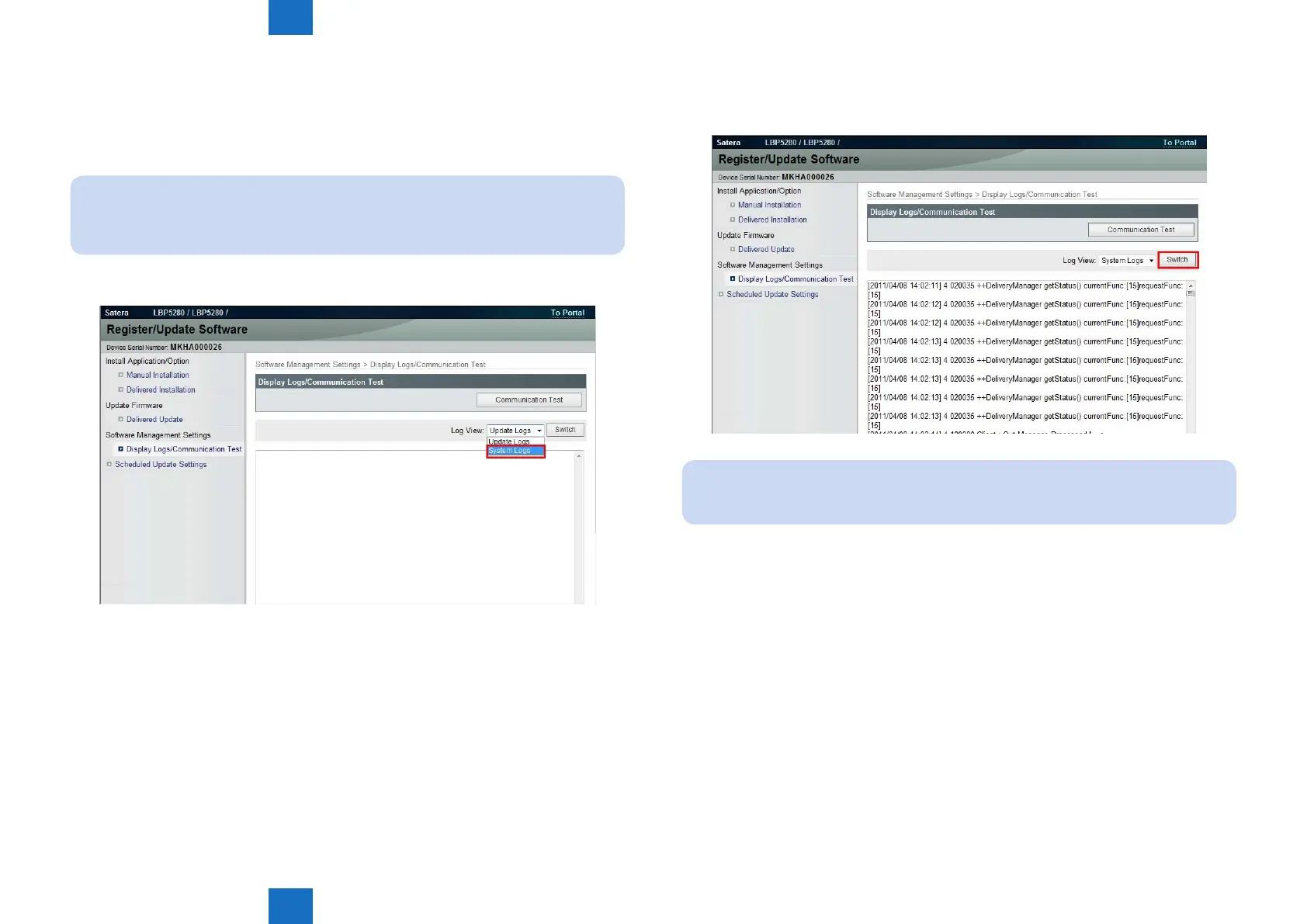
System Logs
This section describes how to conrm System Logs.
1. Select [Settings/Registration] > [License/Other] > [Register/Update Software] > [Display
Logs/Communication Test] from management mode of Remote UI.
Note:
You can also access from [Register/Updater Software (Management Settings)] > [Display
Logs/Communication Test]
2. Press [System Logs] button.
F-5-61
3. Press [Switch] button.
4.Updater internal logs are displayed.
Note:
When you acquire the logs, do copy and paste of it.
F-5-62














 To Next Page