5
5
5-59
5-59
Troubleshooting > Updater > Error Codes > Error Code
Troubleshooting > Updater > Error Codes > Error Code
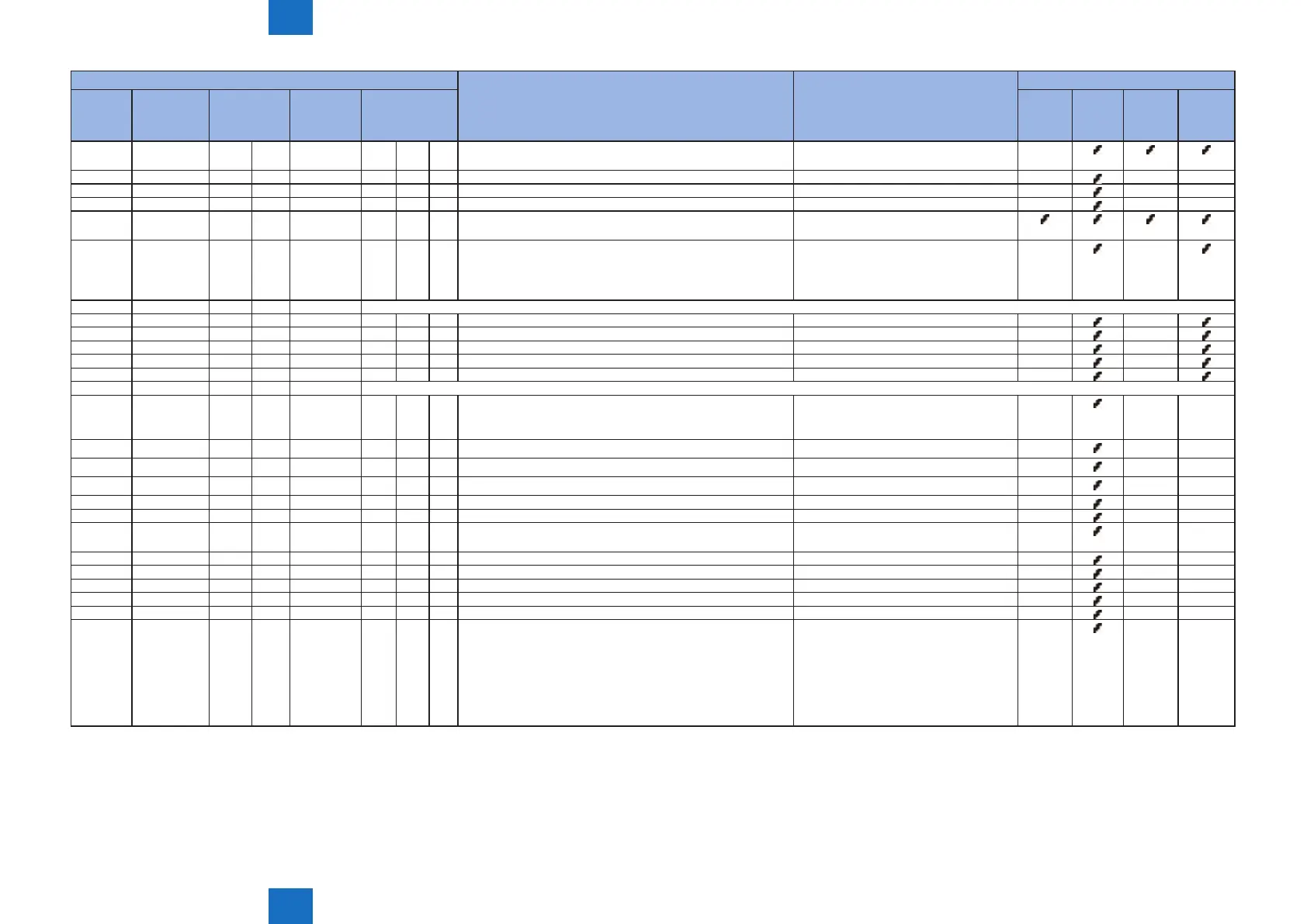
Error Code (hex number) Description Remedy Cause of error
The rst
digit Error
eld
The second
digit
Operator
The 3rd - 4th
digits Method
category
The 5th digit
Category
code
The 6 - 8th digits
Description
code
CDS
delivery
server
UP
DATER
CDS le
server
Network
3 0 4 Failed to receive the data Check the network environment of the
device and start the operation again
-
3 0 5 An error about reserving the le data for receipt - - - -
3 0 6 Failed to close the data stream - -
- -
3 0 7 Failed to close the le data for receipt - -
- -
3 0 8 Invalid hash code of the download le Check the network environment of the
device and start the operation again
3 0 9 The prosy authorization method is not applicable Check the proxy authentication method
used, and start the operation again
after changing the settings to use the
corresponding proxy anthentication
- -
6 Socket communication
1 0 1 Failed to connect the eRDS - -
-
1 0 2 No response from eRDS - - -
1 0 3 No notice of start from the eRDS - - -
1 0 4 Error of socket reading - - -
1 0 5 Socket communication time-out - - -
7 Other internal codes
0 0 2 One of installation, start or authorization failed
(When installation or authorization failed, it is regarded as an
error) *
- -
- -
0 3 x An internal error in processing the installation - -
- -
1 x x An error by using invalid API - - - -
2 x x An internal error in SMS - -
- -
3 0 1 No existence of delivery ID - - - -
3 0 2 Invalid delivery ID - -
- -
3 0 3 The updated rmware information is not identical with the
rmware information after activation of the Updater
- -
- -
3 0 4 The process of rmware download is incomplete - -
- -
3 0 5 The update process is incomplete - -
- -
3 0 6 The installment process is incomplete - -
- -
4 0 1 Failed to retrieve delivery information - -
- -
5 0 1 Failed to execute the delivery process - -
- -
5 0 2 The scheduled delivery was not executed within the dened
period of time
Scheduled deliveries not executed
within the dened period of time are
abandoned, so register a scheduled
delivery again.
When setting the date and time of the
scheduled delivery, be sure to designate
a time when the device is ON
-
- -
* Not displayed on a device UI
T-5-57


 To Next Page
 Loading...











