5
5
5-68
5-68
Troubleshooting > Debug log > Collecting Sublog > Installing the Expansion ROM for servicing and Sublog Board
Troubleshooting > Debug log > Collecting Sublog > Installing the Expansion ROM for servicing and Sublog Board
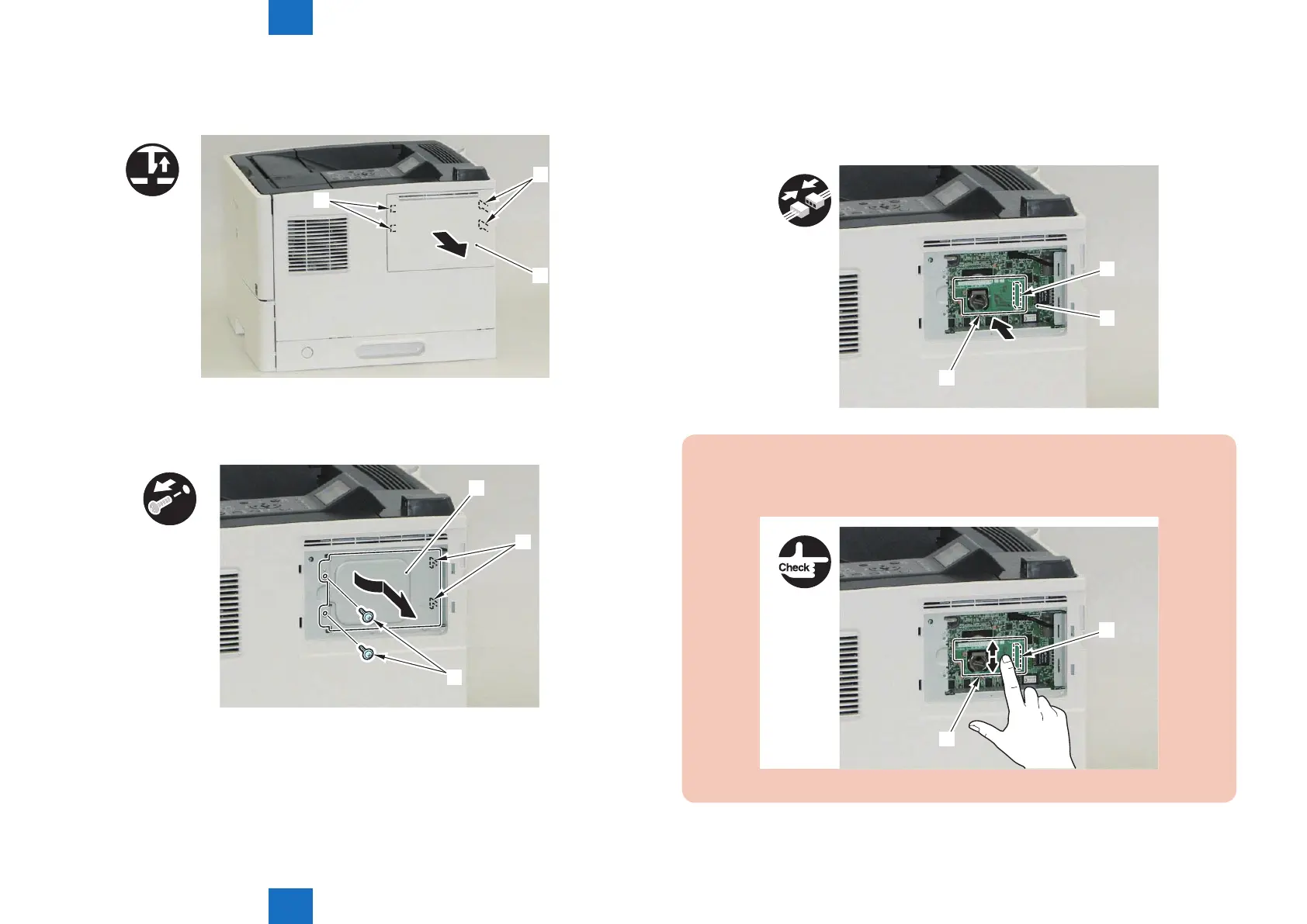
2) Remove the Right Cover (Small) [1]
• 2 Claws [2]
• 2 Hooks [3]
x2
[1]
[3]
[2]
3) Remove the Main Controller Cover (Small) [1]
• 2 screws [2]
• 2 Hooks [3]
x2
[3]
[1]
[2]
F-5-81
F-5-82
4) Install the Sublog Board [1] attached with the Expansion ROM for servicing to the Main
Controller PCB [2].
• 1 Connector [3]
[3]
[2]
[1]
CAUTION:
Because the screw [4] is a molded part, do not tighten it too much. Otherwise, it may be
damaged.
[2]
[1]
F-5-84
F-5-83














 To Next Page