2
2
2-39
2-39
Technology > MEAP > Preparation for Using SMS > Device Settings
Technology > MEAP > Preparation for Using SMS > Device Settings
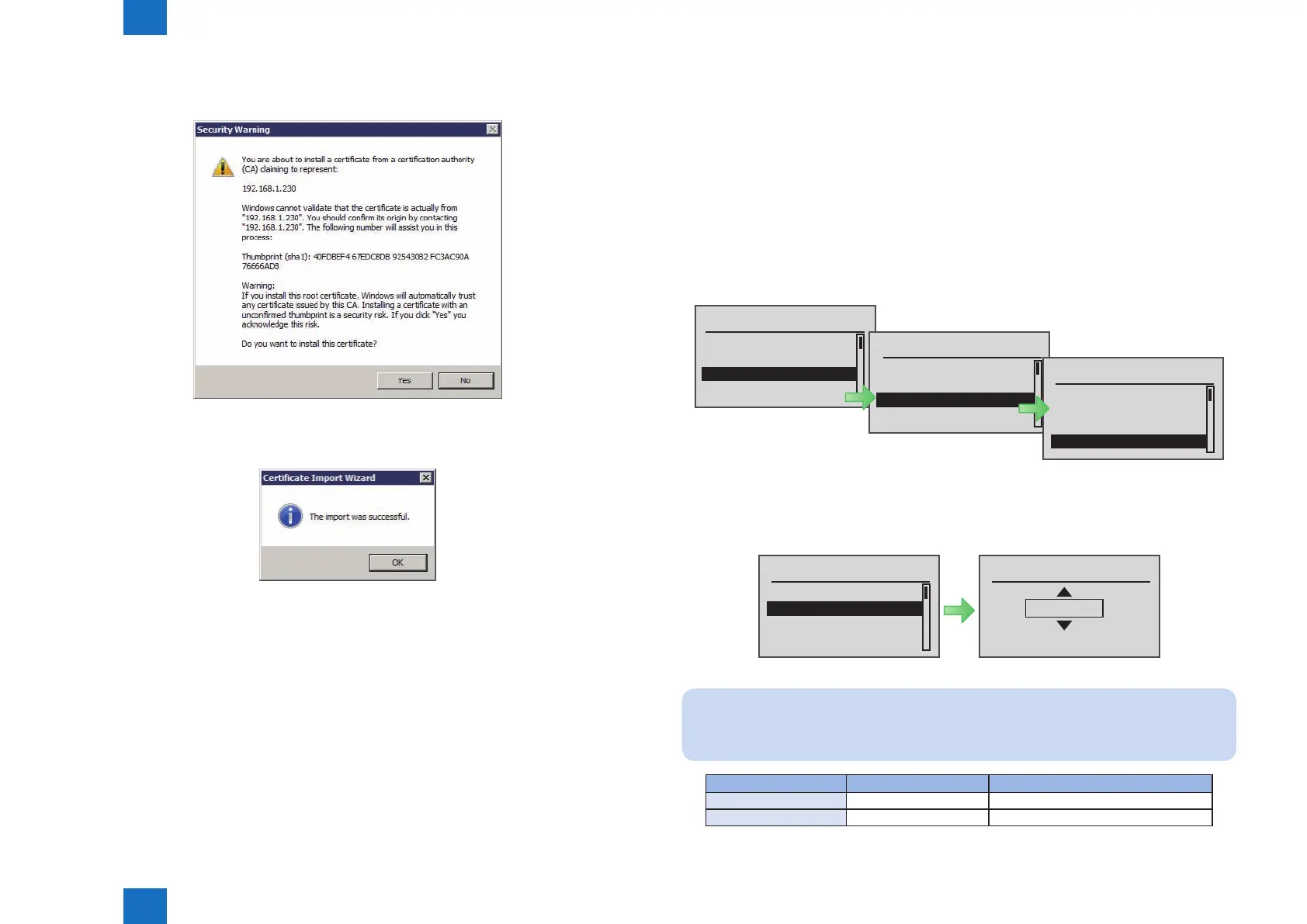
9) If the [Security Warning] appears, click the [Yes] button. (It does not appear when installing
the same certicate again.)
10) A message will appear to indicate that import has been completed successfully. Click
the [ OK ] button.
F-2-67
F-2-68
●
Network Port Settings
The default port of the HTTP server used for MEAP and MEAP applications to provide the
servlet function is 8000, and the HTTPS server's default port is 8443. In the case that these
ports have already used by the customer who is to introduce this application, the MEAP
application cannot use the HTTP (or HTTPS) server(s).
By changing the following ports to use, however, the MEAP application can be used as well
as the existing system.
The procedure for setting the HTTP/HTTPS server port is shown below.
1) Start service mode. From the [ Setup ] menu, select [ SERVICE MODE ] > [ FUNCTION
GR. ] > [ MEAP ].
Setup
MEAP Settings
Check Counter
SERVICE MODE
Initialize Menu
SERVICE MODE
ADJUST GR.
OPTION GR.
FUNCTION GR.
LOG GR.
FUNCTION GR.
ECONF
USB-H
SUBLOG TO USB
MEAP
2) To set up the HTTP server port, select [ MEAP-PN ]. To set up the HTTPS server port, select [
MEAP-SSL ]. When the port number setting screen appears, specify a port number. Use
the Up and Down keys to specify the setting.
MEAP-SSL
8443
(0-65535)
MEAP
MEAP-PN
MEAP-SSL
CDS-MEAP
CDS-FIRM
Note:
A port number can be any integer from 0 to 65535. To avoid port numbers that are
frequently used, do not use any integer from 0 to 1023.
Server Setting value Default value / Value after RAM clear
HTTP Server 1024 to 65535 8000
HTTPS Server 1024 to 65535 8443
F-2-69
F-2-70
T-2-13














 To Next Page