After completing the reset, the settings are enabled.
Next, install the printer driver.
"Setting a Port and Installing the Printer Driver"
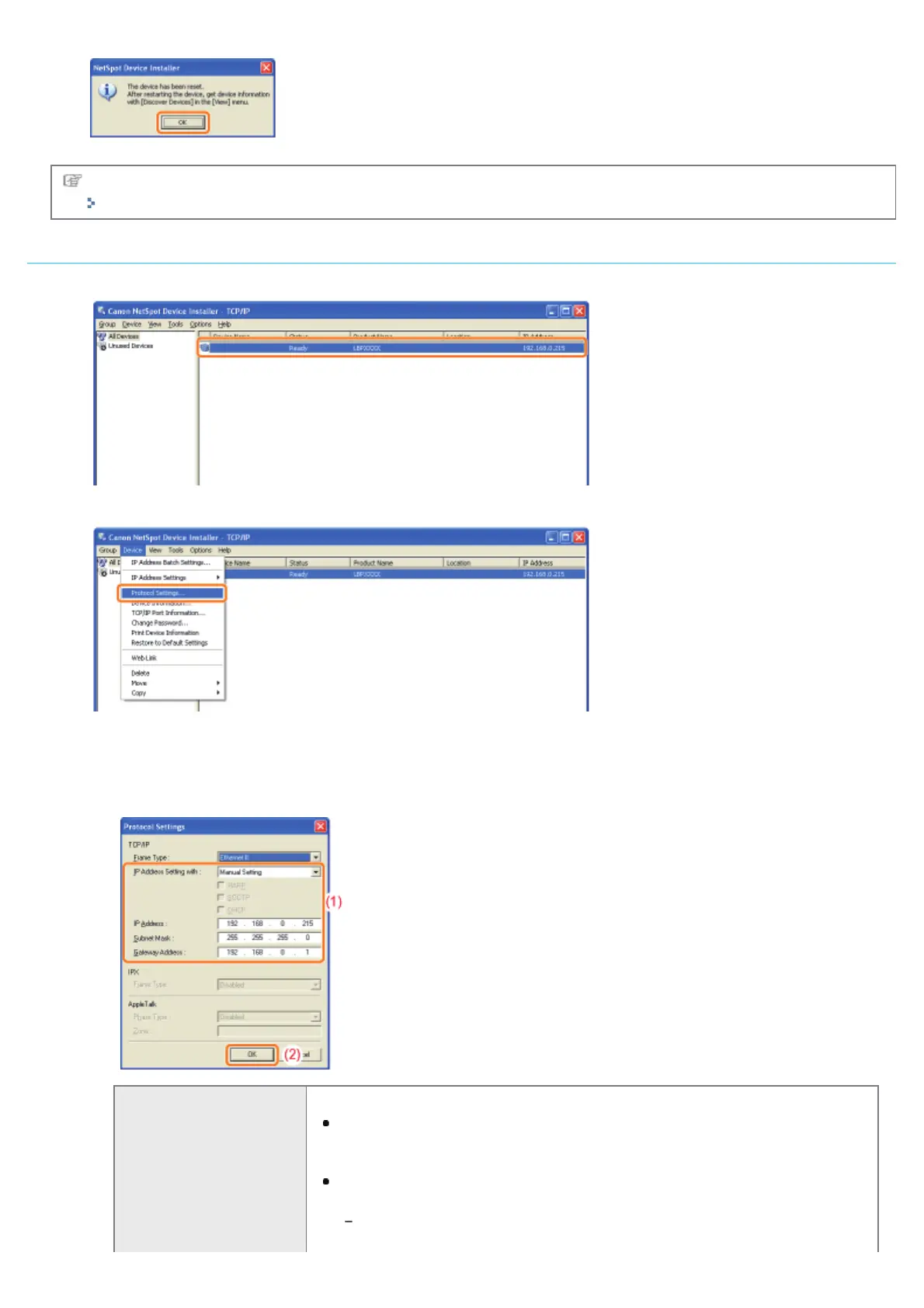
If any devices in which [IP Address] is set to [192.168.0.215] are displayed
1. Select the device.
2. Select [Protocol Settings] from the [Device] menu.
3. Set the IP address.
(1) Specify each setting.
(2) Click [OK].
[IP Address Setting with]
Select the method for setting the IP address.
[Manual Setting]
Allows you to set the IP address directly. The IP address entered in [IP
Address] is set for the printer.
[Auto Detect]
Obtains an IP address using RARP, BOOTP, or DHCP.
[RARP]
Obtains an IP address using RARP.
㻞㻟㻤㻌㻛㻌㻠㻡㻞














 To Next Page