IMS.OM.002949.DRM Page 202 of 310 Version 1.4
Doremi Labs
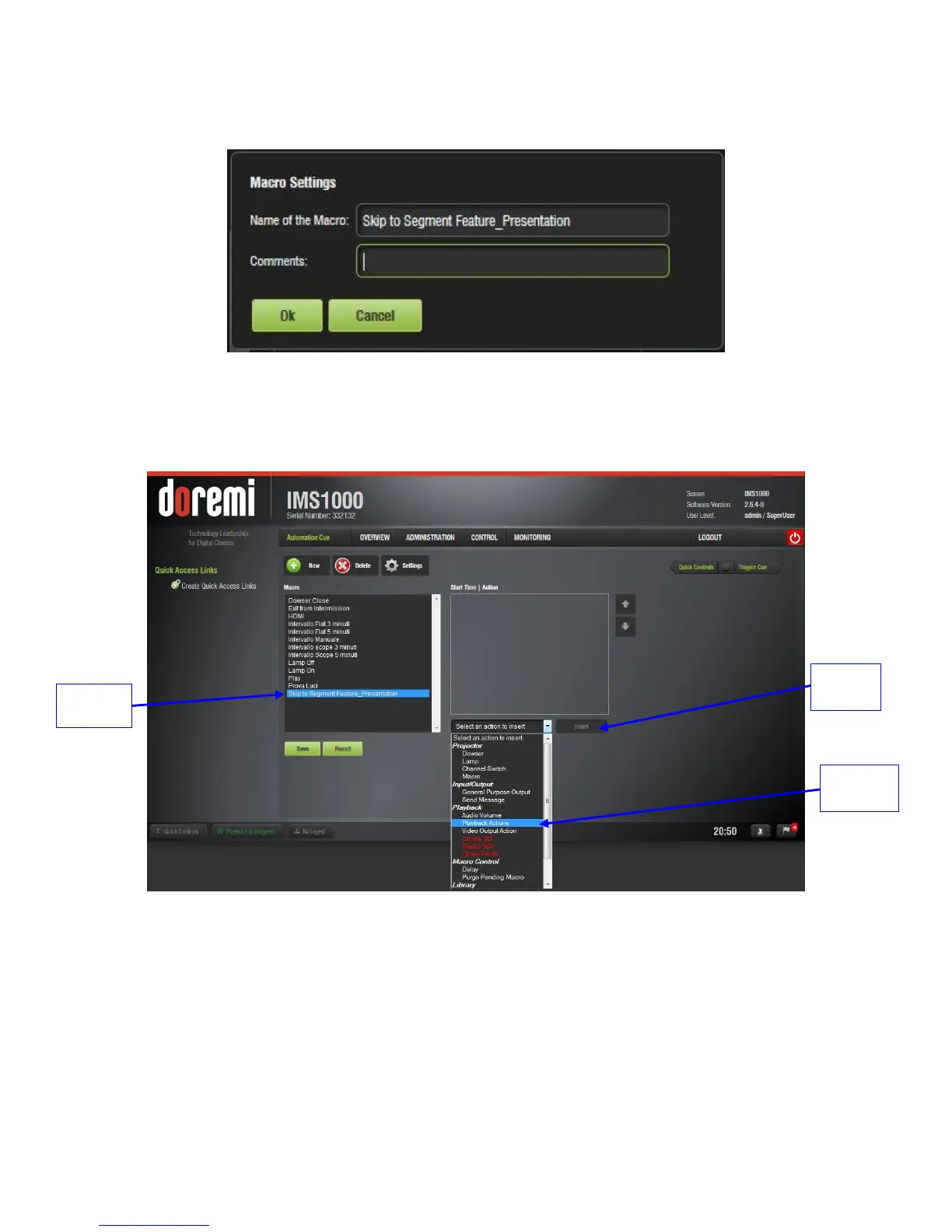
In the window that appears, name the macro “Skip to Segment X,” where X is the name
of the segment that will begin playing upon execution of the macro and click OK (Figure
244).
Figure 244: Macro Settings
The macro will appear in the window. Highlight the macro and click on Select an Action
to Insert (Figure 245).
Figure 245: Macro Added
In the window that appears, go to Playback, then Playback Actions, and click Insert
(Figure 245).
In the drop-down that appears, select Skip to Show Playlist Segment (Figure 246).



 To Next Page