IMS.OM.002949.DRM Page 226 of 310 Version 1.4
Doremi Labs
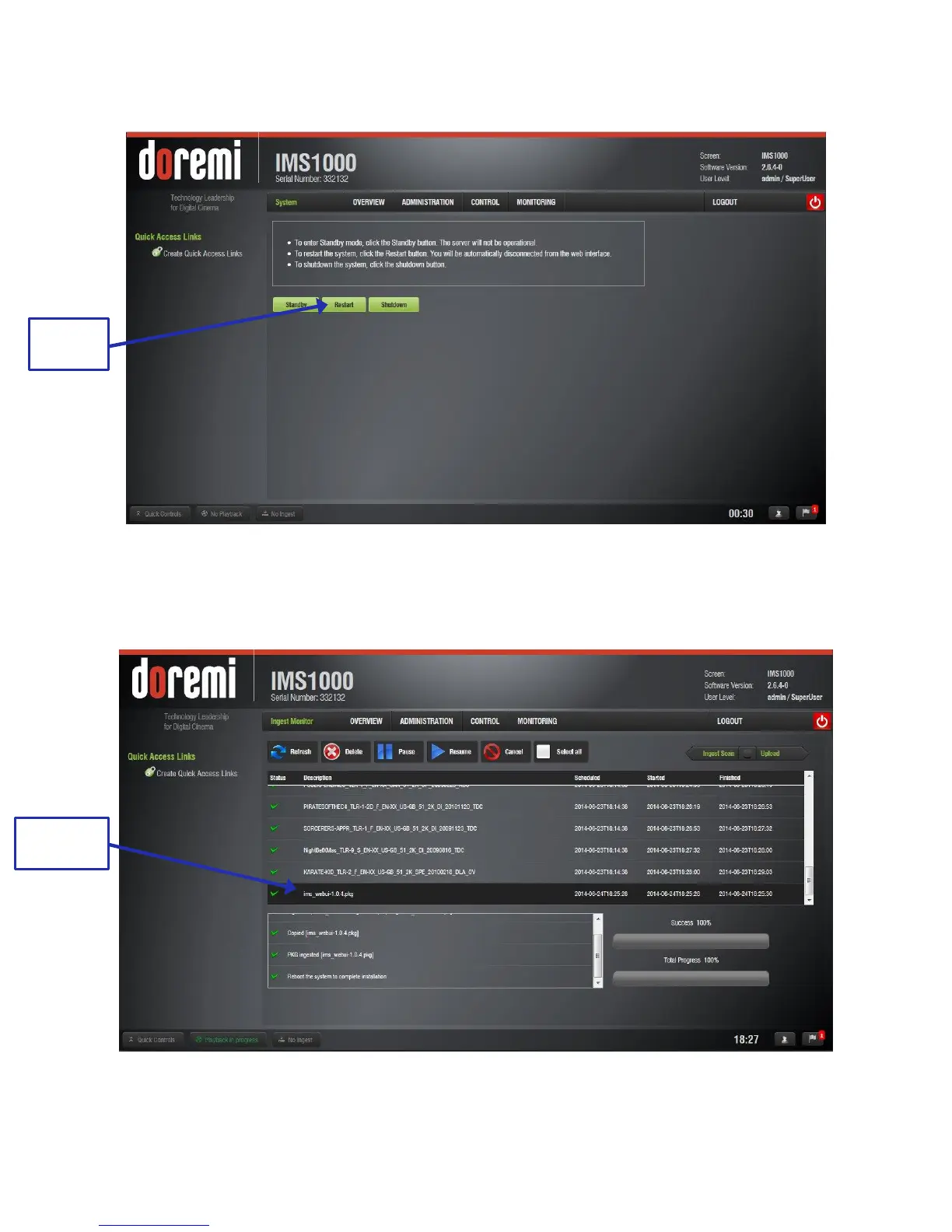
The user will be prompted to the System tab to restart the unit (Figure 279).
Figure 279: Restart the Unit
When the unit has finished rebooting, login and go to Control → Ingest Manager →
Ingest Monitor. The package will be available for ingest (Figure 280).
Figure 280: Package Ready for Ingest



 To Next Page