IMS.OM.002949.DRM Page 50 of 310 Version 1.4
Doremi Labs
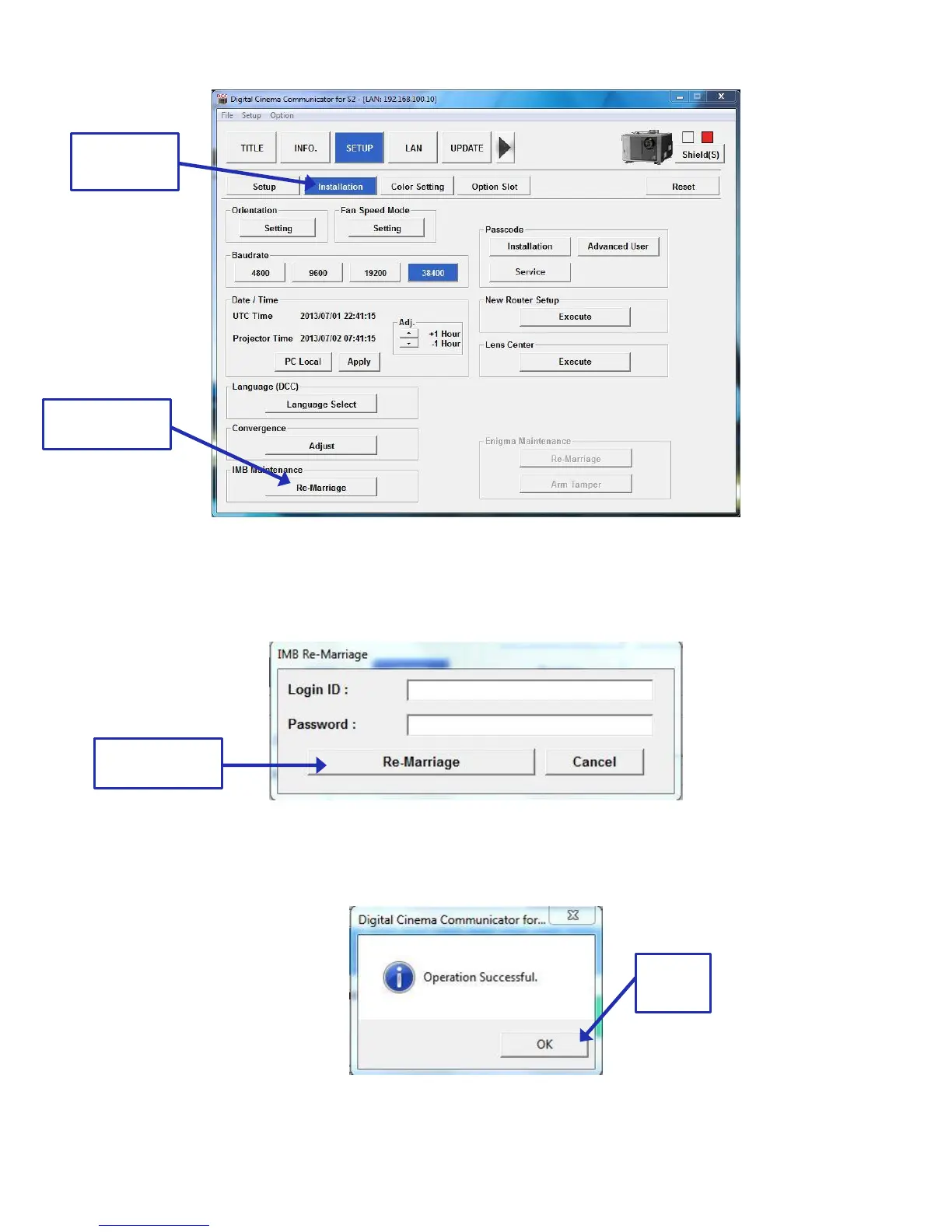
Figure 37: Re-Marriage Button
Enter the appropriate password and login. Contact your administrator for the necessary
information. Click the Re-Marriage button (Figure 38).
Figure 38: Re-Marriage Login
A window will appear stating that the operation was successful. Click Ok (Figure 39).
Figure 39: Operation Successful Window



 To Next Page