11. Chart Alerts
11-8
11.5 Route Planning
The system will calculate chart alerts using operator-defined channel limits for routes. Danger areas are shown
highlighted if safety contour or operator-selected chart alert areas are crossed by the planned route. For more
information on route planning, see the chapter on route planning.
Note: If your voyage is going to take a long time or you are planning it much earlier than it is to take place, use
display and approve dates corresponding to the dates you are going to sail.
You can generate a list of chart alerts that cross by the planned route. This can be done as follows:
1. Enter the safety contour you want to use. See section 11.2.1 "How to select safety contour".
2. Plan a route; define waypoints and other necessary information. See the chapter on route planning.
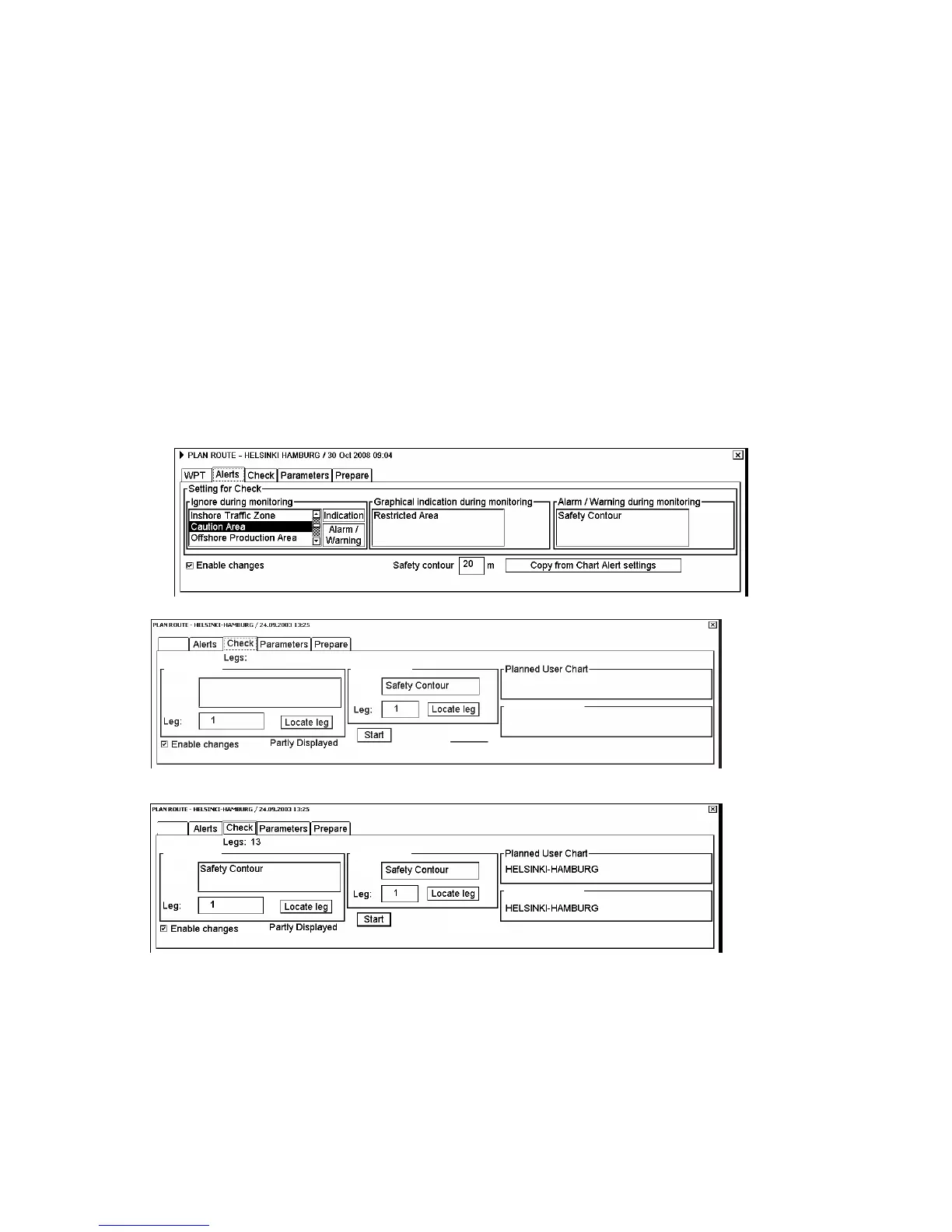
3. Select dangerous objects to be monitored during route monitoring, on the Alerts page in the Plan Route dialog
box, shown below.
a) Open the Plan Route dialog box by putting the cursor on Route in the information area and then clicking
Plan. (See section 13.2 "Main Menu for Route Planning".)
b) Click the Alerts tab.
c) Check the Enable changes box, then click the alert to process from the Ignore during monitoring list then
click the Indication or Alarm/Warning button as appropriate to select what type of alert you want.
4. Click the Check tab then click the Start button to generate a list of chart alerts.
Alerts:
Alerts by leg
Legs by alert
Alert:
Alerts:
Planned Notes
This route is unchecked.
WPT
The system will check a route leg by leg and when finished you will see the number of Legs and Alerts below
the tab buttons.
Alerts by leg
Legs by alert
Alerts: 11
Legs by alert
Alerts by leg
Alert:
Alerts:
Planned Notes
WPT
The figure above shows the alerts to be monitored. If there are alerts included in the planned route, check alerts
leg by leg, or check alerts by using category of alert.



 To Next Page