13. Route Planning
13-16
In case of optimization by "max. speed"
With entered EDT as reference, ETA is calculated with entered speed limit. ETA may be entered in the ETA/UTC
box, however ETA is shown below it.
The monitor display shows ETD, speed limit and calculated ETA.
13.6.3 How to plan a speed profile
A speed profile is defined by general max. speed and optimization types. These values are given while planning a
route. You can define speed limit and optimize type in the Parameters page of the Plan Route dialog box and in the
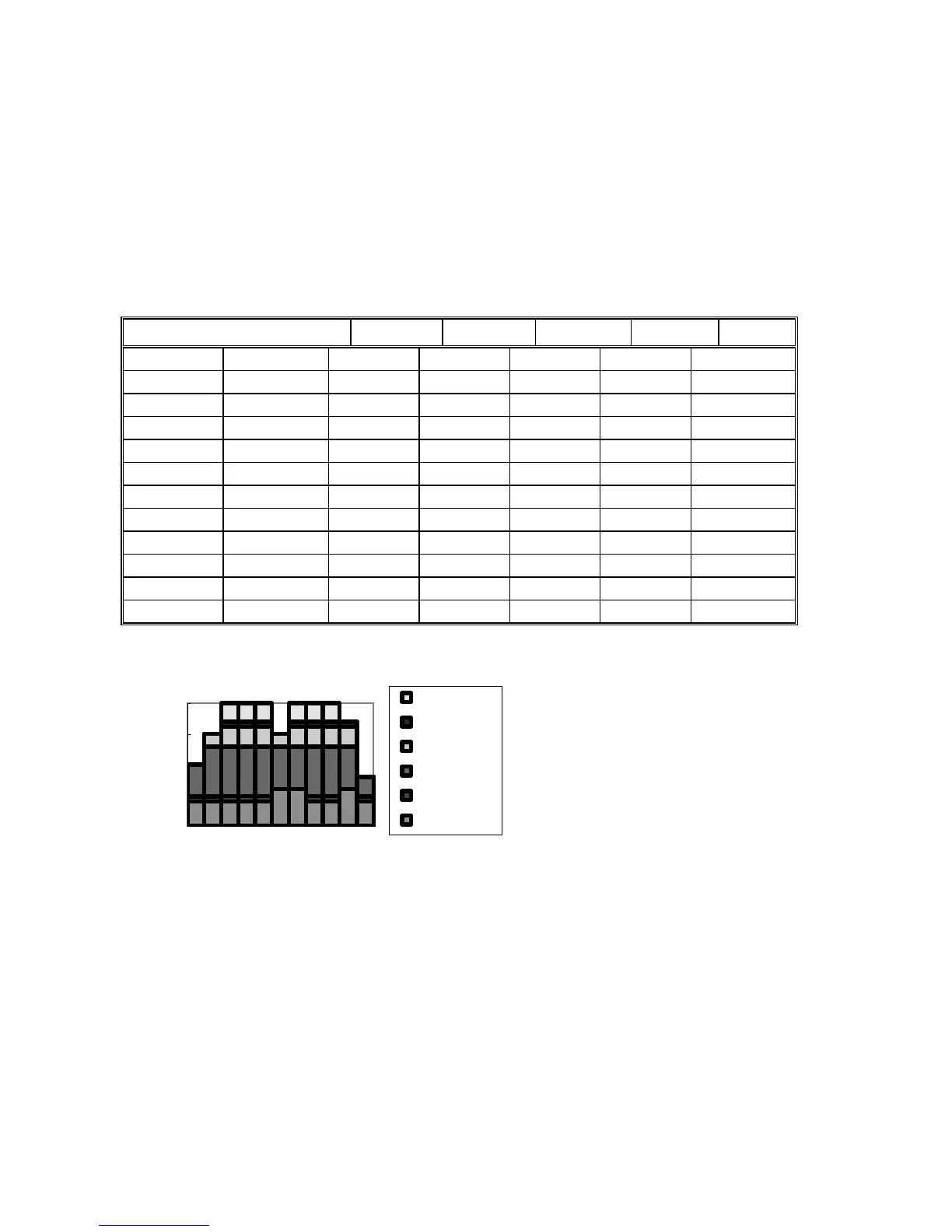
WPT page of the Plan Route dialog box you can give min. and max. speed for each leg. The table and illustration
below demonstrate how different optimize types and speed limits influence speed.
max speed (general) 17
WPT min speed cost profit timetable Max speed max speed
1 4 4.8 10.0 10.0 10 10
2 4 4.8 12.9 15.0 15 15
3 4 4.8 12.9 16.2 17 20
4 4 4.8 12.9 16.2 17 20
4 4 4.8 12.9 16.2 17 20
5 6 6.0 12.9 15.0 15 15
6 6 6.0 12.9 16.2 17 20
7 4 4.8 12.9 16.2 17 20
8 4 4.8 12.9 16.2 17 20
9 6 6.0 12.9 16.2 17 17
10 4 4.8 8.0 8.0 8 8
An Example of speed profile
0
5
10
15
20
1234567891011
Waypoint
Speed [Kn]
max speed
max_speed
timetable
profit
cost
min speed



 To Next Page