Data Communications
Multipoint Cabling
NOTE: Before physically connecting a
terminal
to
an
operational
multipoint
daisy-chained
line, be
sure
to
first
configure
the
terminal
for
multipoint
operation.
The
default
datacomm
configuration is point-to-point full duplex
hardwired.
If
you physically
connect a point-to-point
terminal
to
an
operational
line
of
multipoint
terminals,
you
will
disrupt
the
operation of
the
entire
line.
Three
cables
are
available
for connecting
the
first
multipoint
terminal
to
the
modem
or
hardwired
line: a
first
multipoint
asynchronous cable, a
first
multipoint
synchronous cable
with
receive clock,
and
a
first
multipoint
synchronous cable
without
receive clock. One
multipoint
daisy
chain
cable is used for both asynchronous
and
synchronous use.
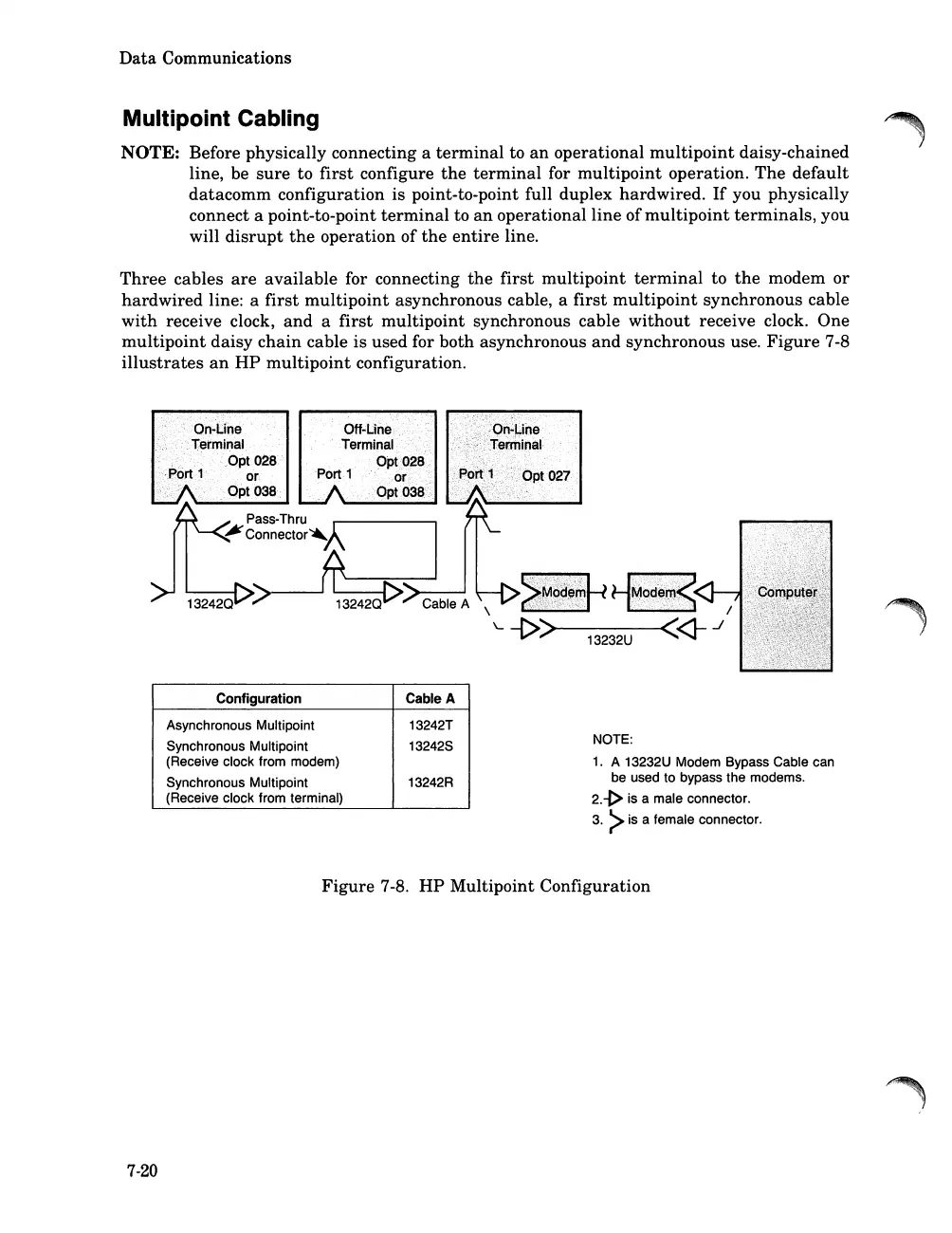
Figure
7-8
illustrates
an
HP
multipoint
configuration.
Configuration Cable A
Asynchronous Multipoint
13242T
Synchronous Multipoint
132425
(Receive clock from modem)
Synchronous Multipoint
13242R
(Receive clock from terminal)
NOTE:
1.
A 13232U Modem Bypass Cable can
be used to bypass the modems.
2.-j>
is a male connector.
3.
>is a female connector.
Figure
7-8.
HP
Multipoint Configuration
7-20













 To Next Page