EasyManua.ls Logo

HP 262SA - Compatibility Mode; Compatibility Mode Configuration

HP 262SA
390 pages
Print Icon
To Next Page IconTo Next Page
To Previous Page IconTo Previous Page
Loading...
Graphics
COMPATIBILITY MODE
Compatibility Mode allows
the
terminal
to
use,
with
a minimum of
reprogramming,
graphics
applications
programs
intended
for TEKTRONIX® 4010
and
4014
terminals.
The
Compatibi-
lity Mode
feature
extends
the
number
of points you can
address
on
the
display
screen
to
either
1024
by
1024 (4010 emulation)
or
4096
by
4096 (4014 emulation).
This
section
describes
the
features
provided
by
Compatibility Mode.
The
terminal
operates
in
one
of
two submodes while
in
Compatibility
Mode.
In
Alphanumeric
mode
the
terminal
displays
alphanumeric
data
on
the
screen
as
in
normal
operation.
In
Graphics
mode
the
terminal
responds
to
alphanumeric
data
as
vector coordinates.
You
can
alternate
between
alphanumeric
and
graphics
modes to
display
messages,
plot
graphics
figures,
and
then
display
additional
messages.
Control
sequences
that
direct
the
operation
of
the
terminal
in
Compatibility
Mode
are
listed
in
Table D-12.
These
sequences
either
perform
different
functions
or
are
ignored
when
the
terminal
is
not
set
for
Compatibility
Mode.
You
turn
on
Compatibility
Mode by
selecting
one of five
operating
states.
Escape
sequences
that
control
Compatibility
Mode
begin
with
Ec
* t
and
are
followed
by
one
or
more
com-
mands.
Refer
toTable
D-13 for a complete
list
of
Compatibility
Mode
escape
sequences.As
in
all
other
parameterized
escape
sequences, a
capital
letter
ends
the
sequence.
Figure
D-19 con-
tains
examples
of
escape
sequences.
Vectors
are
drawn
using
the
current
line
type
and
line
drawing
mode. By
changing
applications
programs
to
send
additional
escape
sequences, you
can
draw
vectors
using
dotted,
dashed,
or
other
line-types.
In
general,
all
of
the
normal
features
of
the
terminal,
such
as
display
enhancements,
are
available
only
in
the
Alphanumeric
mode.
Compatibility
Mode
Configuration
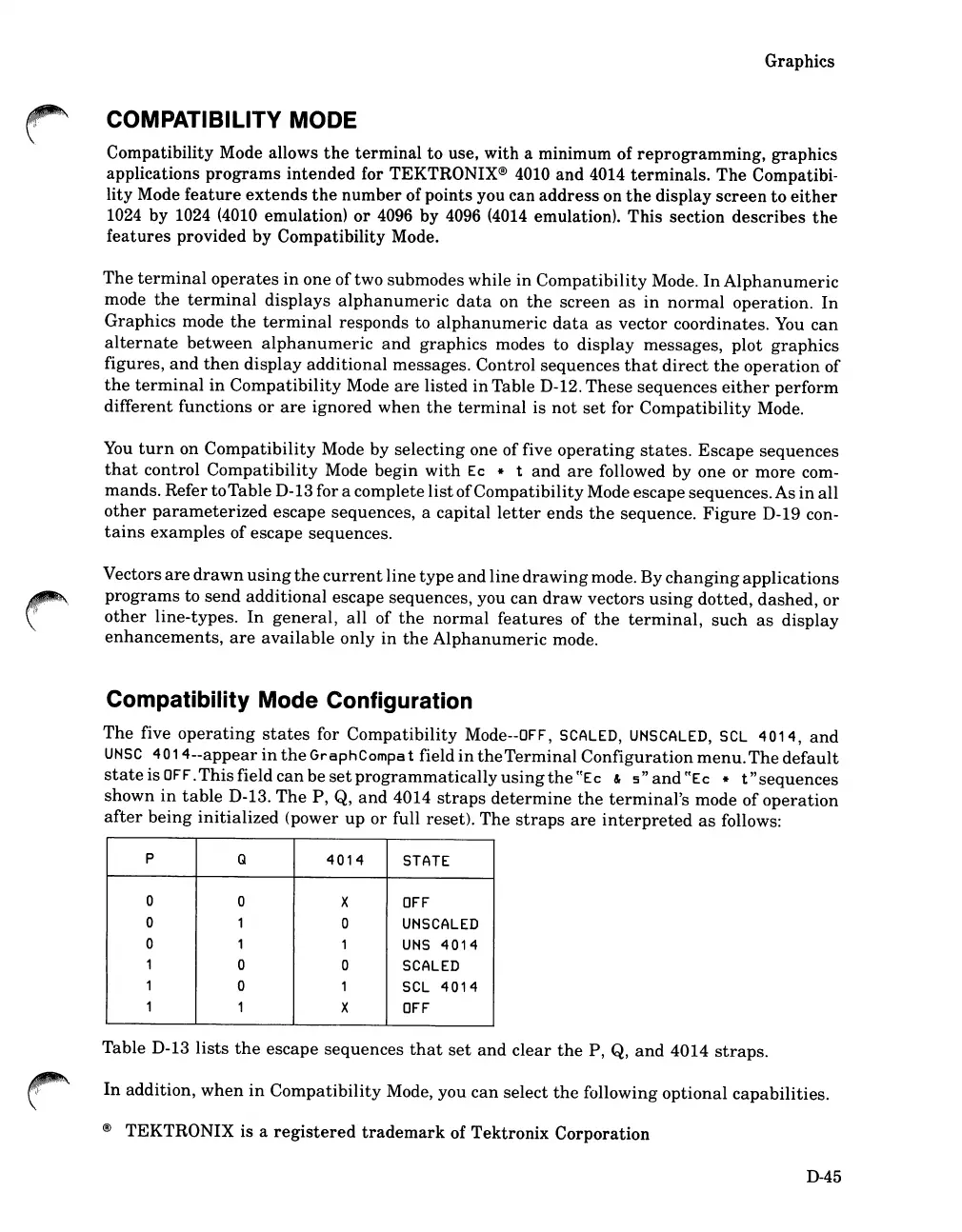
The
five
operating
states
for
Compatibility
Mode--OFF, SCALED,
UNSCAlED,
SCl
4014,
and
UNSC
40
14--appear
in
the
GraphCompa
t field
in
the
Terminal
Configuration
menu.
The
default
state
is
OFF.
This
field
can
be
set
programmatically
using
the
ffEc
&
s"
and
ffEc
* t "
sequences
shown
in
table
D-13.
The
P,
Q,
and
4014
straps
determine
the
terminal's
mode
of
operation
after
being
initialized
(power
up
or
full reset).
The
straps
are
interpreted
as
follows:
P
Q
4014
STATE
0
0
X
OFF
0
1 0
UNSCAlED
0
1
1
UNS
4014
1 0
0
SCALED
1 0
1
SCl
4014
1 1
X
OFF
Table D-13
lists
the
escape
sequences
that
set
and
clear
the
P,
Q,
and
4014
straps.
In
addition,
when
in
Compatibility
Mode,
you
can
select
the
following
optional
capabilities.
®
TEKTRONIX
is a
registered
trademark
of
Tektronix
Corporation
D-45

Table of Contents

Related product manuals