EasyManua.ls Logo

HP 262SA - Permanent Block Mode; Handshake Priority

HP 262SA
390 pages
Print Icon
To Next Page IconTo Next Page
To Previous Page IconTo Previous Page
Loading...
Block Data Transfer
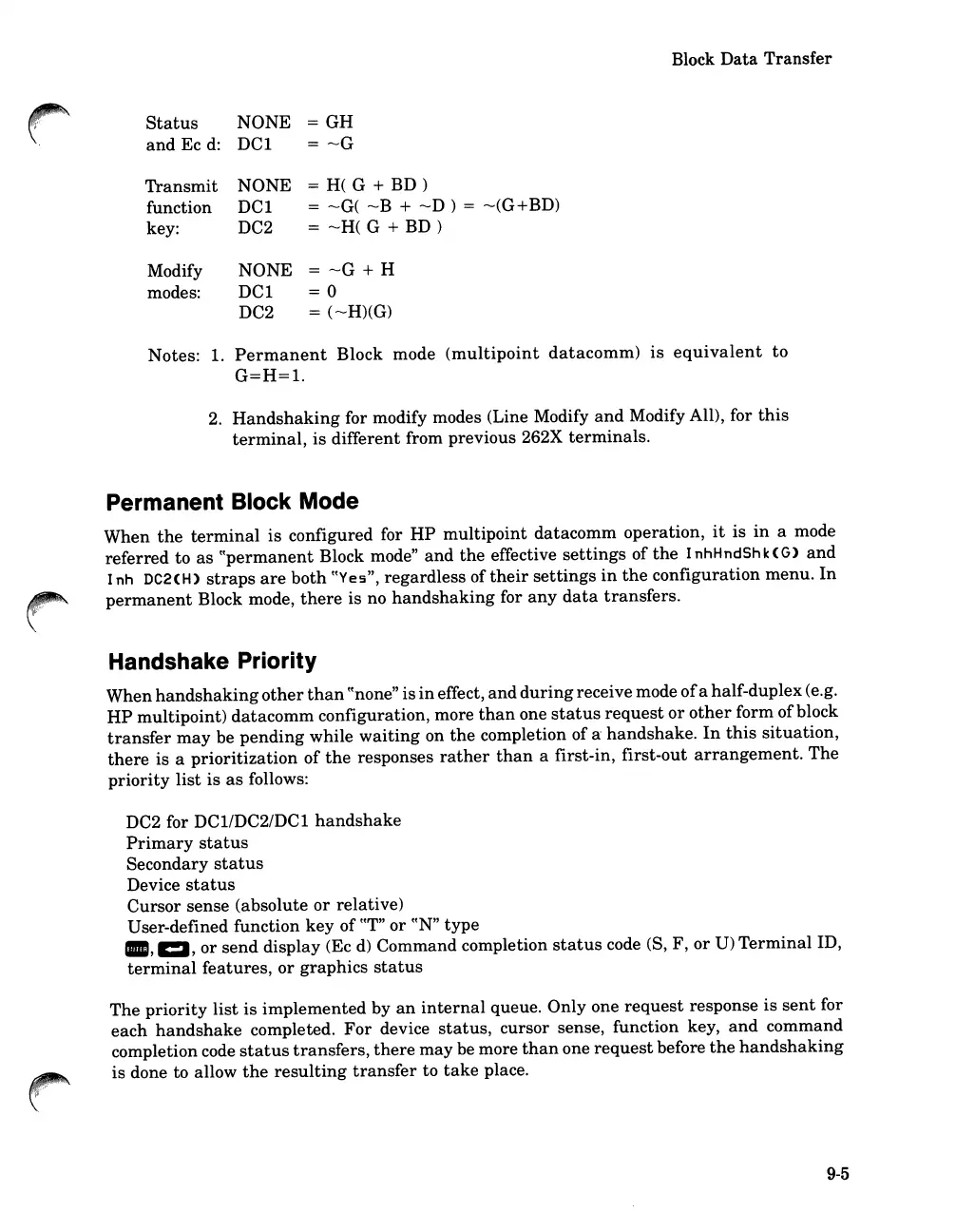
Status
NONE
=
GH
and
Ec
d:
DCI
= --G
Transmit
NONE
= H( G +
BD)
function
DCI
= --G( --B + --D ) = --(G+BD)
key:
DC2
= --H( G +
BD)
Modify
NONE
= --G + H
modes:
DCI
=0
DC2
= (--H)(G)
Notes: 1.
Permanent
Block mode
(multipoint
datacomm)
is
equivalent
to
G=H=I.
2.
Handshaking
for modify modes (Line Modify
and
Modify All), for
this
terminal,
is
different from previous 262X
terminals.
Permanent Block Mode
When
the
terminal
is
configured for
HP
multipoint
datacomm
operation,
it
is
in
a mode
referred
to
as
cCpermanent Block mode"
and
the
effective
settings
of
the
InhHndShk(G)
and
I
nh
DC2
(H)
straps
are
both
cCYe
5",
regardless
of
their
settings
in
the
configuration
menu.
In
permanent
Block mode,
there
is
no
handshaking
for
any
data
transfers.
Handshake Priority
When
handshaking
other
than
cC
none
"
is
in
effect,
and
during
receive mode
of
a half-duplex (e.g.
HP
multipoint)
datacomm
configuration, more
than
one
status
request
or
other
form ofblock
transfer
may
be
pending
while
waiting
on
the
completion ofa
handshake.
In
this
situation,
there
is a
prioritization
of
the
responses
rather
than
a first-in,
first-out
arrangement.
The
priority
list
is
as
follows:
DC2 for
DCI/DC2/DCl
handshake
Primary
status
Secondary
status
Device
status
Cursor
sense (absolute
or
relative)
User-defined function
key
of
cCT"
or
cCN"
type
-,1:1,
or
send
display (Ec
d)
Command completion
status
code (S, F,
or
U)
Terminal
ID,
terminal
features,
or
graphics
status
The
priority
list
is
implemented
by
an
internal
queue. Only one
request
response
is
sent
for
each
handshake
completed.
For
device
status,
cursor sense, function key,
and
command
completion code
status
transfers,
there
may
be more
than
one
request
before
the
handshaking
is
done to allow
the
resulting
transfer
to
take
place.
9-5

Table of Contents

Related product manuals