EasyManua.ls Logo

HP 262SA - Character Insert with Wraparound

HP 262SA
390 pages
Print Icon
To Next Page IconTo Next Page
To Previous Page IconTo Previous Page
Loading...
Display Control
\
Left
Margin
I Cursor
~
Movement of
Existing
Characters
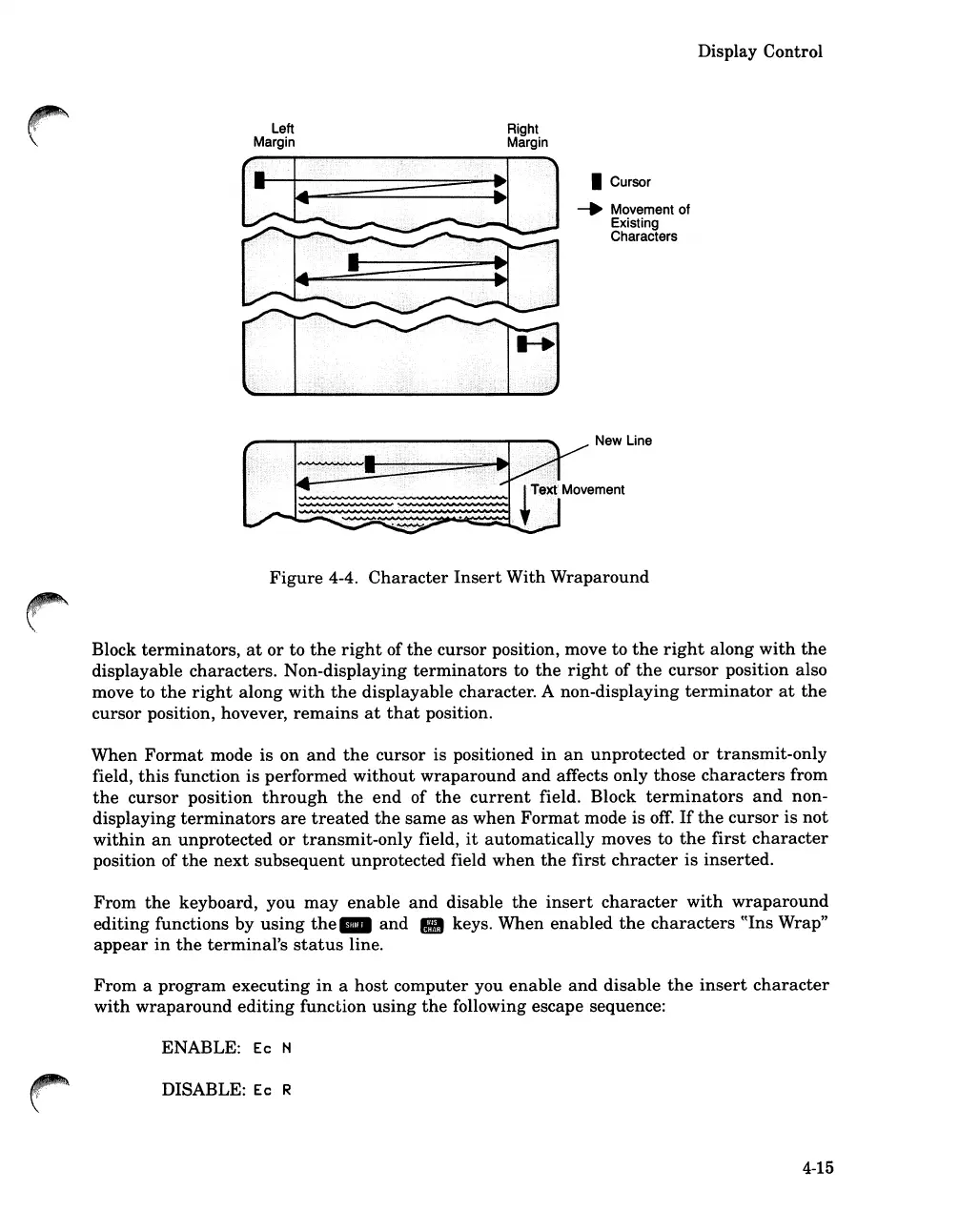
Figure
4-4.
Character
Insert
With
Wraparound
Block
terminators,
at
or
to
the
right
of
the
cursor
position, move
to
the
right
along
with
the
displayable
characters.
Non-displaying
terminators
to
the
right
of
the
cursor
position also
move to
the
right
along
with
the
displayable character. A non-displaying
terminator
at
the
cursor
position, hovever,
remains
at
that
position.
When
Format
mode
is
on
and
the
cursor is positioned
in
an
unprotected
or
transmit-only
field,
this
function
is
performed
without
wraparound
and
affects only
those
characters
from
the
cursor
position
through
the
end
of
the
current
field. Block
terminators
and
non-
displaying
terminators
are
treated
the
same
as
when
Format
mode is
off.
If
the
cursor
is
not
within
an
unprotected
or
transmit-only
field,
it
automatically
moves to
the
first
character
position of
the
next
subsequent
unprotected field
when
the
first
chracter
is
inserted.
From
the
keyboard, you
may
enable
and
disable
the
insert
character
with
wraparound
editing
functions by
using
the
_
and
III keys. When
enabled
the
characters
((Ins Wrap"
appear
in
the
terminal's
status
line.
From
a
program
executing
in
a
host
computer you
enable
and
disable
the
insert
character
with
wraparound
editing
function
using
the
following escape sequence:
ENABLE:
Ec
N
DISABLE: Ec R
4-15

Table of Contents

Related product manuals