EasyManua.ls Logo

HP 262SA - Relocatable Origin

HP 262SA
390 pages
Print Icon
To Next Page IconTo Next Page
To Previous Page IconTo Previous Page
Loading...
Graphics
LIFT/LOWER BOUNDARY PEN
Lift
Boundary
Pen: Ec *
pu
Lower
Boundary
Pen: Ec *
pv
If
the
boundary
pen
has
been
enabled
by
the
Ec * m 0 h command (above),
the
pen
may
be
((lifted" so
that
the
edges
of
the
filled
area
are
the
same
pattern
as
the
interior. When
the
pen
is
((lowered",
the
boundary
of
the
filled
area
is a solid white line.
The
Lower
Boundary
Pen
command is executed only
if
the
boundary
pen
has
first been enabled.
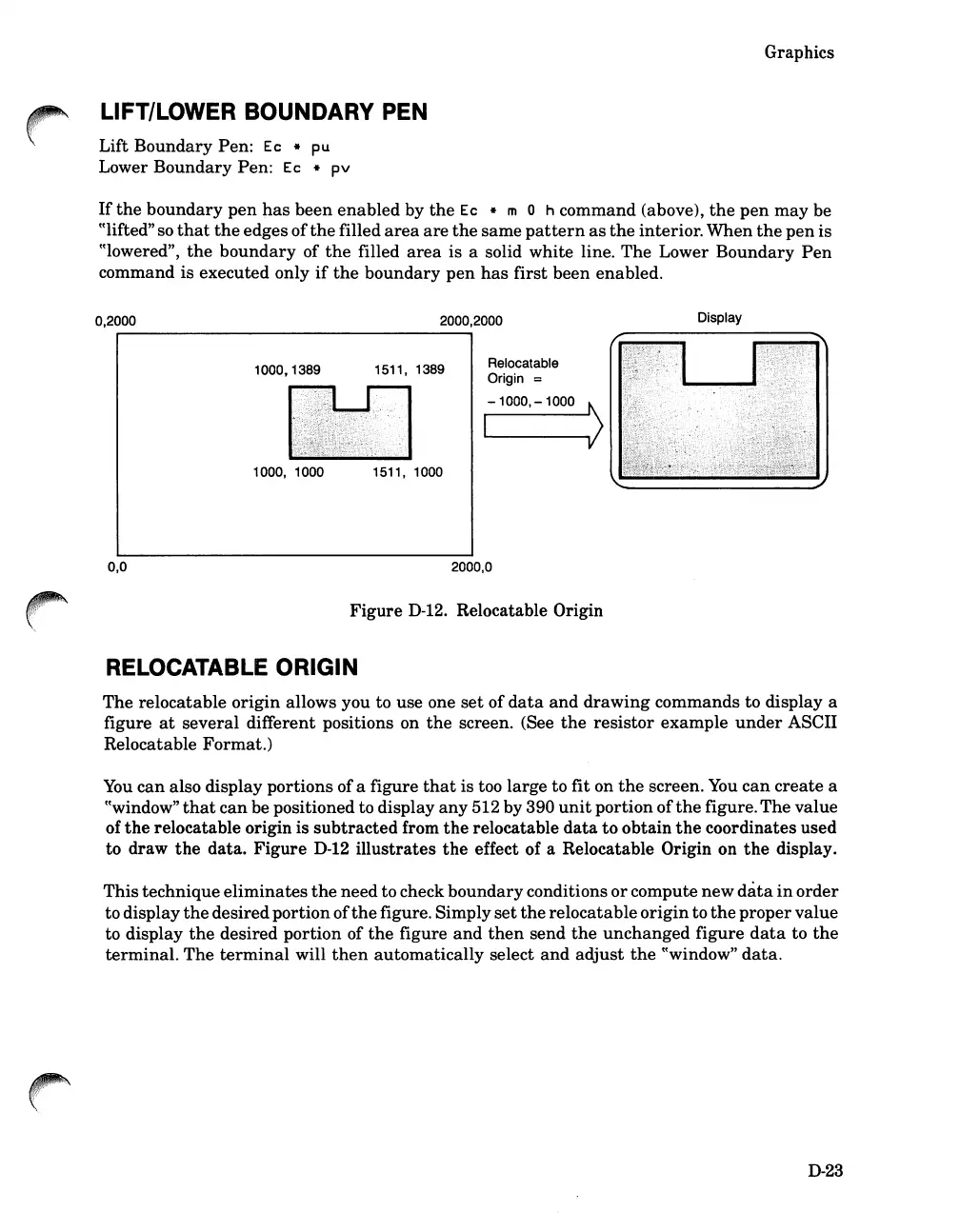
0,2000
2000,2000
Display
0,0
1000,1389
1000, 1000
1511, 1389
1511, 1000
Relocatable
Origin =
-1000,
-1000
\
I
~(
2000,0
Figure
D-12.
Relocatable Origin
RELOCATABLE ORIGIN
The
relocatable
origin
allows you to use one
set
of
data
and
drawing
commands to display a
figure
at
several
different positions on
the
screen. (See
the
resistor
example
under
ASCII
Relocatable Format.)
You
can
also display portions ofa figure
that
is too large to fit on
the
screen.
You
can
create
a
((window"
that
can
be positioned to display
any
512 by 390
unit
portion
of
the
figure.
The
value
of
the
relocatable origin is
subtracted
from
the
relocatable
data
to
obtain
the
coordinates used
to draw
the
data.
Figure
D-12
illustrates
the
effect of a Relocatable Origin on
the
display.
This
technique
eliminates
the
need to check
boundary
conditions
or
compute
new
data
in
order
to display
the
desiredportion
of
the
figure. Simply
set
the
relocatable
origin
to
the
proper
value
to display
the
desired portion of
the
figure
and
then
send
the
unchanged
figure
data
to
the
terminal.
The
terminal
will
then
automatically select
and
adjust
the
((window"
data.
D-23

Table of Contents

Related product manuals