EasyManua.ls Logo

HP 262SA - Maintaining the Integral Printer; Printer Paper; Loading Printer Paper; Integral Printer Mechanism

HP 262SA
390 pages
Print Icon
To Next Page IconTo Next Page
To Previous Page IconTo Previous Page
Loading...
Integral
Printer
Control
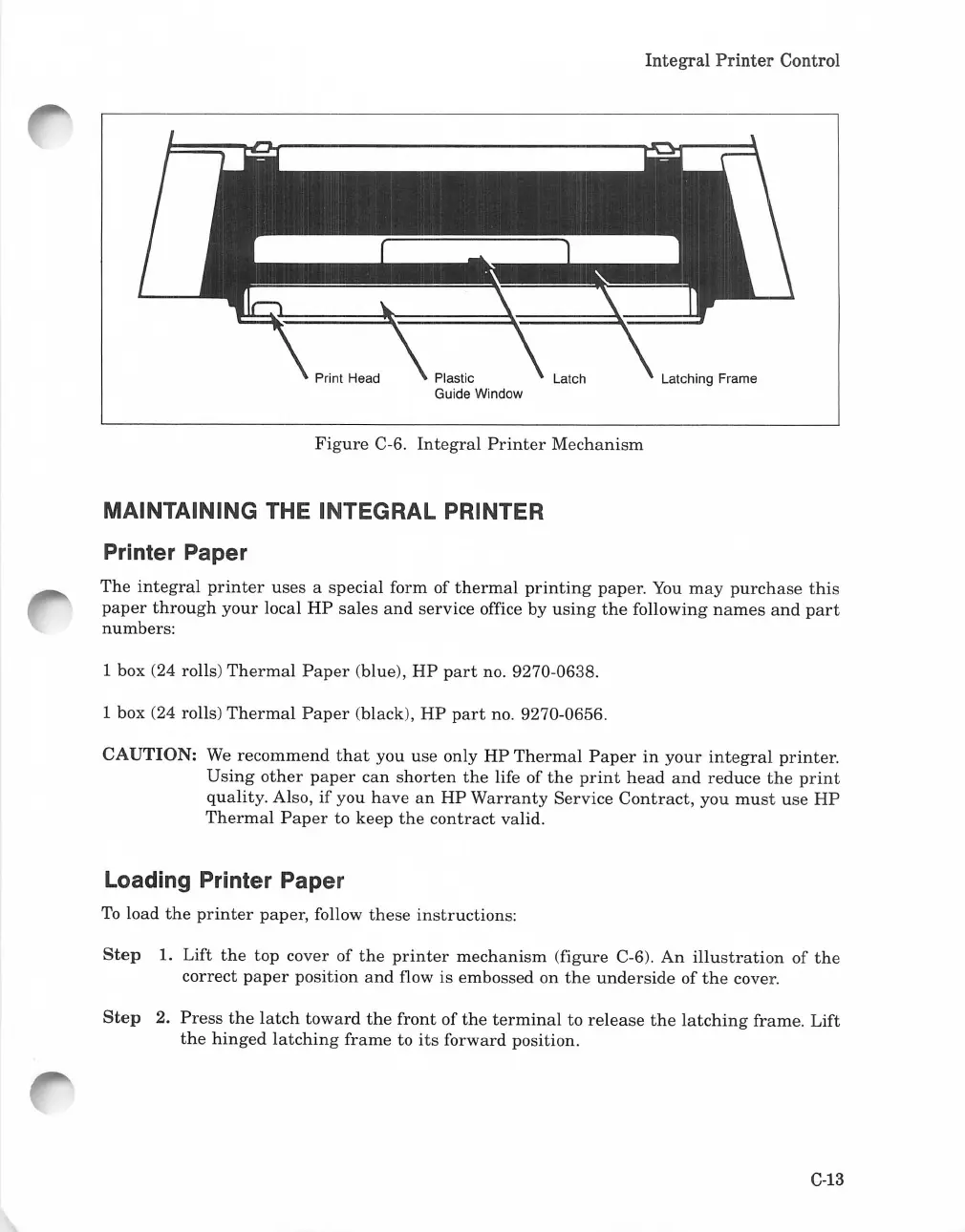
Latching Frame
Figure
C-6.
Integral
Printer
Mechanism
MAINTAINING THE INTEGRAL PRINTER
Printer Paper
The
integral
printer
uses
a special form of
thermal
printing
paper.
You
may
purchase
this
paper
through
your
local
HP
sales
and
service office by
using
the
following
names
and
part
numbers:
1 box (24 rolls)
Thermal
Paper
(blue),
HP
part
no. 9270-0638.
1 box (24 rolls)
Thermal
Paper
(black),
HP
part
no. 9270-0656.
CAUTION:
We
recommend
that
you
use
only
HP
Thermal
Paper
in
your
integral
printer.
Using
other
paper
can
shorten
the
life of
the
print
head
and
reduce
the
print
quality.
Also,
if
you
have
an
HP
Warranty
Service
Contract,
you
must
use
HP
Thermal
Paper
to
keep
the
contract
valid.
Loading Printer Paper
To
load
the
printer
paper, follow
these
instructions:
Step
1. Lift
the
top cover
of
the
printer
mechanism
(figure C-6).
An
illustration
of
the
correct
paper
position
and
flow is embossed on
the
underside
of
the
cover.
Step
2.
Press
the
latch
toward
the
front
of
the
terminal
to
release
the
latching
frame.
Lift
the
hinged
latching
frame
to
its
forward position.
C-13

Table of Contents

Related product manuals