EasyManua.ls Logo

HP 262SA - Graphics Text Cursor Position

HP 262SA
390 pages
Print Icon
To Next Page IconTo Next Page
To Previous Page IconTo Previous Page
Loading...
Graphics
SLANT.
The
graphics
text
characters
can be
slanted
45 degrees for
an
italics
effect.
Turn
On
Graphics
Text
Slant:
Turn
Off Graphics
Text Slant:
Ec
* m 0
Ec
* m p
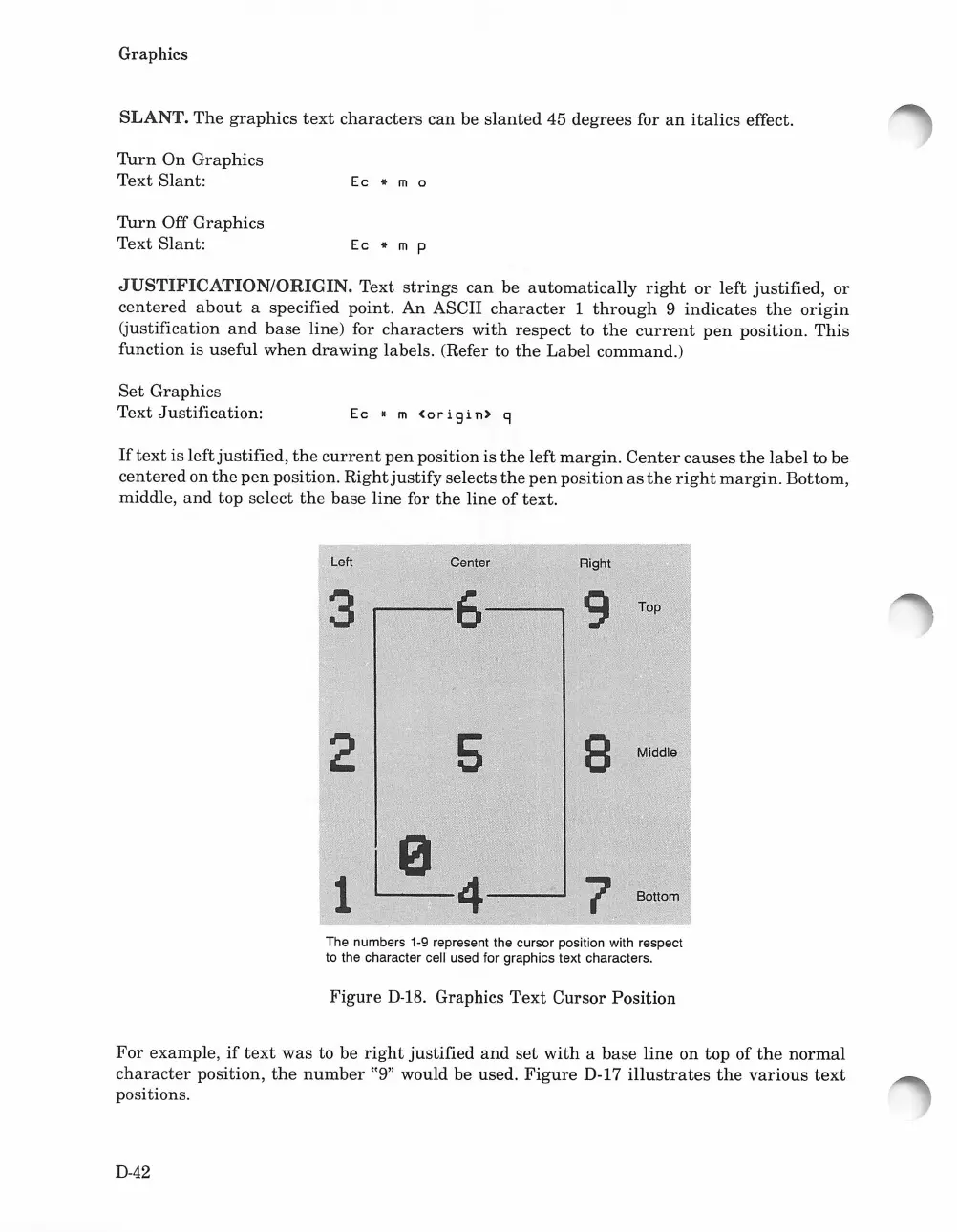
JUSTIFICATION/ORIGIN. Text
strings
can
be
automatically
right
or
left justified, or
centered
about
a specified point.
An
ASCII
character
1
through
9
indicates
the
origin
(justification
and
base line) for
characters
with
respect to
the
current
pen
position.
This
function is useful
when
drawing
labels. (Refer to
the
Label command.)
Set
Graphics
Text Justification:
Ec
* m
<origin>
g
If
text
is leftjustified,
the
current
pen
position is
the
left margin.
Center
causes
the
label to be
centeredon
the
pen
position.
Rightjustify
selects
the
pen position
as
the
right
margin.
Bottom,
middle,
and
top select
the
base line for
the
line of text.
Left
3
2
Center
....---6----..
5
Right
9
Top
8 Middle
7 Boltom
The numbers 1-9 represent the cursor position with respect
to the character cell used for graphics text characters.
Figure
D-18.
Graphics
Text
Cursor Position
For
example,
if
text
was
to be
right
justified
and
set
with
a base
line
on top
of
the
normal
character
position,
the
number
"9" would be used.
Figure
D-17
illustrates
the
various
text
positions.
D-42

Table of Contents

Related product manuals