EasyManua.ls Logo

HP 262SA - Danish Keyboard

HP 262SA
390 pages
Print Icon
To Next Page IconTo Next Page
To Previous Page IconTo Previous Page
Loading...
~Or::1r::1r::t~
L:.IC~L:JL:JL:..I
OLP
SODUS
C
NESTE
r::::t~
o
~
SIDE
L::-'L:..I
Keyboards and Character
Sets
~8m8
Wl(
POlS'.
Qr:::-t
lIlUU1
..
IRaIU
L:::-'C
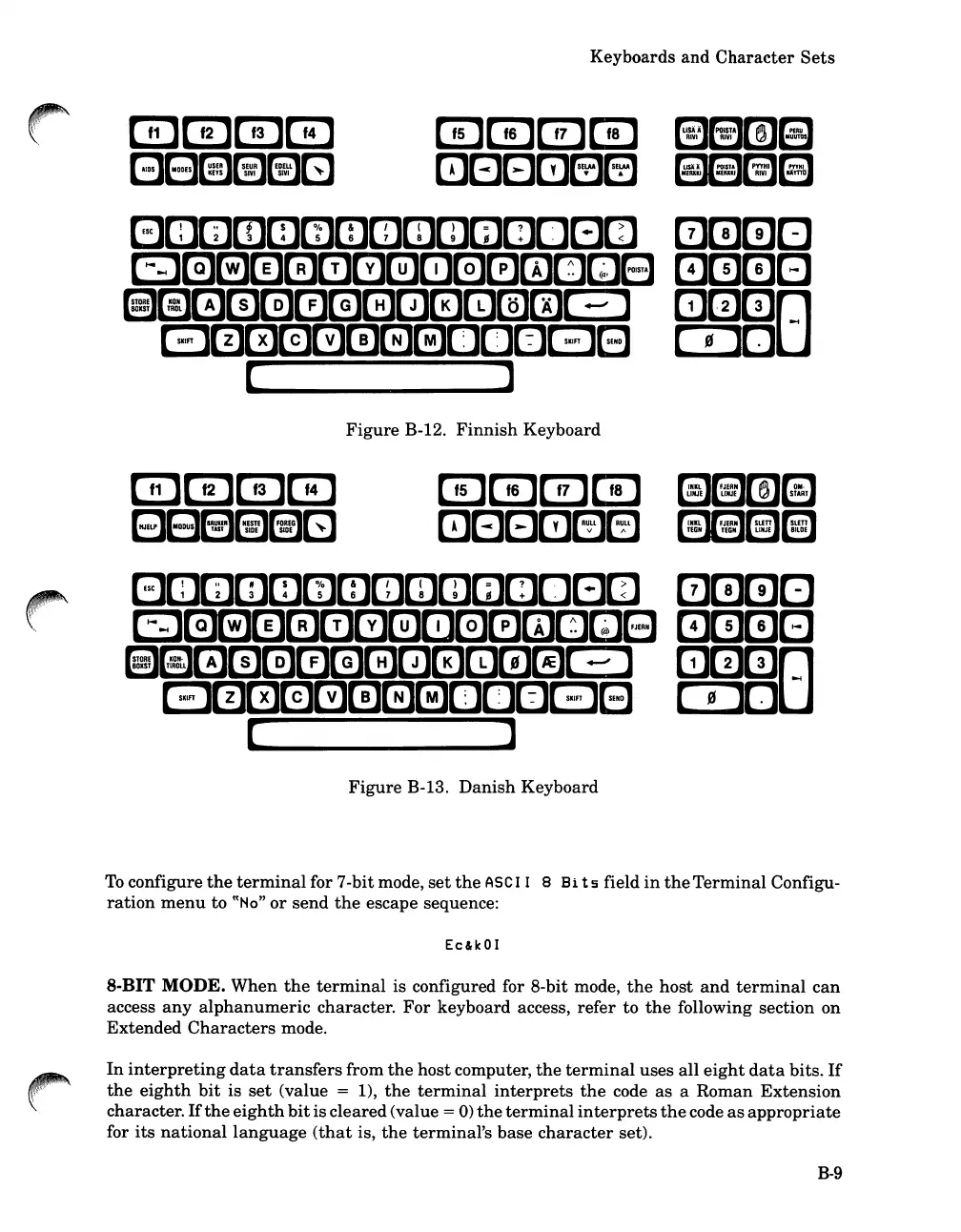
Figure
B-12.
Finnish
Keyboard
Figure
B-13.
Danish
Keyboard
To
configure
the
terminal
for 7-bit mode,
set
the
ASC
I I 8
Hi
t 5 field
in
the
Terminal
Configu-
ration
menu
to
cCHo"
or
send
the
escape sequence:
Ec&kOI
8-BIT MODE.
When
the
terminal
is configured for 8-bit mode,
the
host
and
terminal
can
access
any
alphanumeric
character.
For
keyboard access,
refer
to
the
following section
on
Extended
Characters
mode.
In
interpreting
data
transfers
from
the
host
computer,
the
terminal
uses
all
eight
data
bits.
If
the
eighth
bit
is
set
(value = 1),
the
terminal
interprets
the
code
as
a
Roman
Extension
character.
If
the
eighth
bit
is
cleared(value = 0)
the
terminal
interprets
the
code
as
appropriate
for
its
national
language
(that
is,
the
terminal's
base
character
set).
B-9

Table of Contents

Related product manuals