EasyManua.ls Logo

HP 262SA - Character Insert with Margins

HP 262SA
390 pages
Print Icon
To Next Page IconTo Next Page
To Previous Page IconTo Previous Page
Loading...
Display Control
This
edit
function is
meant
to be used
within
that
portion of
the
workspace bounded by
the
left
and
right
margins.
If
you position
the
cursor to
the
left
of
the
left
margin,
the
insert
character
function works
as
described above.
If
you position
the
cursor
beyond
the
right
margin,
however,
the
insert
character
function affects those
characters
between
the
current
cursor position
and
the
right
boundary
of
the
screen.
In
such a case,
when
the
cursor
reaches
the
right
boundary
of
the
screen,
it
moves to
the
left
margin
in
the
next
lower
line
and
the
insert
character
function continues from
that
point
as
described
in
the
first
paragraph
above.
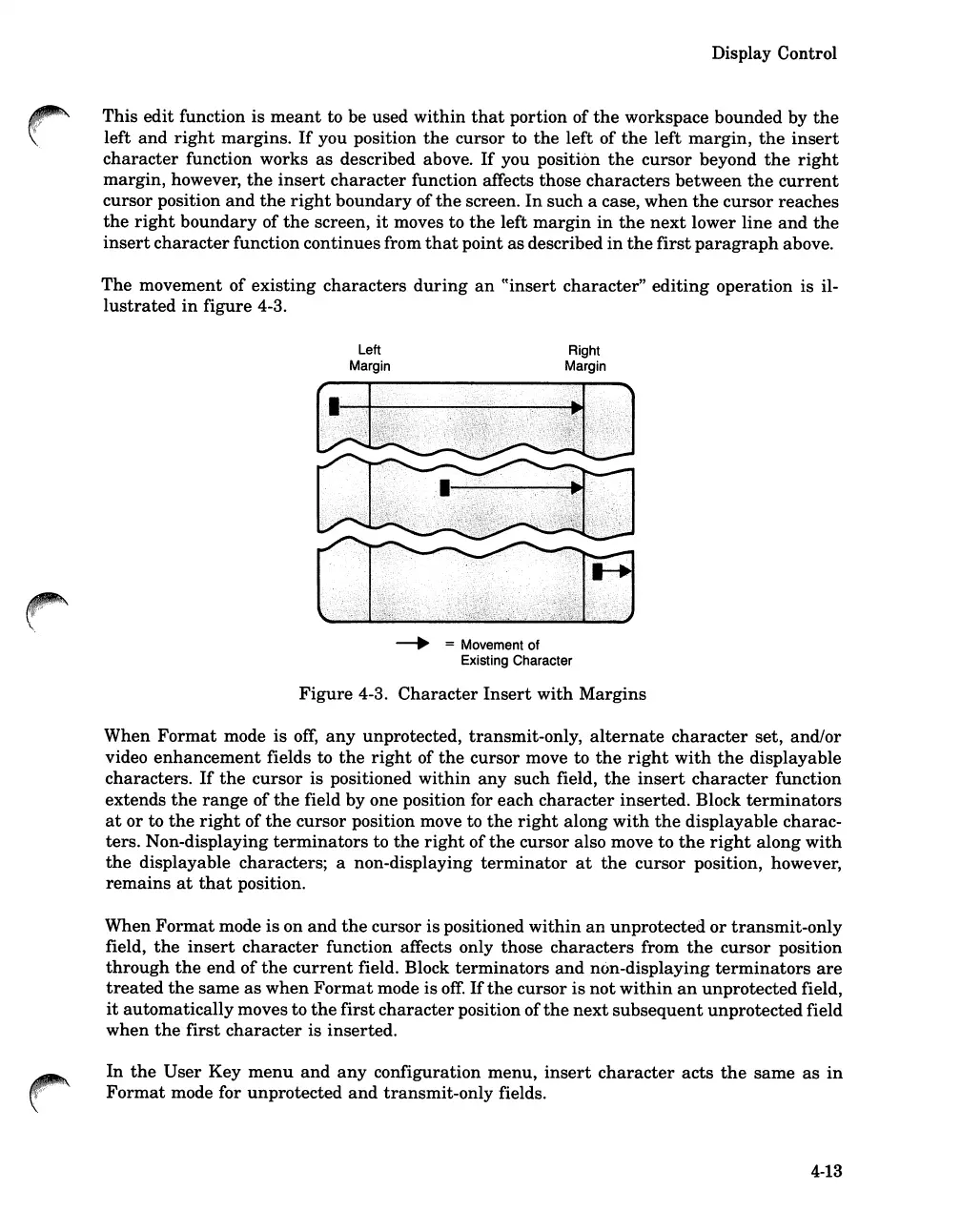
The
movement of
existing
characters
during
an
((insert
character"
editing
operation
is il-
lustrated
in
figure 4-3.
Left
Margin
Right
Margin
\.
.-.
= Movement of
Existing Character
Figure
4-3.
Character
Insert
with
Margins
When
Format
mode is
off,
any
unprotected, transmit-only,
alternate
character
set, and/or
video
enhancement
fields to
the
right
of
the
cursor move to
the
right
with
the
displayable
characters.
If
the
cursor
is positioned
within
any
such field,
the
insert
character
function
extends
the
range
of
the
field by one position for each
character
inserted.
Block
terminators
at
or
to
the
right
of
the
cursor
position move to
the
right
along
with
the
displayable charac-
ters. Non-displaying
terminators
to
the
right
of
the
cursor also move to
the
right
along
with
the
displayable characters; a non-displaying
terminator
at
the
cursor
position, however,
remains
at
that
position.
When
Format
mode
is
on
and
the
cursor
is
positioned
within
an
unprotected
or
transmit-only
field,
the
insert
character
function affects only those
characters
from
the
cursor
position
through
the
end
of
the
current
field. Block
terminators
and
non-displaying
terminators
are
treated
the
same
as
when
Format
mode is
off.
If
the
cursor
is
not
within
an
unprotected
field,
it
automatically
moves to
the
first
character
position
of
the
next
subsequent
unprotected
field
when
the
first
character
is inserted.
In
the
User
Key
menu
and
any
configuration menu,
insert
character
acts
the
same
as
in
Format
mode for unprotected
and
transmit-only
fields.
4-13

Table of Contents

Related product manuals