EasyManua.ls Logo

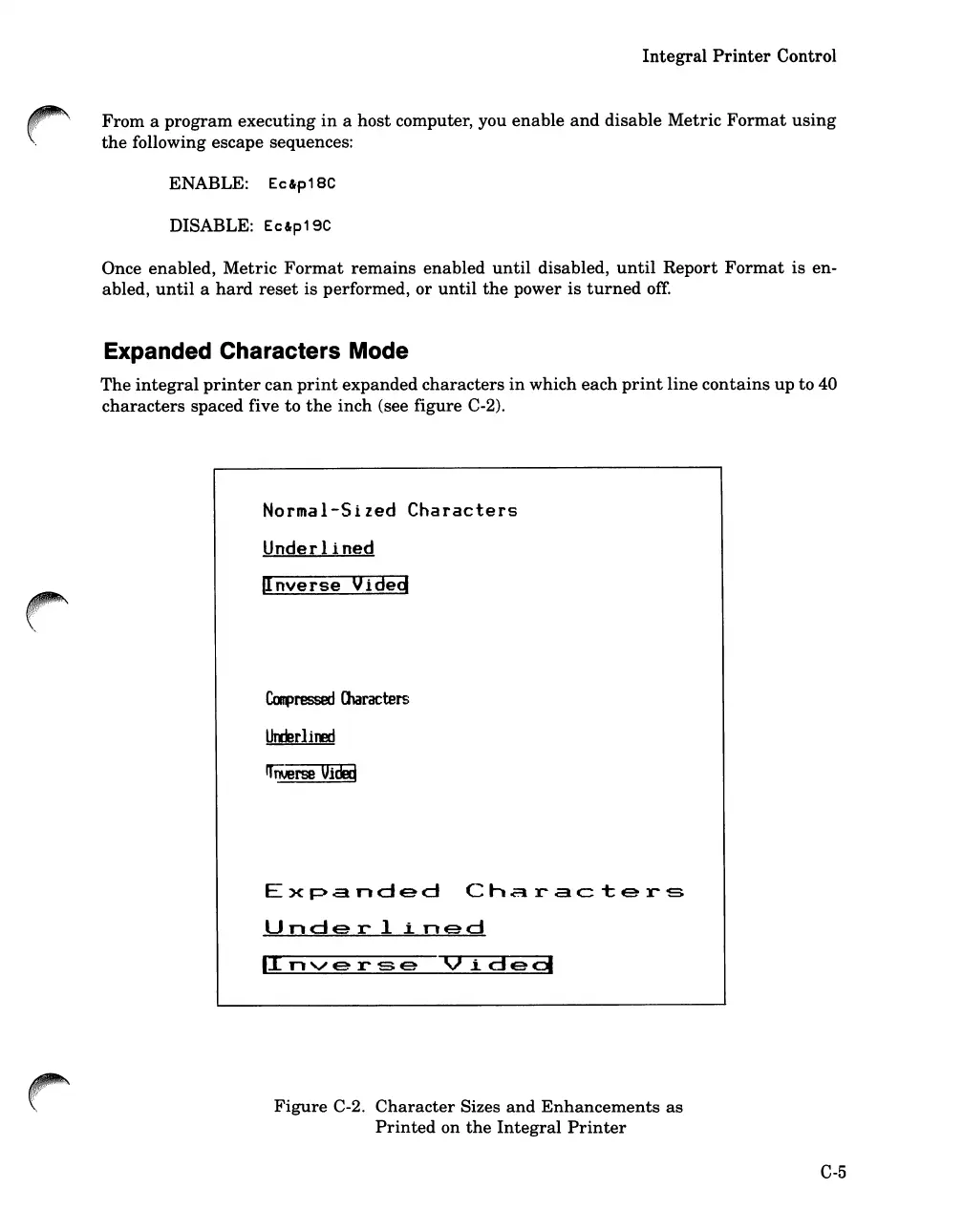
HP 262SA - Expanded Characters Mode; Character Sizes and Enhancements as Printed on the Integral Printer

HP 262SA
390 pages
Print Icon
To Next Page IconTo Next Page
To Previous Page IconTo Previous Page
Loading...
Integral
Printer
Control
From
a
program
executing
in
a
host
computer, you
enable
and
disable
Metric
Format
using
the
following escape sequences:
ENABLE:
Ec&p18C
DISABLE:
Ec&p19C
Once enabled,
Metric
Format
remains
enabled
until
disabled,
until
Report
Format
is
en-
abled,
until
a
hard
reset
is performed,
or
until
the
power
is
turned
off
Expanded Characters Mode
The
integral
printer
can
print
expanded
characters
in
which
each
print
line
contains
up
to
40
characters
spaced five
to
the
inch
(see figure C-2).
Normal-Sized
Characters
Underlined
IInverse
Vided
CaJpressed
Olaracters
UttErliJEd
rrrierse
Ui[kij
Expanded
Characters
Underlined
'Inverse
Vide
g
Figure
C-2.
Character
Sizes
and
Enhancements
as
Printed
on
the
Integral
Printer
C-5

Table of Contents

Related product manuals