EasyManua.ls Logo

HP 262SA - Data Transfer Event Sequence

HP 262SA
390 pages
Print Icon
To Next Page IconTo Next Page
To Previous Page IconTo Previous Page
Loading...
Block
Data
Transfer
When
not
in
Format
mode, you
can
insert
a non-displaying
terminator
at
the
current
cursor
position by
issuing
an
~~Ec
_"
sequence. This escape sequence
can
be
issued
either
through
the
keyboard
or
from a
program
executing
in
a host computer.
In
Format
mode, non-displaying
terminators
may
be
inserted
only
into
unprotected
fields.
The
significant
factors involved
in
a
data
transfer
are
as
follows:
Data
block
start
point.
Data
block
end
point.
Type
of
data
transferred.
End
character(s).
Cursor
location
after
the
transfer
is completed.
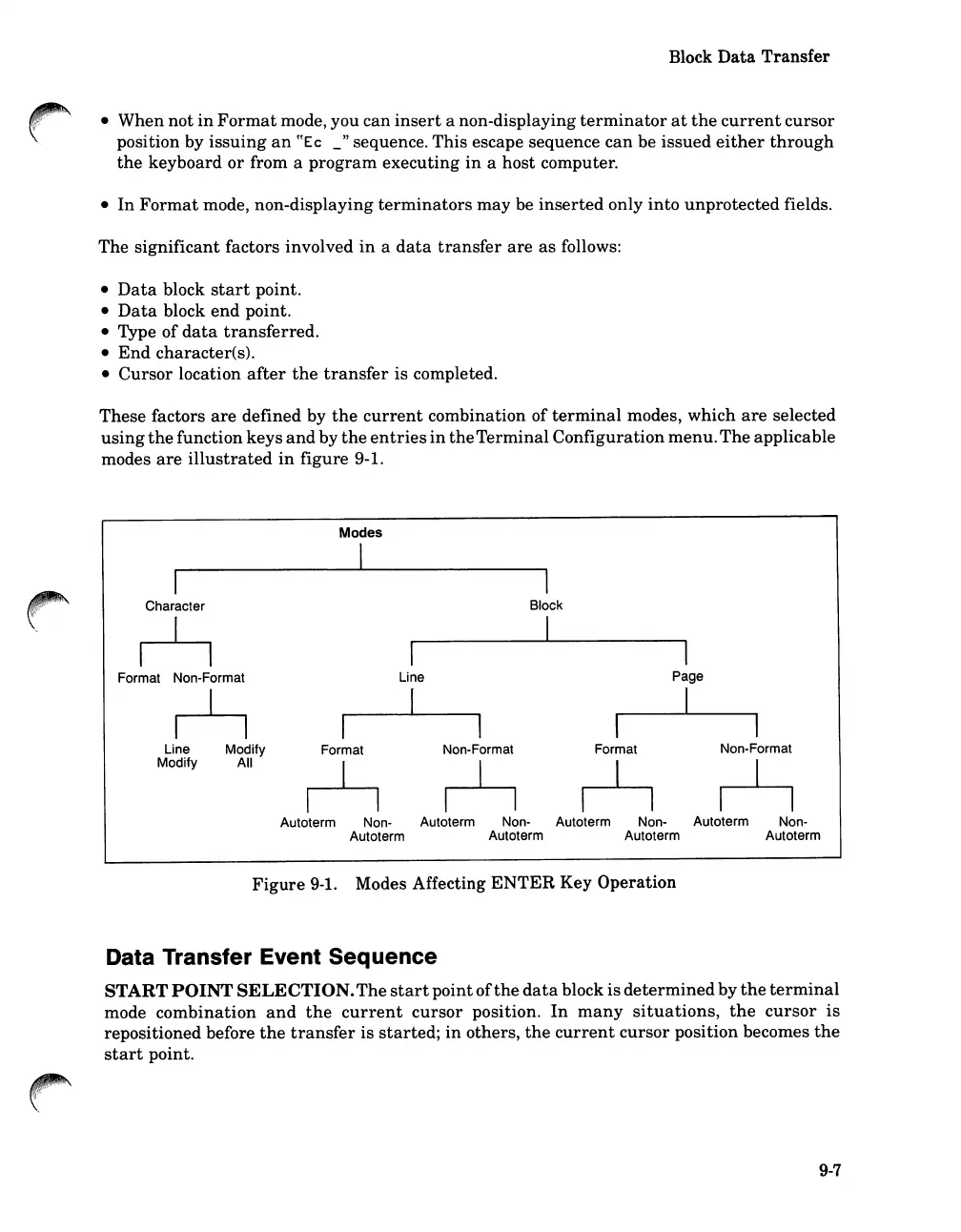
These factors
are
defined by
the
current
combination of
terminal
modes, which
are
selected
using
the
function keys
and
by
the
entries
in
the
Terminal
Configuration
menu.
The
applicable
modes
are
illustrated
in
figure 9-1.
Character
~
Format Non-Format
~
Modes
I
I
Line
[
I
Block
I
I
Page
I
Line
Modify
Modify
All
Format
Non-Format
~
Format
Non-Format
~
Autoterm Non- Autoterm Non- Autoterm Non- Autoterm Non-
Autoterm Autoterm Autoterm Autoterm
Figure
9-1.
Modes Affecting
ENTER
Key Operation
Data Transfer Event Sequence
START
POINT
SELECTION.
The
start
pointof
the
data
block
is
determined
by
the
terminal
mode
combination
and
the
current
cursor
position.
In
many
situations,
the
cursor
is
repositioned before
the
transfer
is
started;
in
others,
the
current
cursor
position becomes
the
start
point.
9-7

Table of Contents

Related product manuals